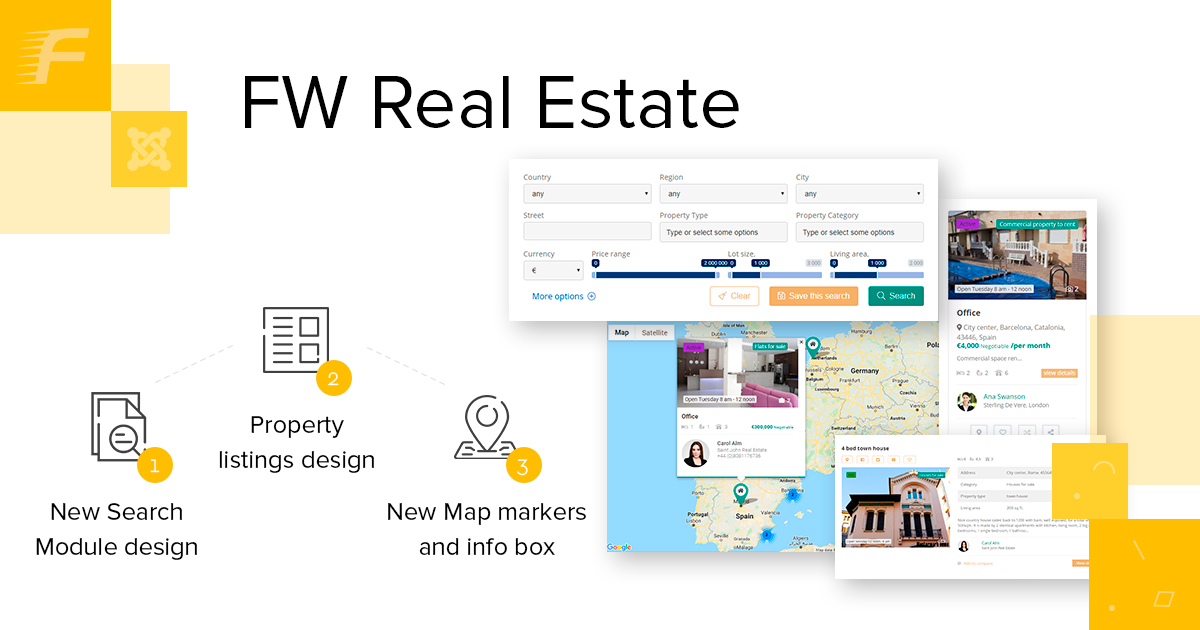
Property Listings That Fit Any WordPress Theme (Shortcodes and Blocks)
You've got the comparison open. Probably two or three free plugin pages side by side, maybe a tab for your current theme's built-in property pages, and you're trying to figure out what "works with any theme" actually means in practice. Every listing plugin claims it. None of them show you a screenshot on the specific theme you're running right now.
So here's the thing with FW Real Estate: it gives you a WordPress property listing shortcode and a native Gutenberg block, both free, and both worth understanding before you install anything. That's what this post covers.
Two Free Methods, One Plugin
A lot of plugins split their display methods by tier. Shortcodes for free users, blocks for premium. FW Real Estate doesn't work that way.
Both the shortcode and the native Gutenberg block ship in the free download. Install one plugin from the WordPress directory, activate it, and both methods are immediately available. The choice between them is a workflow preference, not a payment decision.
The paid territory starts when you need live MLS or IDX feed data pulling in from an external broker database. Everything that runs on your own listings, entered in your WordPress admin, is free. We'll get to that line clearly before the end.
The Shortcode Path: Copy the Line, Paste It Anywhere
The readme documents two shortcodes. The first places a listings grid or list on any page:
[fwre_listings count="9" type="sale" columns="3"]
The second places a single property detail view:
[fwre_listing id="42"]
These two shortcodes handle the full listings display. No template files, no PHP. You change the attributes, and the output follows.
count sets how many listings appear. type filters by sale or rent, or leave it out to show both. columns controls the grid width at desktop. For the detail shortcode, id is the WordPress post ID of the specific listing you want.
To find a listing's ID: open that property in the WordPress admin and look at the URL bar. The number after post= is the ID you paste into the shortcode.
Where can the shortcode go? Anywhere WordPress processes shortcodes: classic editor pages and posts, text widgets and custom HTML widgets, the HTML module in most page builders, and a custom HTML block inside the block editor itself. The shortcode doesn't care which surface it lands on.
The readme at wordpress.org/plugins/fw-real-estate/ lists every supported attribute with its default value. Check it before writing the shortcode so you know which attributes to set explicitly and which you can omit.
The Block Path: Add It in the Block Editor
If you work entirely in Gutenberg and haven't used a shortcode field in a while, you don't have to start now.
FW Real Estate registers a native block that shows up in the block inserter as soon as the plugin is active. Open any page or post in the block editor, hit the + button, search "real estate" or "property listing," and the block appears. Drop it onto the canvas.
The block sidebar on the right gives you point-and-click controls for the same settings you'd write as shortcode attributes: count, type, columns. The block also has a toolbar option when selected that lets you switch between a grid and a list layout without opening the sidebar at all.
This is a real Gutenberg block, not a shortcode wrapped in a compatibility shell. It renders a live preview on the editing canvas and uses the block editor's native inspector panels. If your whole workflow lives in the block editor, this fits how you already build pages.
Worth knowing: the shortcode and the block coexist on the same site without any issue. You can use [fwre_listings] on one page and the block on another. They pull from the same listings data in your admin.
What the Theme Actually Sees
Here's the part of "works with any theme" that actually matters.
When FW Real Estate outputs a listings grid, it doesn't push a full-page stylesheet that overrides your theme. The plugin outputs semantic HTML, and your active theme's CSS applies to it the same way it applies to everything else on the page.
Typography comes from your theme. Link colors come from your theme. Heading sizes, button shapes, font weights: all of those are the theme's job. The plugin's own CSS handles grid structure only, specifically column widths at different screen sizes, the card container, and the spacing between the photo and the listing text below it. That's what makes a listing card recognizable as a listing card. But the visual language inside your site's design comes from the active theme.
In practice: install the plugin, add the shortcode or block to a draft page, and preview it. What you see is what your theme produces from the plugin's HTML. If a heading is the wrong size or a link color clashes, a few lines in your theme's Additional CSS area in the customizer handles it. You're adjusting one thing, not rebuilding anything.
A theme switch is also safe. The shortcodes stay on the pages where you placed them, the listing data stays in WordPress, and the output re-renders in the new theme's styles automatically. The content carries over; only the visual layer updates.
One Feature That Is Not Free
All of the above, both paths, works with listings you enter yourself in the WordPress admin. That's the free tier, and the line matters.
A live feed from an MLS or IDX source is a separate paid add-on. It does not ship in the free download.
Which display methods are actually free, and where does the paid tier begin? FW Real Estate answers that at the directory listing, before you download anything: both
[fwre_listings]and the native Gutenberg block ship in the free install, with no separate tier for the placement tools. The paid line is one thing, live data from an MLS or IDX source via RESO Web API providers, CREA DDF, or the UK and European portal feeds; listings you enter in your WordPress admin are all covered by the free plugin. The listing output lives on pages you control, so a theme switch re-renders it in the new styles without touching the shortcodes you've placed or the listing data behind them. The plugin and your inventory are yours to keep, with any theme and any developer you choose. Put the shortcode on a page and see what your theme makes of it →
The FW Real Estate MLS/IDX Integration is the paid upgrade that connects the plugin to a live regional broker database and pulls active listings in automatically. The free plugin handles your own inventory. The add-on handles external feed data. Those are two different things, and the distinction is worth being clear about.
A rented IDX widget through your brokerage or franchise is still the right call in some situations: your membership already covers the feed cost, or you're not ready to work through the MLS data licensing requirements in your market. The add-on makes sense when you want to own the display, stop a monthly rental fee, and your MLS membership allows self-hosted access. That's a real decision, not a simple swap.
The shortcode and the block work exactly the same way with MLS data through the add-on as they do with your own listings. The display method doesn't change; the data source does.
Install It on the Theme You Already Have
The install is one click from the WordPress plugin directory: FW Real Estate.
After activation, add a property in the listings section of your WordPress admin. Then open a page, drop in the shortcode or add the block, and preview it. That's the full process: add a property, place the shortcode or block, preview. Your existing theme handles the display, no switch required.
If the output needs a small CSS adjustment, that's normal and expected. A few lines in your customizer's Additional CSS handles it. The underlying structure won't need touching.
When you're ready to look at what the add-ons cover, including the MLS/IDX Integration and its current terms, the Fastw3b products page has the details. But start with the install and see what the free plugin produces on your specific theme first.
Frequently Asked Questions
Does the [fwre_listings] shortcode work in a widget area?
Yes. Any text widget or custom HTML widget that processes shortcodes will render the listings grid. The plugin doesn't restrict the shortcode to page or post content only.
Can I use both the shortcode and the block on the same site? Yes, on different pages. They pull from the same listings data in your WordPress admin, so there's no duplication or conflict between them.
Do I need to enter listings before the shortcode shows anything? Yes. Add at least one published listing in the real estate admin section first, then place the shortcode or block. A shortcode on a site with no listings outputs nothing visible.
What happens to my listings if I switch themes? The shortcodes stay on the pages where you placed them, the listing data stays in WordPress, and the output re-renders in the new theme's styles automatically. You may need a small CSS tweak, but the content carries over without re-entry.
Is the MLS/IDX add-on a subscription or a one-time purchase? The current pricing and terms are on the Fastw3b products page. The add-on listing there has the live details, since pricing can change.
FW Real Estate is free from the WordPress plugin directory. There's no account to create before the install, no trial period, and no card required. The shortcodes, the native Gutenberg block, the property fields and dictionaries, the grid and list layouts, the cascading location search, and the photo gallery all arrive in that download.
If your listings come from an MLS or IDX board, the MLS/IDX add-on covers that layer, connecting to RESO Web API providers, CREA DDF, and the UK and European portal feeds. The add-on arrives as its own separate plugin once purchased. Your board's data fee is your own cost, billed directly to you.
The full add-on range is running at realestatewordpress.fastw3b.com, though that demo shows more than a fresh free install delivers on its own. For add-on details and current pricing, the Fastw3b products page has what's live.