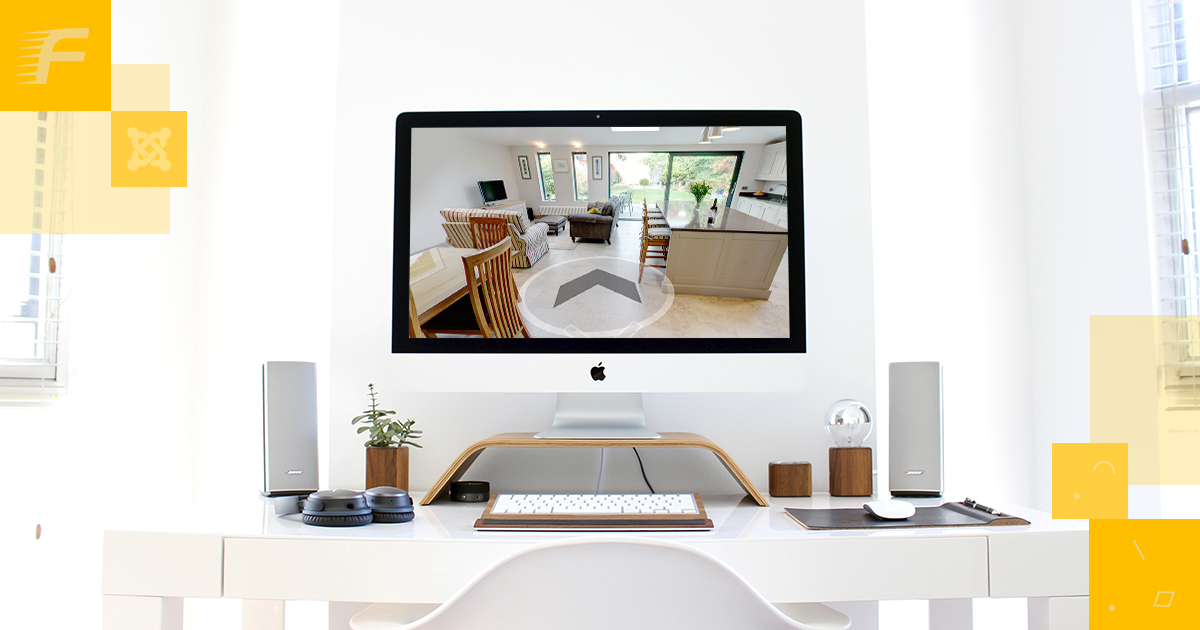
Video and 3D Tours on Every Listing, Free (No Add-On Needed)
You've got three plugin pages open. One lists "video support" but the readme mentions a media add-on when you look closer. Another shows "3D tour" in the feature grid, then the free-plan column goes blank. You're doing the same arithmetic anyone does at this point: what actually ships in the download?
What the Tabs Actually Say About Video and 3D
When you read plugin feature lists for video and 3D support, a pattern shows up pretty quickly. "Video" often means a URL field that renders in a basic lightbox, separate from the photo gallery. The 3D tour field, when it exists in the free version at all, is usually a standalone widget or flagged as a future feature. If you want the tour to sit alongside the listing photos rather than below the fold as an afterthought, that's typically where the upsell starts.
Some plugins explicitly label their enhanced media tools as add-ons with a separate purchase link. Others include a video field but don't specify where the embed actually lands on the page: in the gallery, in a dedicated tab, below the description, or somewhere a visitor might not scroll to. Reading the plugin readme rather than the marketing page is almost always more reliable. Landing pages are written to convert; readmes are written to document.
A note on terminology: for this post, "3D panorama tour" means any interactive 360-degree view that a platform or app generates and serves via an embeddable URL. The capture hardware and production workflow are separate from what a plugin does with the result.
If a comparison table's feature column doesn't link to the readme section that describes it, treat the feature as more limited than the table implies.
The honest cost here is time. You read the fine print, find the add-on, and realise you've spent twenty minutes on a page that wasn't clear to begin with. Or you skip the fine print, install something, and discover the video field is part of a bundle you haven't bought yet.
Still spending time checking readmes to find out whether the video field or the 3D tour field is behind a separate purchase link? FW Real Estate answers that in the free download itself. The video URL field renders on the property detail page with no bundle to buy first, and it's part of the core install, not an add-on you haven't configured yet. The 3D tour embed goes into the same gallery the listing already uses for photos, not into a standalone widget below the fold that visitors have to seek out. Neither field needs anything extra before it shows up in the listing form. The plugin's free, and the listings you publish are yours to run however you choose. Get FW Real Estate free at WordPress.org →
Video on Every Listing, No Add-On
The FW Real Estate readme includes a video URL field as part of the core plugin. No separate media add-on to buy, no plan to upgrade, no account to create with a third-party service before the field works. You put a video URL into the listing's video field, and the plugin renders it on the detail page.
The field accepts embeddable video URLs. YouTube links work. Vimeo links work. Any URL that produces a standard embed should work. The video appears on the property's detail page as part of the free download. That's it.
One thing the field doesn't do: it doesn't host the video file. You still need to upload your video somewhere, whether that's YouTube, Vimeo, or any other platform that generates a shareable embed link. The plugin handles where the embed appears on the page. The file lives where you put it. That's the right division. A plugin that hosted video files would be a very different product, and a free one that did it would be worth questioning.
The 3D Tour Lands in the Same Gallery
The 3D panorama tour field in FW Real Estate doesn't open a separate widget below the photos. It doesn't live in its own tab that a visitor might not notice. The tour renders inside the same gallery the listing already uses to display photos. A visitor browsing the gallery sees photos and the 3D tour as one continuous experience.
Why that matters is worth naming. When a 360 tour lives in its own section, visitors have to make a deliberate decision to engage with it: scroll to it, click to open it, wait for it to load in a separate view. A fair number of people skip that step entirely. When the tour is one more item in the gallery they're already navigating, the friction drops significantly. They hit it because it's next, not because they went looking.
The mechanism is an embed URL. You get that URL from whatever platform or app generated your 3D tour. You paste it into the 3D tour field in the listing form. The plugin puts it in the gallery. No extra plugin needed, and no configuration beyond filling in that one field.
What You Actually Need to Use Both
Two things: a video URL and a 3D tour embed URL. The plugin works with those inputs. There's no subscription tied to either field on the plugin side, and no third-party licence that FW Real Estate requires you to hold before the fields function.
What you arrange yourself:
- A place to host or upload your video (YouTube and Vimeo are both free to upload to, and both generate embeddable links)
- A 3D tour with an embed URL, whether you produce it yourself with a compatible camera and an app or use a paid production service
The plugin adds no per-listing cost to either option. Any cost comes from how you created the media, not from using the field itself. A builder working with a smartphone camera and a free processing app pays nothing extra on the plugin side. A builder paying a production company for scan-and-host service pays for that, but not for the listing field.
The two fields are also independent. You can publish a listing with just a video, just a 3D tour, both, or neither. No requirement to use both, and no setting to configure before one works without the other.
One Honest Caveat: When a Hosted Tour Service Is Still Worth It
Some tours aren't just an embed link you paste in. A fully produced interactive model, the kind that lets a viewer navigate room to room with accurate spatial relationships and floor plan overlays, requires specific capture hardware and a cloud processing service that builds the model from the raw scan. That's outside what any free plugin handles, and reasonably so.
If you're producing that level of tour for every listing you carry, a hosted tour service makes sense on its own merits. The subscription typically covers hardware access, cloud processing, and model hosting. The plugin handles where the tour appears on the page. These two things don't compete. One is a production decision; the other is a display mechanism. You'd pay for the hosted service regardless of which plugin you used.
The more practical question for most builders: do your listings actually need that level of production? A 360 panorama from a capable smartphone camera, processed through an app that outputs an embed link, is enough for many residential listings and costs nothing beyond the time to shoot. In that situation, the plugin's embed field covers everything on the display side.
Ask yourself what kind of tour the properties you're publishing actually need. That answer determines whether a hosted production service earns its monthly cost. The plugin doesn't answer that question for you, and it doesn't need to.
Install and Place Your First Tour Today
The plugin is a free download at wordpress.org/plugins/fw-real-estate/. Once you've installed it and added a listing, the video field and the 3D tour field are both visible in the listing form. No media add-on to configure before they appear, no plan upgrade required.
The sequence: install the plugin, add a listing, paste a video URL or a 3D tour embed URL into the relevant field, publish. What appears on the detail page reflects what you've filled in. Both fields populated means both appear in the gallery. One field populated means one appears. Neither means neither.
Frequently Asked Questions
Do I need a specific 3D tour platform for the embed to work?
The field accepts a standard embed URL. If the platform you're using generates a URL that produces an embed, it should work. There's no platform requirement built into the plugin.
Can I add a video without adding a 3D tour?
Yes. The two fields are independent. You can fill in one, both, or neither for any listing.
Does the video field work with YouTube and Vimeo?
Both platforms generate standard embeddable links. Pasting the video's share URL from either platform into the video field should work.
Is the 3D tour gallery integration part of the free plugin or an add-on?
It's part of the free plugin. The tour embed appears in the same gallery as the listing photos. No add-on is needed.
My tour platform gives me an iframe code, not a URL. Does that work?
The field is designed for an embed URL, not a full iframe tag. Check whether your platform also provides a direct embed link alongside the iframe code. Most platforms offer both; use the direct link for this field.
FW Real Estate is a free WordPress plugin at wordpress.org. The free download covers custom property fields, list and grid layouts, filterable search cascading from country down to city, detail pages with a photo gallery, a video field that renders any embeddable video URL, 3D panorama tours sitting in the same gallery as listing photos, rental terms with their own pricing periods, and shortcodes and native blocks for any theme. Every library and typeface ships inside the plugin itself, so a fresh install doesn't contact anything outside your own server.
The video and tour fields don't carry per-listing cost on the plugin side. What you spend, if anything, comes from how you produced the media, not from using the fields.
Paid add-ons (agents, maps, favourites, MLS/IDX import, saved searches, compare, status labels, open houses, multi-currency, image watermarks, brochure PDFs, and a front-office manager) each arrive as a separate plugin once purchased. The free core doesn't download extra code on its own.
A demo at realestatewordpress.fastw3b.com runs the full add-on range, so it shows more than what the free plugin installs.