Calories
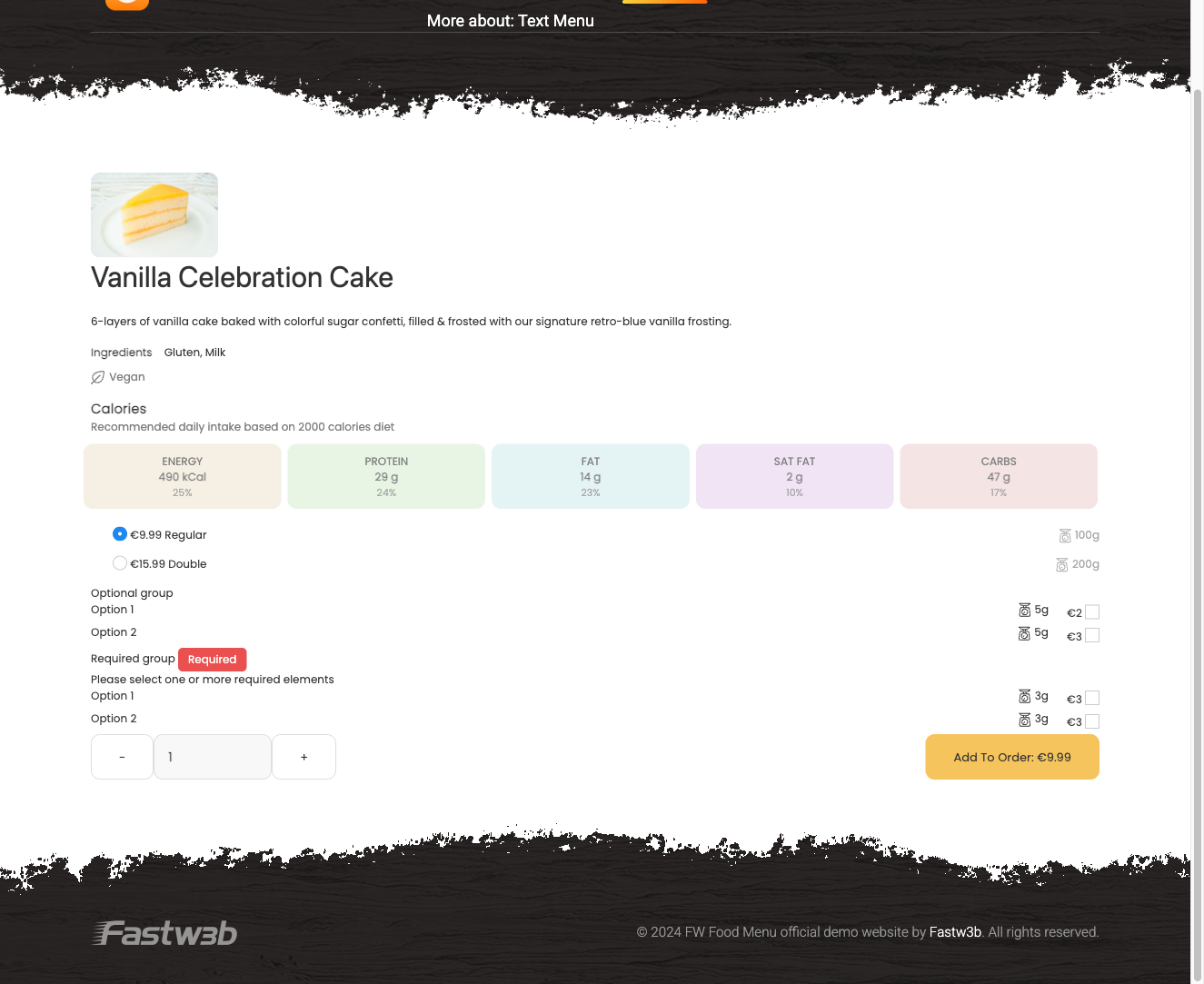
The FWFM Calories addon adds nutritional information fields to each menu item and displays them on the frontend — both on individual meal detail pages and inline within menu listings.
Use Cases
- Health-conscious menus — show a full nutrition breakdown on each meal card so guests can make informed choices before ordering.
- Legal compliance — some jurisdictions require calorie counts on restaurant menus; this addon satisfies that requirement.
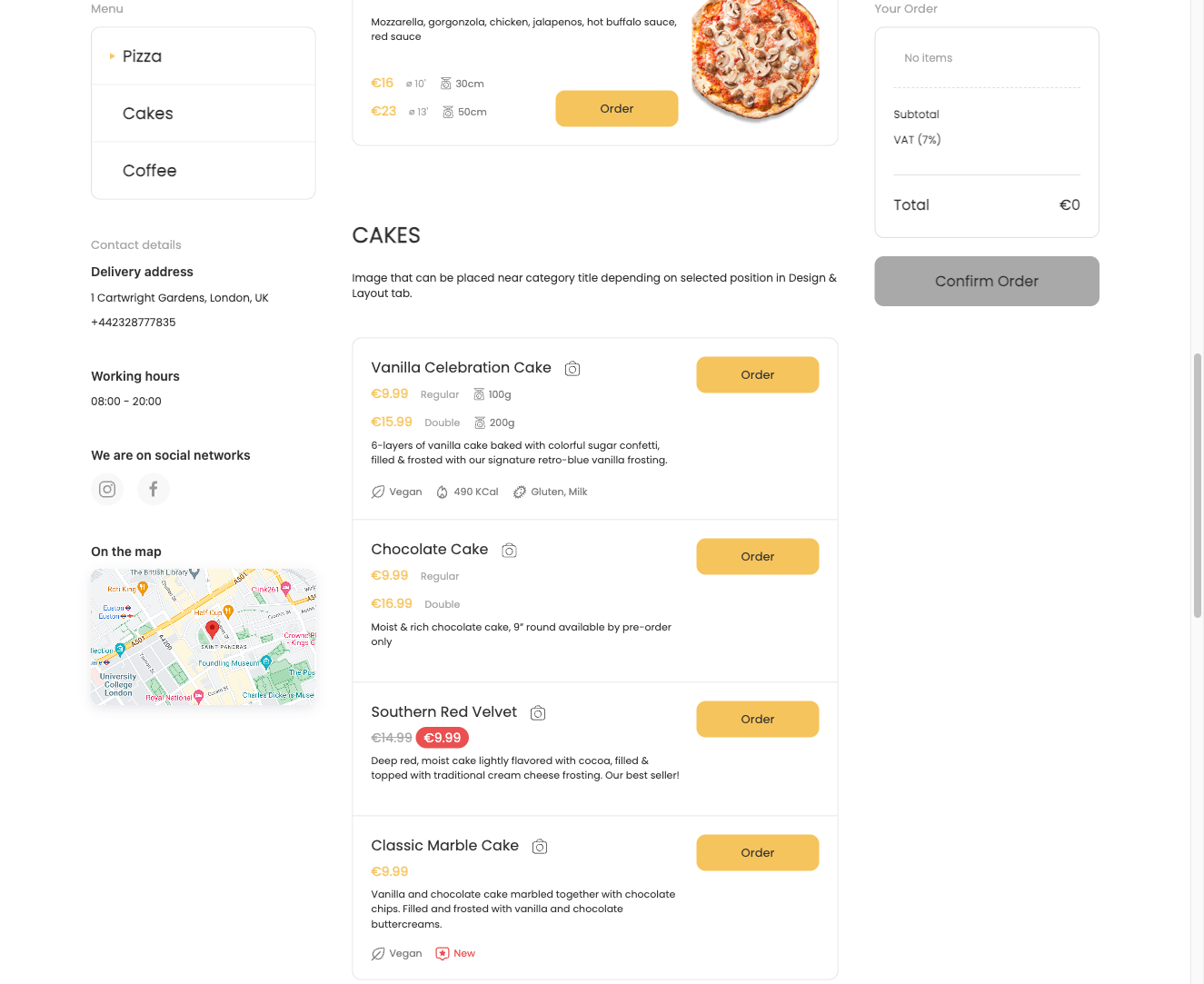
- Quick scanning — the compact badge in listings lets customers identify low-calorie options at a glance without opening each item.
Fields Added to Menu Items
Once the addon is active, a nutrition section appears in the menu item edit form. All fields are optional and apply per serving.
| Field | Description |
|---|---|
| Energy (kcal) | Caloric value per serving |
| Protein (g) | Protein content in grams |
| Fat (g) | Total fat content in grams |
| Saturated fat (g) | Saturated fat content in grams |
| Carbohydrates (g) | Carbohydrate content in grams |
The nutrition block only appears on the frontend when at least one value has been filled in. Items with no nutritional data entered show nothing to visitors.
Frontend Display
On the meal detail page, a full nutrition table is rendered within the meal layout, giving visitors a clear breakdown of all populated values.
In the menu listing, a compact calorie badge appears beneath the meal description, allowing quick comparison across items without leaving the listing view.
Notes
- All values are per serving. There is no dedicated serving size field — if you need to specify a serving size, add it to the meal description.
- Fields are fully optional; you can populate only the values relevant to your menu, such as calories alone.
To install this addon, open the Add-ons panel inside FW Food Menu. See Getting Started → Add-ons for details on free addons, paid addons, and site verification.