Tab Categories Layout
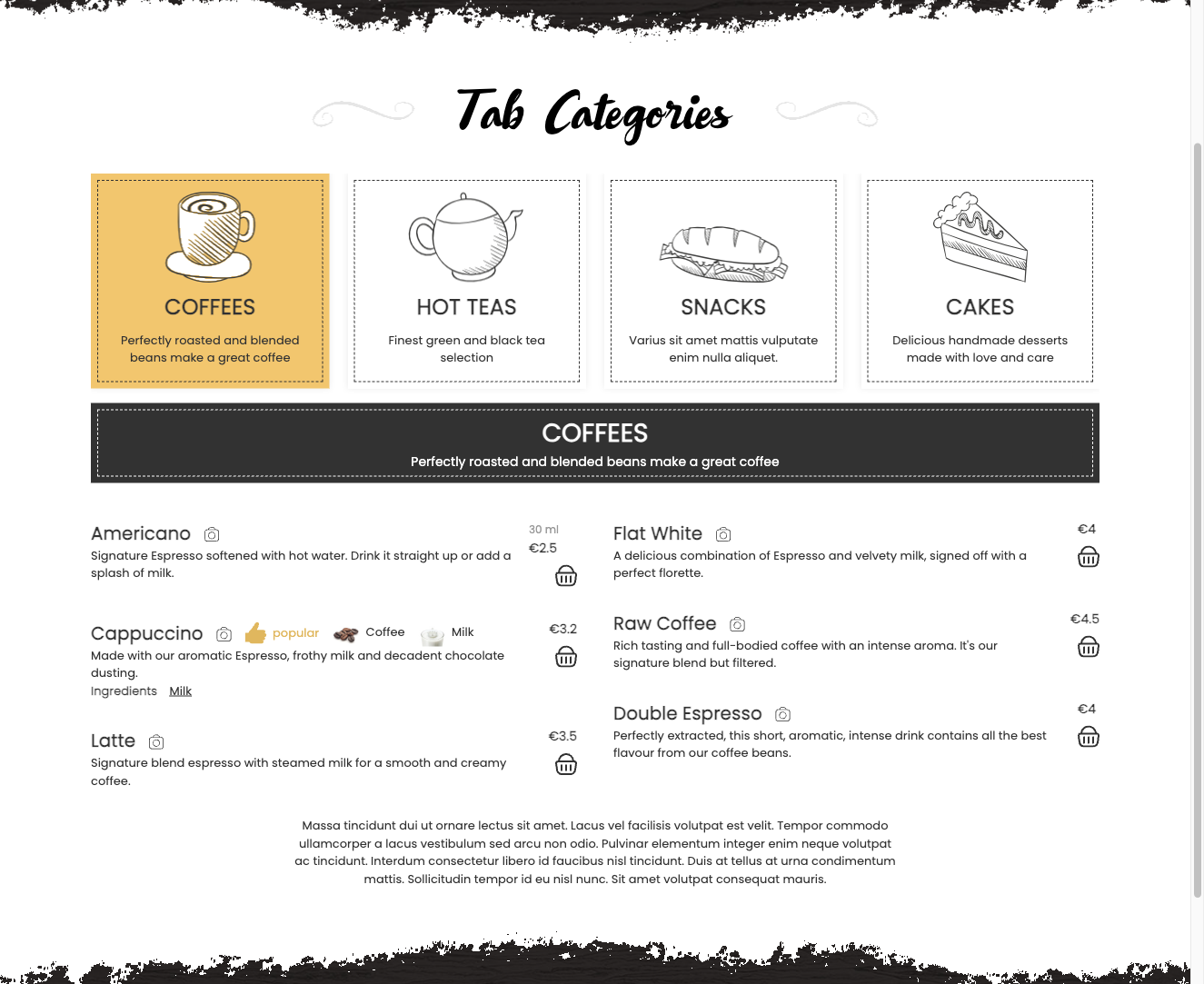
The Tab Categories Layout addon replaces the default menu layout with a tab-strip navigation, where each top-level category becomes a clickable tab. Switching between tabs swaps the visible items instantly without reloading the page, giving your menu a fast, single-page feel.
This layout works well for menus with four to eight categories — all tabs stay visible at once, so visitors can jump between sections without scrolling through a long page. It is particularly effective for QR-code digital menus where speed and simplicity matter.
Activating the Layout
Once the addon is installed, go to Settings → General → Theme and select Tab Categories as the active layout. You can also set the layout per menu item through the menu item parameters, which lets different menus on the same site use different layouts.
Tab Categories Settings
The following settings are available under Settings → General:
- Tab alignment — Controls how the tab strip is aligned on the page. Options are Left (default), Center, or Right.
- Categories display — Sets the tab orientation. Horizontal places tabs in a row across the top of the menu. Vertical places tabs in a sidebar column to the left of the items.
Category-Level Overrides
Individual categories can override the global tab settings. Open a category and use its Design tab to adjust tab behaviour for that category independently of the global configuration.
Tab Behaviour
- Tab switching is handled entirely client-side with JavaScript — no page reload occurs.
- The first tab is active by default when the page loads.
- If your template supports it, deep linking to a specific tab via a URL hash is available, allowing you to share a direct link to a particular category.
Compatibility Notes
- Tab Categories works with the Text Menu design template plugin for a minimal, typography-focused appearance.
- Only one alternative navigation layout should be active at a time. Do not use Tab Categories and the Cascading layout simultaneously.
To install this addon, open the Add-ons panel inside FW Food Menu. See Getting Started → Add-ons for details on free addons, paid addons, and site verification.