Map
The Map addon adds geolocation support to FW Gallery, letting you attach GPS coordinates to individual files and display them on an interactive Google Map. It works alongside the FWG Map Module to show a map view on the frontend.
What the Map Addon Adds
- Latitude and Longitude fields on the file edit form in the admin panel.
- A map view on the single file detail page whenever coordinates are set.
- Support for the FWG Map Module (
mod_fwg_map), which reads file geolocations and renders the map on the frontend.
Use Cases
- Location-tagged photography — show exactly where each photo was taken.
- Travel galleries — visualise the geographic spread of a photo series.
- Event galleries — mark event venues on a map with photo previews.
Required API Key
The map is powered by Google Maps and requires a valid API key with the Maps JavaScript API and Geocoding API enabled in your Google Cloud Console. Without a key the map will not load.
Map Settings
Configure the addon under Settings → Add-ons → Map.
| Setting | Description |
|---|---|
| Google Maps API Key | Paste your API key from Google Cloud Console here. Required for the map to load. |
| Default Zoom Level | Sets the initial zoom level when a map is displayed on the frontend. |
Setting Coordinates on a File
Once the addon is active, every file edit form gains Latitude and Longitude input fields. Enter coordinates manually, then save the file. Files without coordinates are not shown on any map.
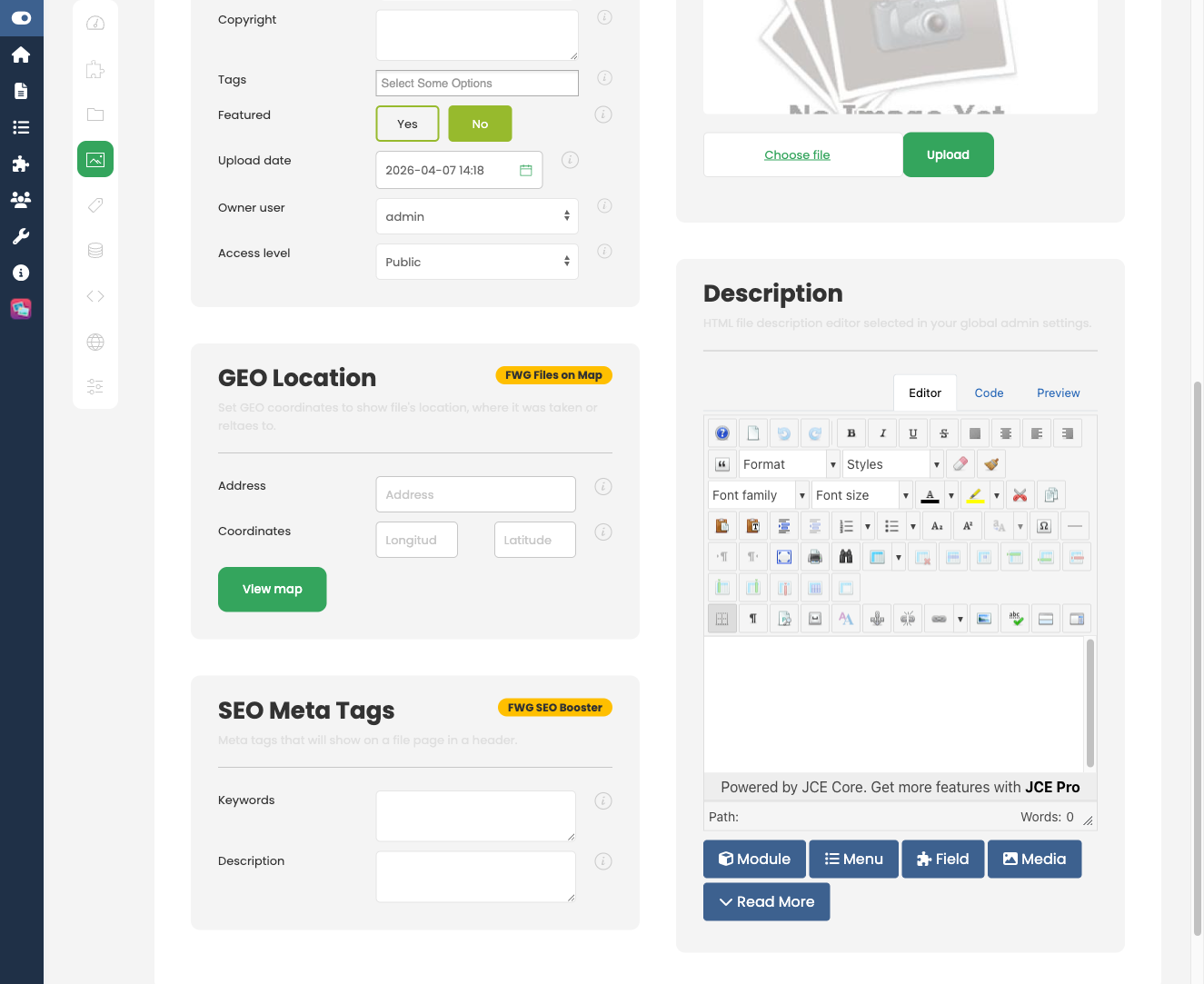
When a visitor opens the detail page for a file that has coordinates set, the map is displayed inline on that page.
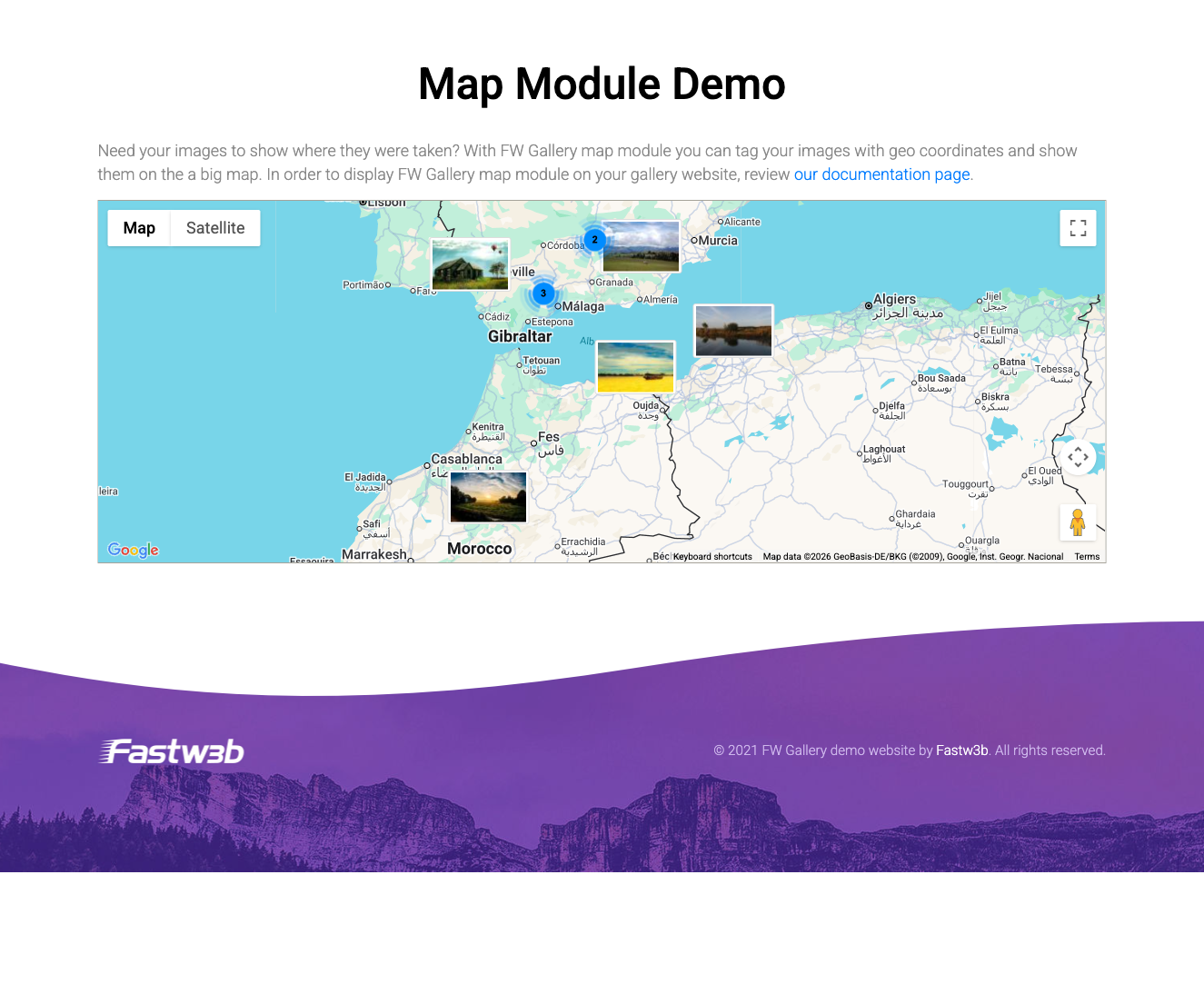
Displaying a Map on Any Page
Use the FWG Map Module (mod_fwg_map) to place an interactive map anywhere on your site. The module reads the coordinates stored on your files and renders clickable markers. It can also filter the markers shown by gallery category, so you can scope a map to a specific collection.
To install this addon, open the Add-ons panel inside FW Gallery. See Getting Started → Add-ons for details on free addons, paid addons, and site verification.