Search Module
The FWG Search module adds a gallery search and filter form to any page on your site. Visitors can type keywords or apply filters to narrow down the images displayed in the gallery. The form works either inline — filtering the gallery on the same page — or as a redirect to a dedicated search results page.
Use Cases
- Gallery search bar — place the form directly above or beside the gallery for instant keyword filtering.
- Sidebar filter — offer category, tag, or keyword filters in a sidebar widget area.
- Dedicated search page — redirect visitors from the search form to a full gallery results view.
Embedding the Search Form
Add the search form to any page or post using the shortcode:
[fwmg_mod_search]
Place this shortcode in your page content wherever you want the search form to appear. If you are filtering a gallery on the same page, make sure both the search shortcode and the gallery shortcode are present on that page.
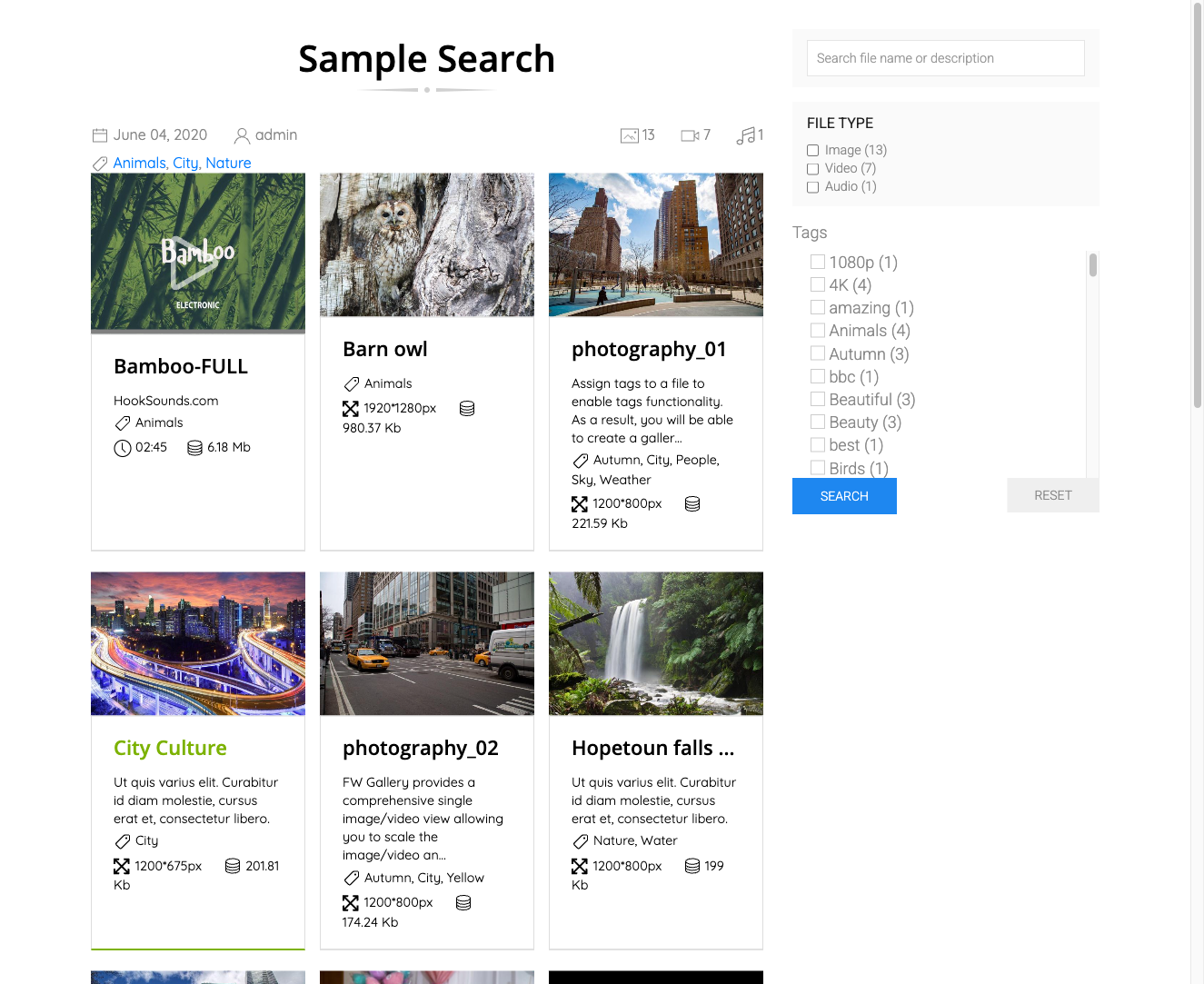
Search Fields
The form always includes a Keyword field for full-text search across file titles and descriptions, and a Gallery field for filtering by gallery category. Additional fields appear automatically when the corresponding addon is active:
- Tags addon — adds a tag selector or dropdown.
- Map addon — adds a location and radius filter.
- Vote addon — adds a minimum rating filter.
- Featured addon — adds a featured-only toggle.
Module Parameters
| Parameter | Default | Description |
|---|---|---|
| Module class suffix | — | Append a CSS class suffix for custom styling of the search form wrapper. |
| After search | Leave | Stay — applies the filter to the gallery on the current page (via AJAX or page reload). Leave — redirects to the gallery listing page with the search parameters appended. |
| Addon params | — | Additional filter fields injected by active addons (for example, tag filter, date range). These appear automatically and require no manual configuration. |
Stay vs. Leave
- When After search is set to Stay, the gallery and the search form must both be on the same page. The filter applies directly to that gallery without leaving the page.
- When After search is set to Leave, the visitor is redirected to your gallery listing page and the search parameters are passed along in the URL. Make sure your gallery listing page is configured to display results.
To install this addon, open the Add-ons panel inside FW Gallery. See Getting Started → Add-ons for details on free addons, paid addons, and site verification.