 FW Food Menu – Documentation
Meal Badges
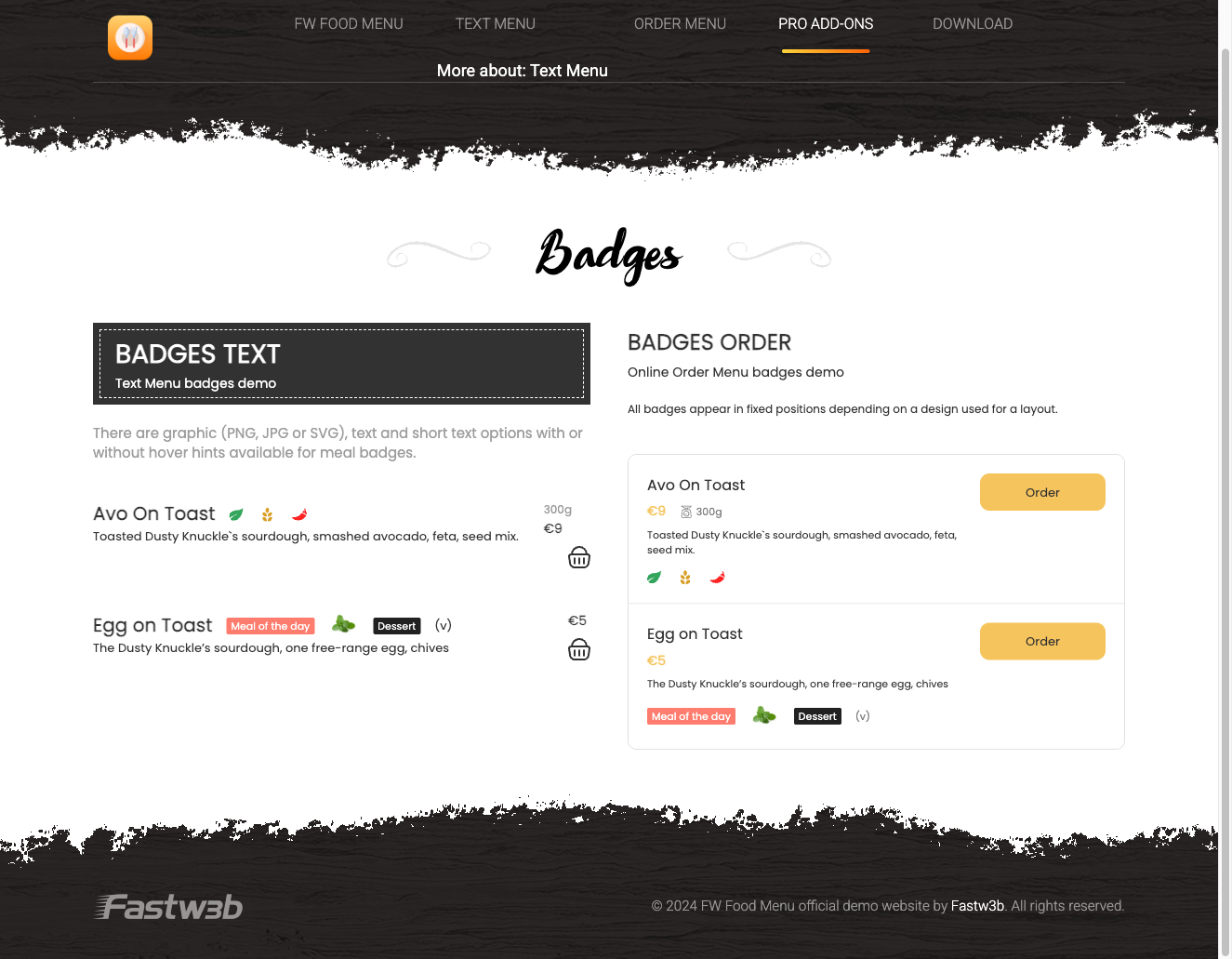
The Meal Badges addon lets you attach visual label chips to individual menu items — for example "New", "Hot", "Vegan", or "Gluten Free". Badges are created once in a central list and then assigned to as many meals as needed.
Use Cases
- Highlight specials — mark a "Chef's Special" or "Today's Deal" so it stands out immediately in the listing.
- Dietary labels — create "Vegan", "Vegetarian", and "Gluten Free" badges so guests can identify suitable options at a glance.
- Promotions — tag limited-time offers with a "Promo" or "20% Off" badge to draw attention during a campaign.
Managing Badges
Once the addon is active, a Badges entry appears in the FW Food Menu admin menu. Open FW Food Menu → Badges to create and manage your badge library.
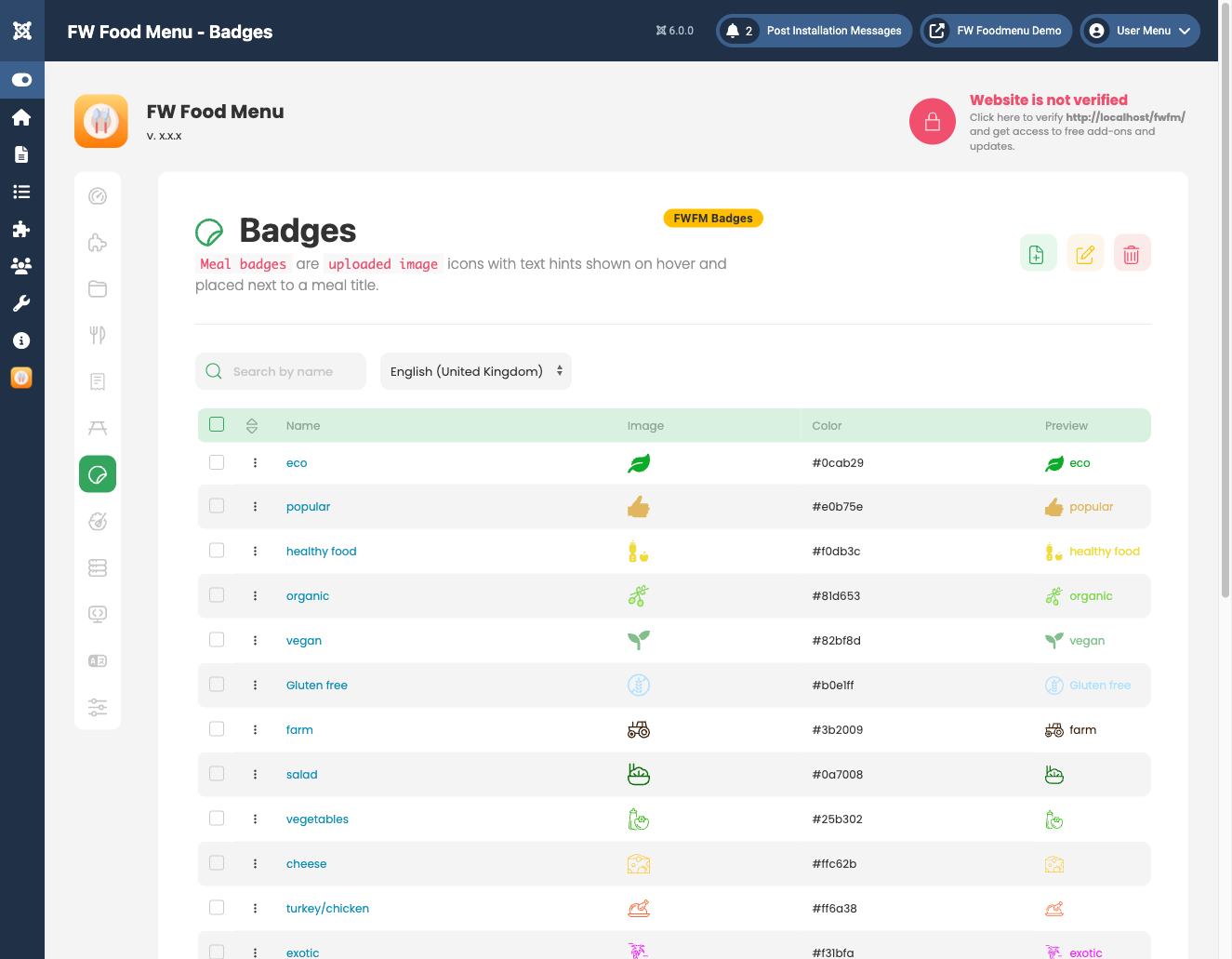
Each badge has the following fields:
- Title — the label text displayed on the badge (e.g. "New", "Hot").
- Icon — an optional image or icon uploaded via the Joomla Media Manager and referenced by file path.
- Color — controls the badge background and text color.
- Status — set to Published or Unpublished. Unpublished badges are hidden on the frontend but remain stored and assigned in the database.
Assigning Badges to Meals
Open any meal item in the editor. A Badges field appears in the form, allowing you to select one or more badges from your library. Multiple badges can be assigned to a single meal.
Frontend Display
Assigned badges appear as label chips overlaid on meal cards in both the menu listing and the meal detail page. The exact position and visual style are determined by the active design template.
Dashboard
When the addon is active, the FW Food Menu admin dashboard displays a Badges stat card showing the total number of badges you have created.
To install this addon, open the Add-ons panel inside FW Food Menu. See Getting Started → Add-ons for details on free addons, paid addons, and site verification.