 FW Food Menu – Documentation
SEO Booster
The FWFM SEO Booster addon improves how your menu pages appear in search engine results and on social networks. It adds dynamic page title and meta description controls to each category and meal, and injects Open Graph meta tags so shared links display a proper preview image, title, and description.
What SEO Booster Adds
Once active, SEO Booster provides two main capabilities:
- Custom meta title and description fields on every category and meal edit form, giving you per-page control over how search engines index your content.
- Open Graph meta tags output on category listing pages and individual meal detail pages, improving previews when pages are shared on social networks.
Auto-generate mode removes the need to manually write a meta description for every meal — SEO Booster pulls the text from the meal's short description field automatically.
Global Settings
Global SEO Booster options appear under Settings → General → SEO Booster.
| Setting | Default | Description |
|---|---|---|
| Auto-generate | Yes | Automatically creates a meta description from the meal's short description when no manual meta description has been entered. |
| Meta description max length | 250 | Maximum character length for auto-generated meta descriptions. Longer text is truncated at this limit. |
Fields on Category Pages
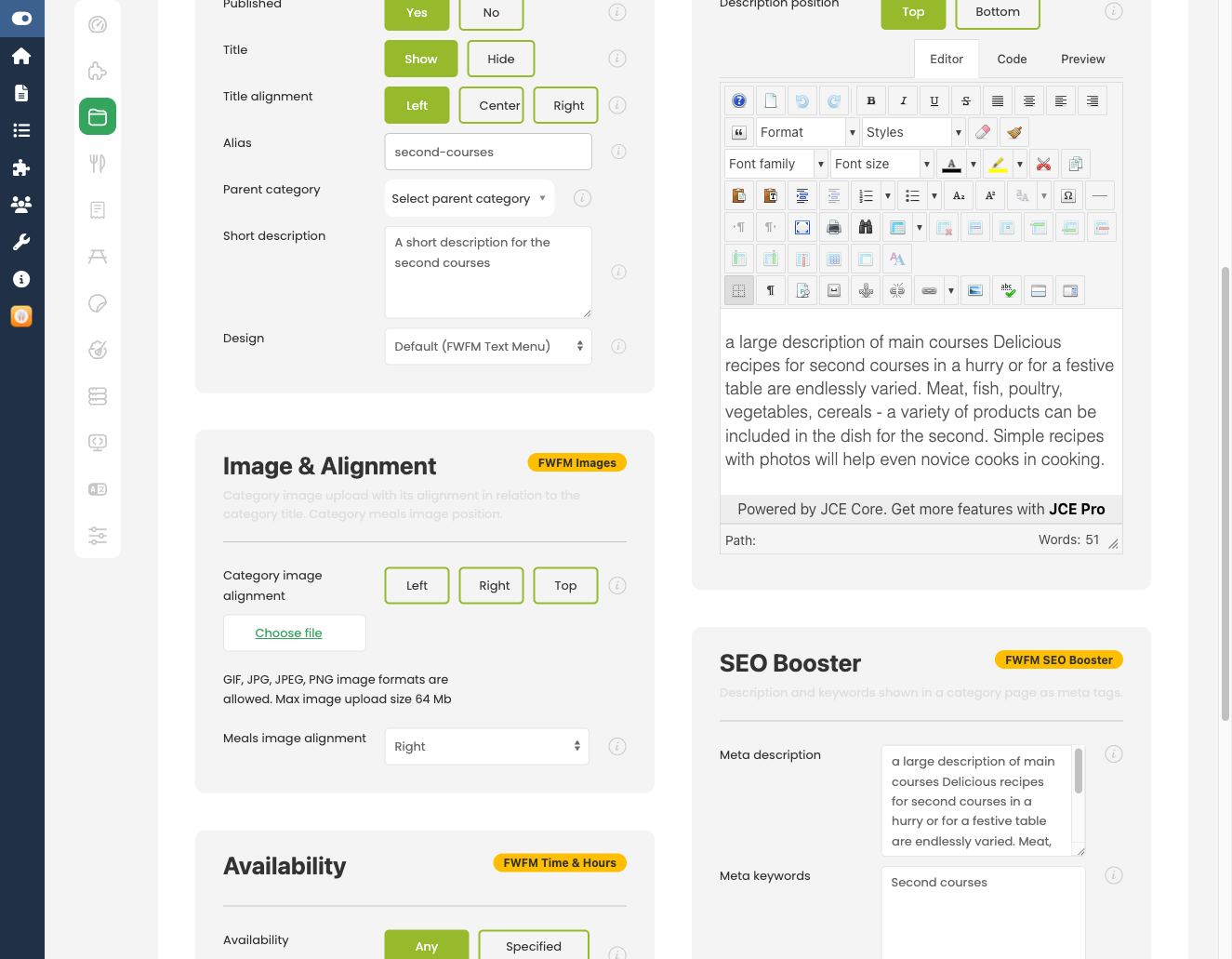
An SEO section is added to the category edit form with the following fields.
| Field | Description |
|---|---|
| Meta title | Sets the <title> tag for this category listing page. |
| Meta description | Sets the meta description for this category page. |
Fields on Meal Pages
The same SEO section appears on each meal's edit form.
| Field | Description |
|---|---|
| Meta title | Sets the <title> tag for this meal's detail page. |
| Meta description | Sets the meta description. If left empty and auto-generate is enabled, the meal's short description is used instead. |
Open Graph Tags
SEO Booster outputs Open Graph meta tags on category and meal pages so that social networks display a rich preview when a link is shared.
| Tag | Value Source |
|---|---|
og:title | Meta title, or the item title if no meta title is set. |
og:description | Meta description (manual or auto-generated). |
og:image | First meal image. Requires the Image plugin to be active with at least one image uploaded. |
og:url | Canonical URL of the page. |
The main menu listing page is not affected by SEO Booster — use the standard Joomla menu item meta fields for that page. Manual meta title and description values always take priority over auto-generated ones.
To install this addon, open the Add-ons panel inside FW Food Menu. See Getting Started → Add-ons for details on free addons, paid addons, and site verification.