 FW Food Menu – Documentation
Prices
The FWFM Prices addon extends the standard single-price model for menu items by adding modifier groups — structured sets of options that adjust the base price before a customer adds an item to the cart. This lets you model real-world pricing variations such as sizes, customisations, and paid extras without creating separate menu items for each variant.
Use Cases
- Pizza sizes — a "Size" group with options Small (+$0), Medium (+$3), and Large (+$5) so the customer picks a size at the point of ordering.
- Coffee customisation — a "Milk" group offering Whole, Oat, or Soy milk, each with its own price differential.
- Meal extras — a multi-select "Extras" group that lets customers add paid toppings or sides.
Adding Modifiers to a Menu Item
Once the addon is active, a Modifiers section appears inside the meal item edit form. You can add one or more modifier groups to any item, and each group holds its own set of options.
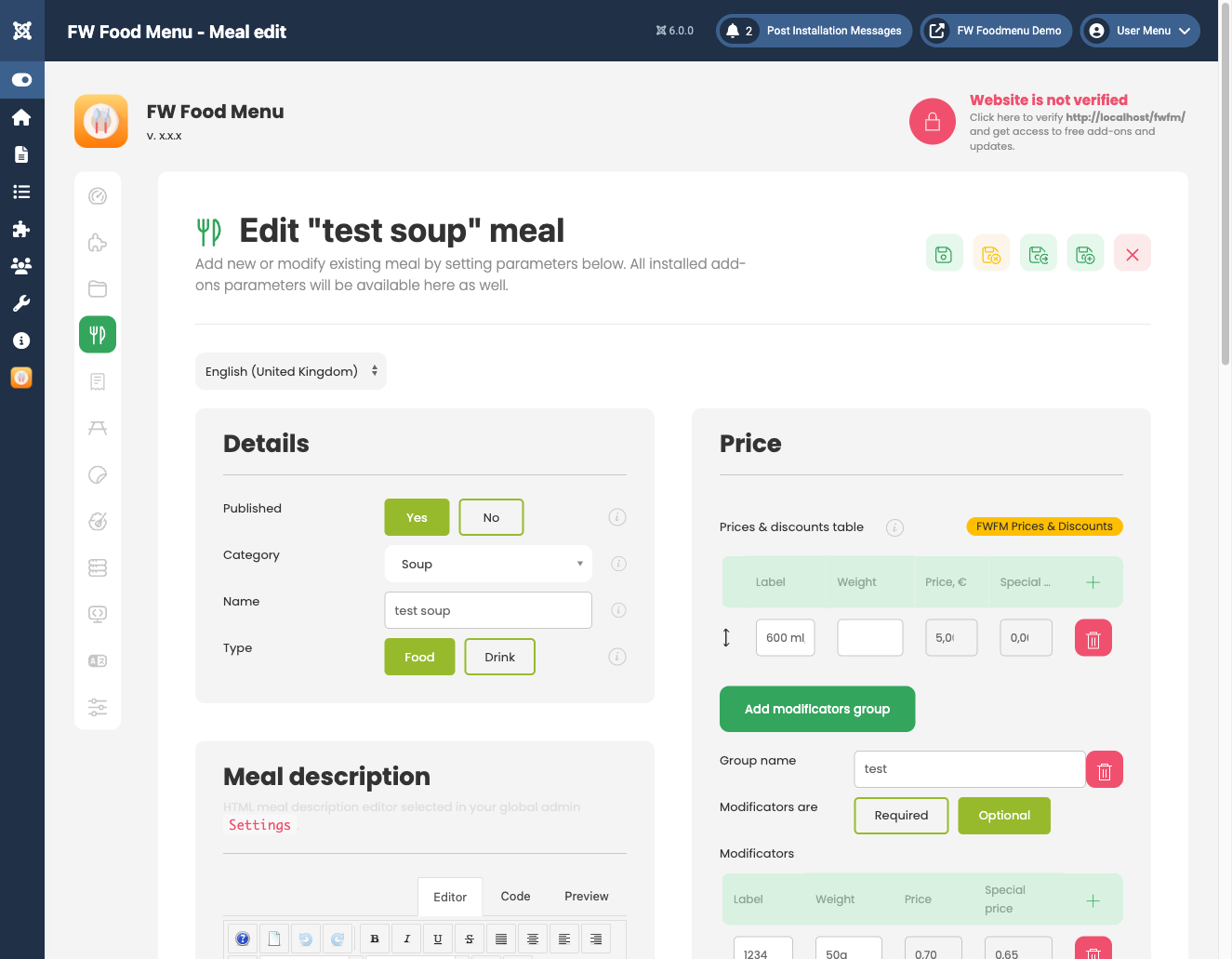
Modifier Group Settings
- Group name — the label shown to the customer, for example "Size" or "Extras".
- Required — when enabled, the customer must select an option from this group before adding the item to the cart.
- Multi-select — when enabled, the group renders as checkboxes so the customer can pick more than one option (useful for toppings). When disabled, the group renders as radio buttons.
Modifier Option Settings
Each group contains one or more individual options:
- Option name — the display label shown to the customer, for example "Large" or "Extra Cheese".
- Price modifier — the amount added to or subtracted from the base price. Use a positive value for a surcharge and a negative value for a discount.
- Default — marks the option as pre-selected when the item is opened.
Frontend Behaviour
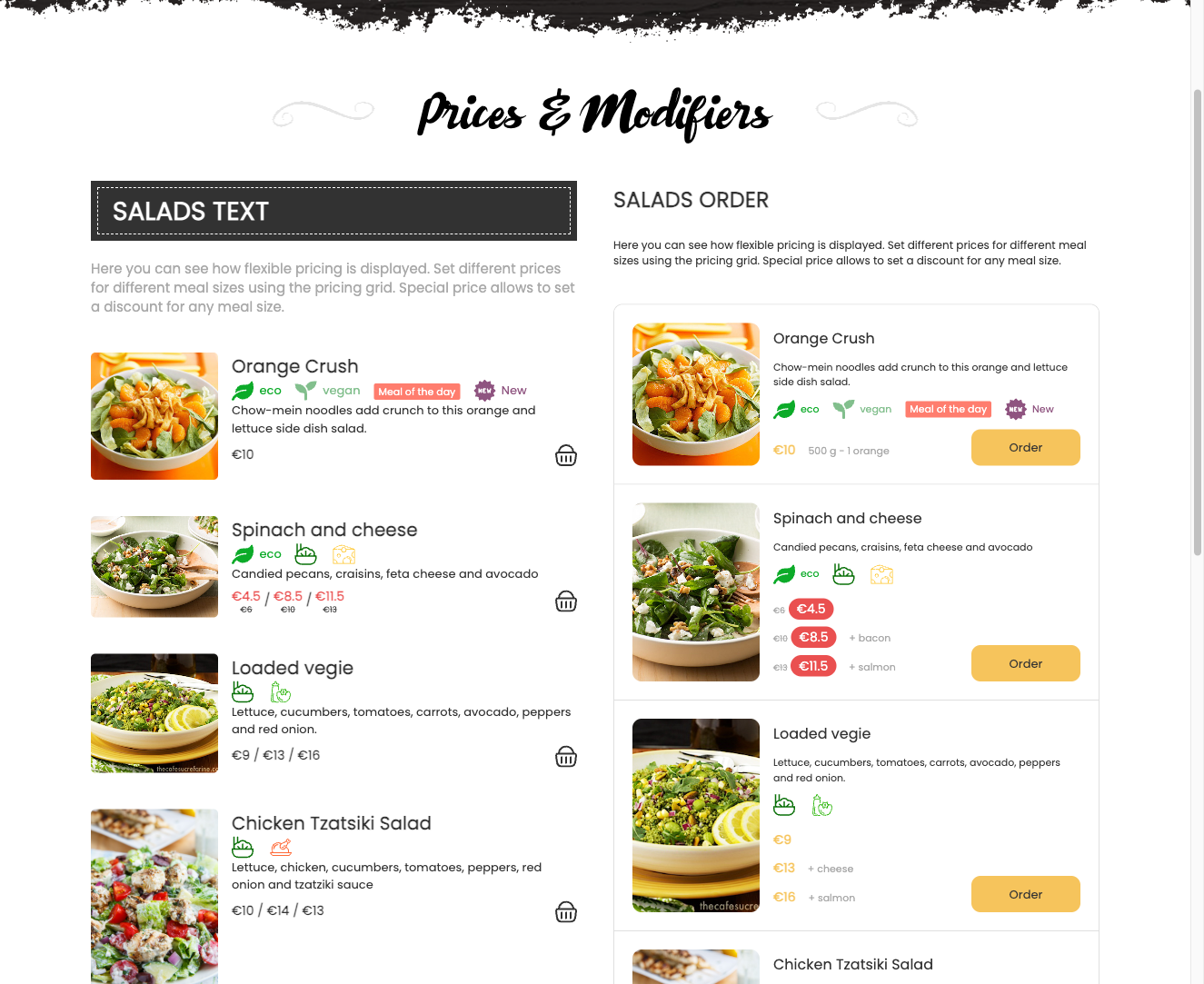
When a customer views a meal detail or initiates adding an item to the cart, all modifier groups for that item are displayed. Single-select groups appear as radio buttons; multi-select groups appear as checkboxes. The displayed price updates dynamically as the customer changes selections. If no group is marked as required and the customer skips all groups, the unmodified base price is used. The final calculated price — including all chosen modifiers — is stored against the order line item.
Requirements
- The Cart plugin must be active for modifiers to be applied to orders.
To install this addon, open the Add-ons panel inside FW Food Menu. See Getting Started → Add-ons for details on free addons, paid addons, and site verification.