 FW Gallery – Documentation
Search Module
FW Gallery tutorial for Joomla!
The FWG Search module (mod_fwg_search) places a gallery search and filter form in any module position on your site. Visitors use it to enter keywords or apply filters that narrow down the files shown in the gallery.
Use Cases
- Gallery search bar — place a search form directly above or beside the gallery for quick keyword filtering.
- Sidebar filter — display category, tag, or keyword filters in a sidebar module position.
- Dedicated search page — redirect visitors from the module to a full gallery search results view.
Creating a Module Instance
Go to Extensions → Modules and create a new module of type FWG Search. Assign it to a module position, set its menu assignment, then configure the parameters described below.
Search Fields
The form always includes a Keyword field (searches file titles and descriptions) and a Gallery field (filters by gallery category). When additional addons are active, they inject extra fields into the form automatically.
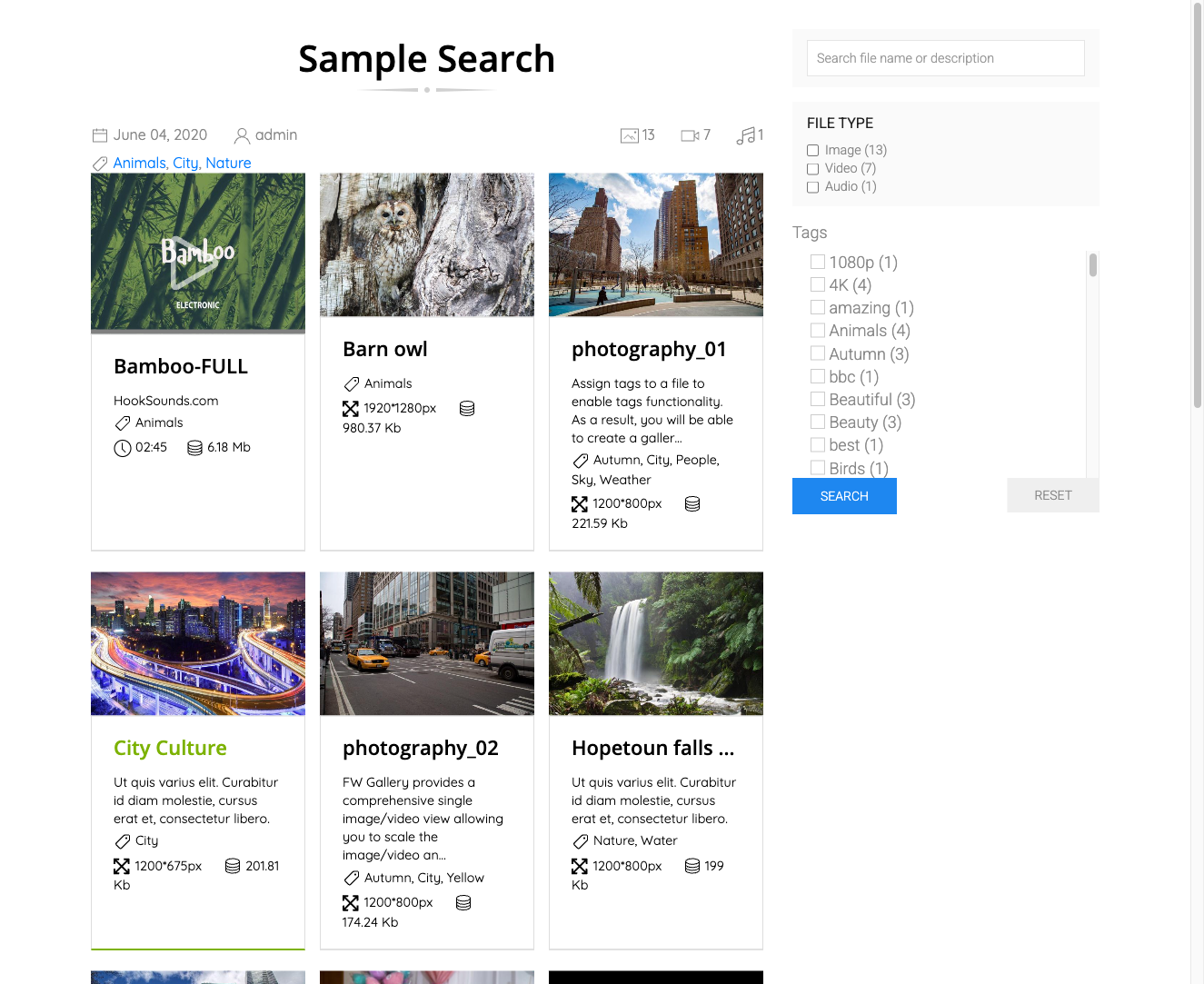
The following addons extend the search form with additional filter fields:
- Tags — adds a tag selector or dropdown.
- Map — adds a location and radius filter.
- Vote — adds a minimum rating filter.
- Featured — adds a featured-only toggle.
Module Parameters
| Parameter | Default | Description |
|---|---|---|
| Module class suffix | — | Appends a CSS class suffix to the module wrapper for custom styling. |
| After search | Leave | Stay — applies the filter to the current page (via AJAX or page reload). Leave — redirects to the gallery listing page with the search parameters appended. |
| Addon params | — | Additional filter fields injected by active addons, such as tag selectors, date ranges, or rating filters. |
After Search Behaviour
- When After search is set to Stay, the module and the gallery component must be on the same page for filtering to affect the visible gallery.
- When After search is set to Leave, ensure the redirect target points to the correct gallery listing menu item so search parameters are passed through correctly.
Was this article helpful?