 FW Real Estate – Documentation
Extra Fields
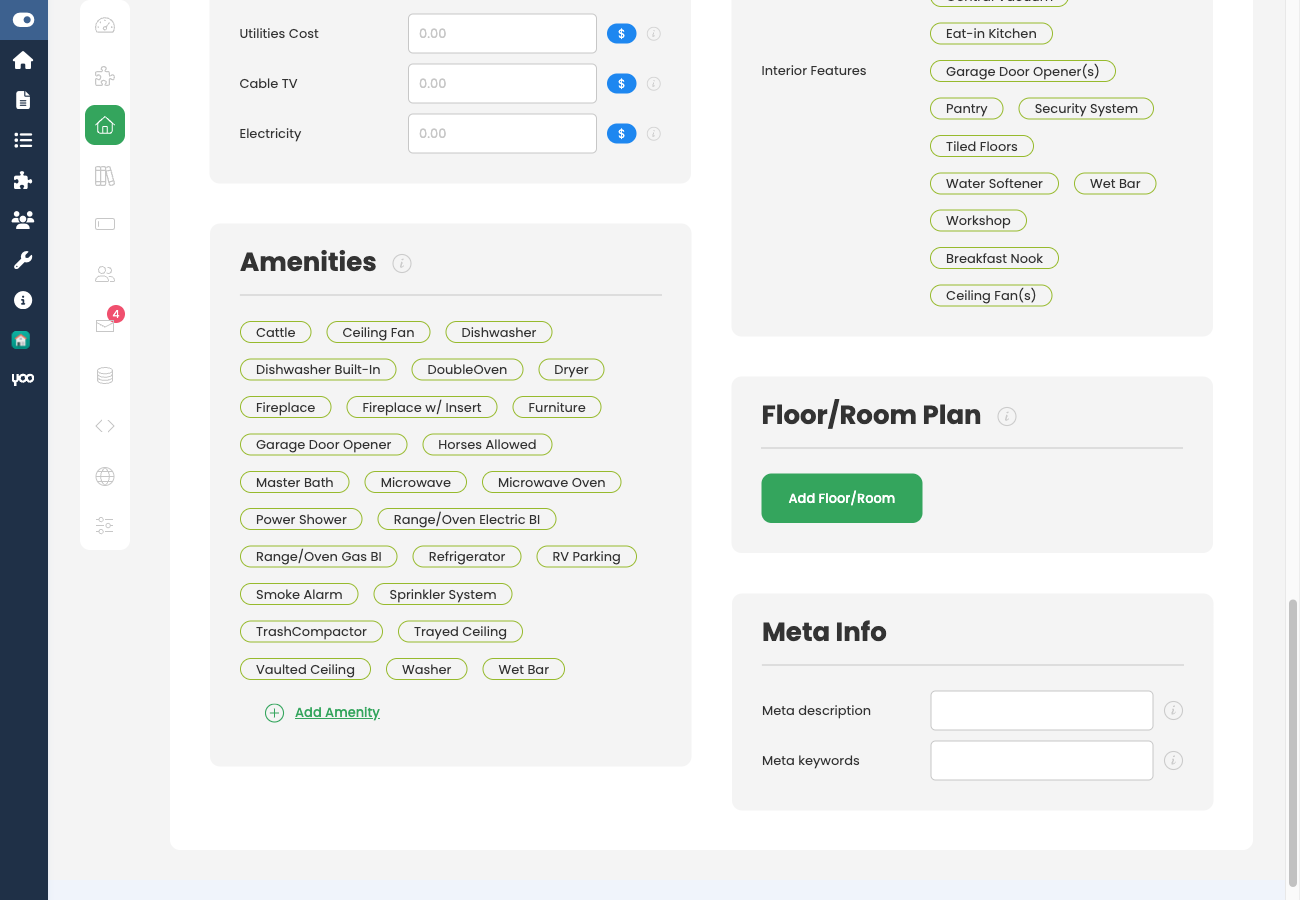
The FWRE Extra Fields addon extends the standard property form with a structured amenities checklist and a room size measurement unit setting. Amenity data entered on the property form appears as a dedicated Features block on the property detail page.
What It Adds
Once active, the plugin adds a Features / Amenities checklist to the property edit form. The available amenity options (Pool, Garage, Balcony, Air Conditioning, and so on) are drawn from the FW Real Estate → Dictionaries → Amenities list, so you control exactly which options editors can choose from.
The plugin also injects a Room size measurement setting into the General tab, letting you set the unit (sqm, sqft, etc.) used for individual room dimensions. These per-room size fields are separate from the main Building Size and Living Area fields in the core component.
Settings
Open FW Real Estate → Settings → Addons and locate the Extra Fields card.
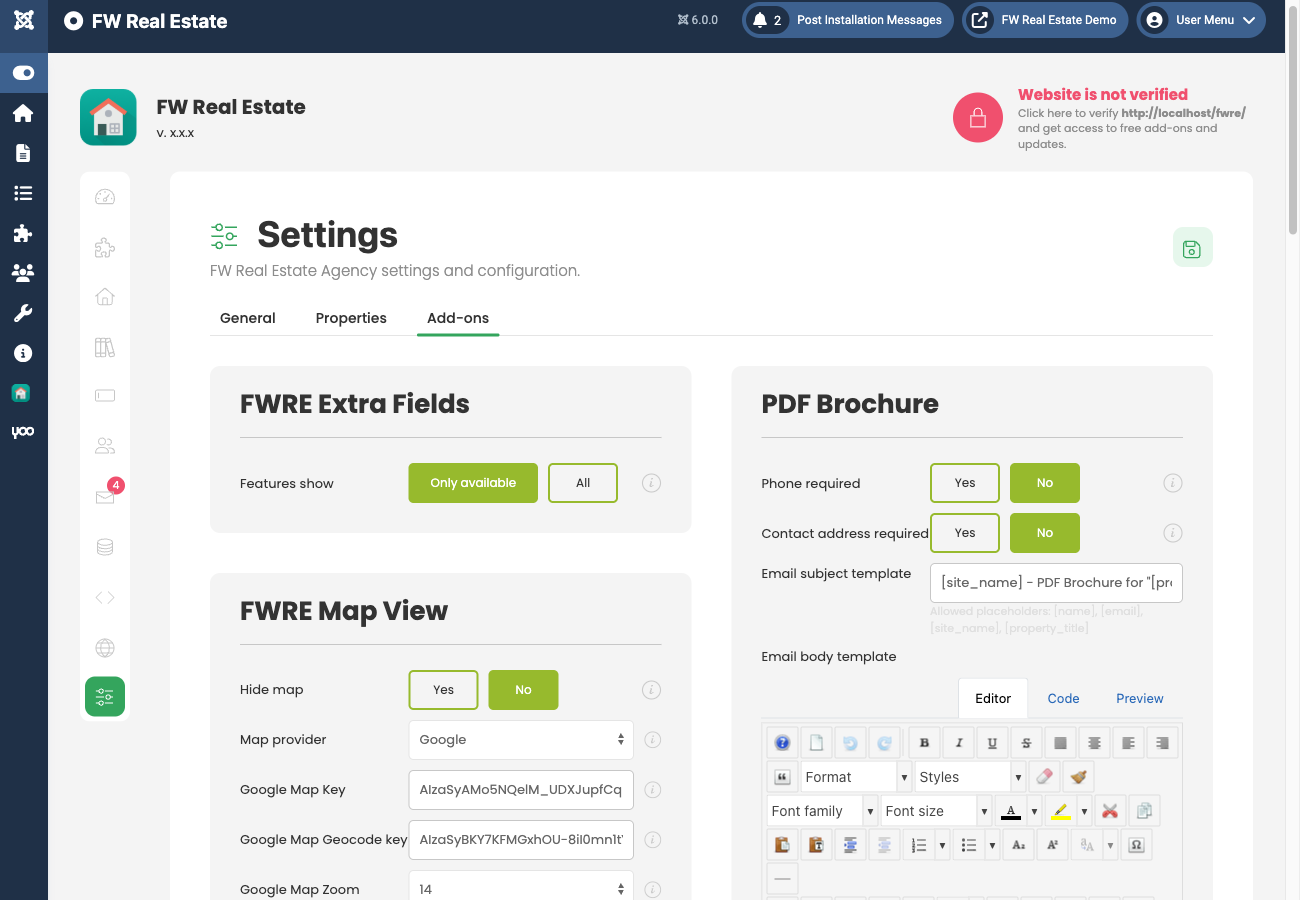
- Features display — Controls which amenities appear on the property detail page:
- Only available — only amenities the property actually has are shown.
- All — every amenity in the dictionary is shown; those the property does not have appear greyed out or marked with an X.
The Room size measurement unit is configured separately under Settings → General → Localization. Select the unit from the Dimensions dictionary (sqm, sqft, etc.) to apply it to all per-room dimension fields.
Frontend Display
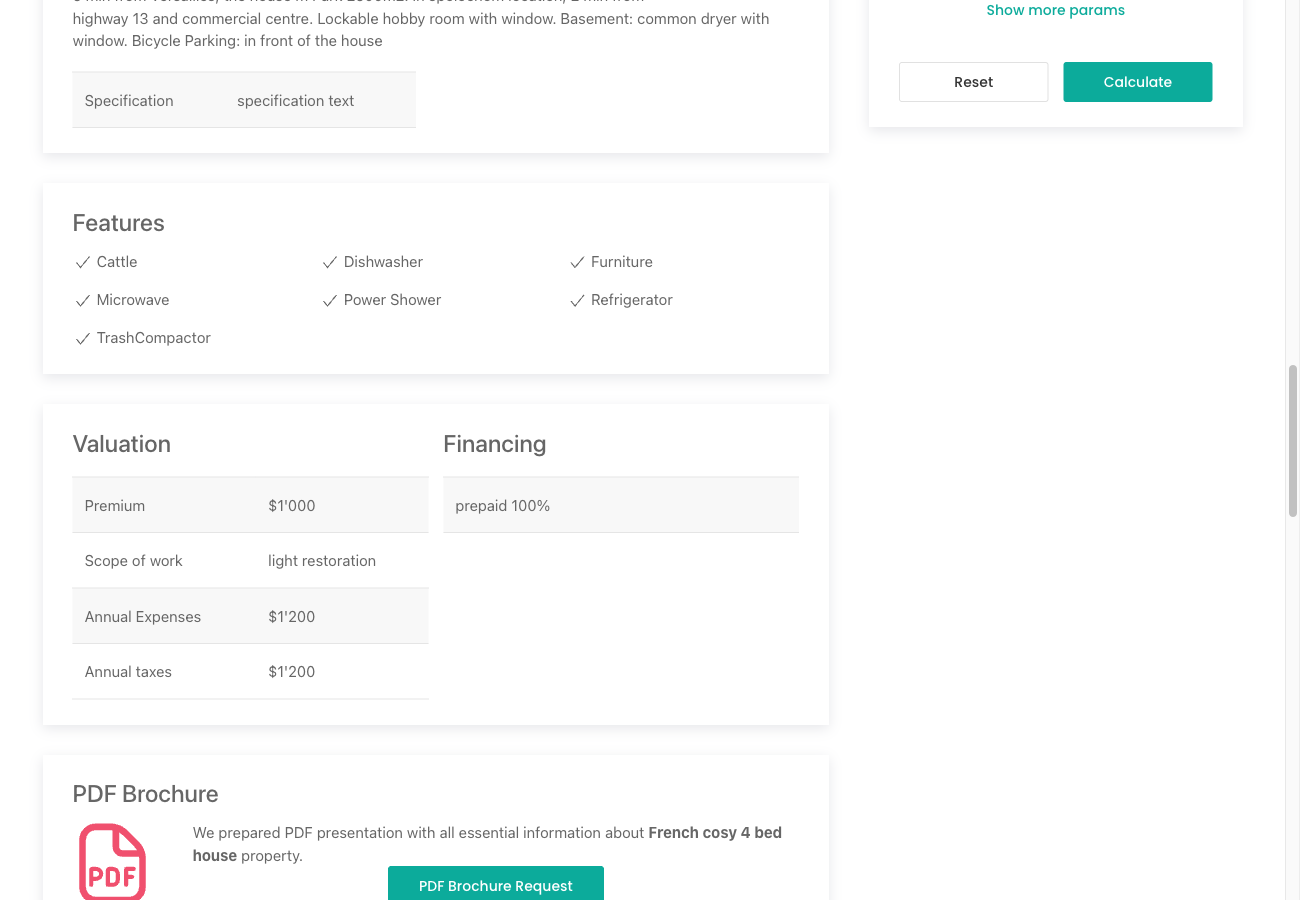
On the single property page, checked amenities are rendered as a Features block, using icons or checkmarks depending on your template. When Features display is set to Only available, absent amenities are hidden entirely, keeping the block clean. When set to All, the full amenity list is always visible, making it easy for visitors to see at a glance what a property lacks as well as what it has.
Using Amenities as Search Filters
Amenity values stored by this plugin are available as filter options in the Search module. Configure the desired amenity fields in the Search module settings to let visitors filter listings by specific features.
Managing the Amenities List
Add, remove, or rename amenity options at any time in FW Real Estate → Dictionaries → Amenities. Changes are reflected immediately in the property edit form and on the frontend.
To install this addon, open the Add-ons panel inside FW Real Estate. See Getting Started → Add-ons for details on free addons, paid addons, and site verification.

