 FW Real Estate – Documentation
FWRE Layout Anywhere
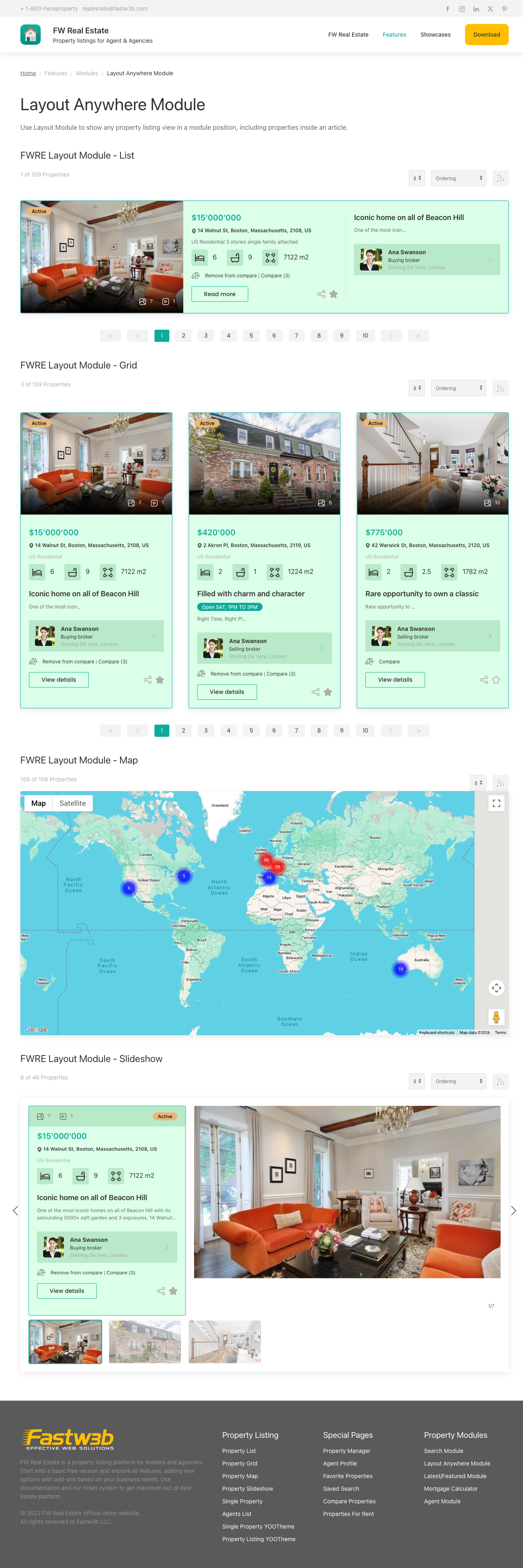
The FWRE Layout Anywhere add-on installs a Joomla site module that embeds a complete property listing — or a single property's full detail view — in any module position on your site. Every other FW Real Estate module shows a slice of a property (a card, a search form). This one embeds the real thing: the same listing your visitors would see on a dedicated menu item, including whatever enabled add-ons contribute.
Use Cases
- A property section on the home page. Show six featured properties for sale in one city, as a grid, without needing a dedicated menu item.
- A landing page per area or type. One page per city or property type, each carrying an embedded listing already scoped to it — a visitor's own search then narrows within that scope.
- A single property inside an article. Embed one property's full detail view in editorial content, such as a "property of the month" write-up or a neighbourhood guide.
Placing the Module
Enabling the add-on inside FW Real Estate installs the FWRE Layout Anywhere site module. Place and configure instances under Content → Site Modules, exactly as you would any other Joomla module.
Settings
| Setting | Default | Description |
|---|---|---|
| Display layout | Listing | Listing — a property listing; Single property — one property's full detail view. |
| Design (theme) | Site default | Which installed design renders the module. |
| Layout | List | List, Grid, Table, Map, or Slideshow. Grid, Map, and Slideshow each require their respective add-on. |
| Country / Region / City | All | Scope the listing by location; multiple values allowed. |
| Category / Type | All | Scope by property category and type; multiple values allowed. |
| Status | All | Scope by status. Requires the Status Labels add-on. |
| Featured only | All | All properties, featured only, or non-featured only. Requires the Featured add-on. |
| Hide property categories | No | Remove the category field from the embedded listing. |
| Description length | 200 | Characters of description shown on each card before trimming. |
| Limit properties | 12 | How many properties the embedded listing shows. |
| Select a property | — | Which property to show when Display layout is set to Single property. Shown only when Single property is selected. |
| Spotlight properties | — | A list of property IDs (comma-separated, space-separated, or one per line). One is picked at random on every page load, replacing the fixed Select a property choice. Clear it to return to the fixed choice. |
| Allow visitors to switch layout | Yes | Shows list/grid/map toggle buttons above results. Only relevant where a toolbar is present. |
| Currency | Site default | Display prices in a specific currency. Requires the Multi Currency add-on. |
| Add-on parameters | — | Per-instance overrides contributed by enabled add-ons. |
Important Notes
- It renders as a block, not a page. The embedded listing omits the listing page's own heading, toolbar, and pagination. The module's own title serves as the heading, which is what allows it to sit cleanly inside an article or page section.
- Scope filters combine. A single instance can be as specific as "featured apartments for rent in two cities, newest first, six of them, as a grid."
- Single property ignores listing settings. When Display layout is set to Single property, the scope filters, layout choice, and property limit do not apply — only the chosen property's detail view is rendered. The Spotlight properties field is the exception: fill it in and a random property from that list is shown on every page load, giving you a self-rotating "property of the moment" block. The listing settings are hidden in this mode, and Select a property appears only then.
To install this addon, open the Add-ons panel inside FW Real Estate. See Getting Started → Add-ons for details on free addons, paid addons, and site verification.