 FW Real Estate – Documentation
FWRE Mortgage Calculator
The FWRE Mortgage Calculator add-on adds an interactive financing calculator to your site. Visitors enter a property price, deposit, loan term, and interest rate, and the monthly payment and full amortisation schedule update instantly as they type — no page reload required. Hiding a cost row (such as property taxes or PMI) removes it from the running total, not just from the display, so the monthly figure always means what it shows.
Use Cases
- Beside a property listing. On the property detail page the calculator opens with that property's price already filled in, so the figures are immediately relevant to what the visitor is looking at.
- A financing widget on the home page. Helps first-time buyers work out their budget before they start browsing.
- A dedicated affordability page. Place the module in a full-width position as a standalone tool page.
Placement
The calculator can appear in two ways, configured in two different places:
- On the property detail page — this is not a module placement. Go to Configuration → Add-ons and find the FWRE Mortgage Calculator card. Set Position on the property page to Hide, Right (side panel), or Bottom. The property page renders the calculator directly; there is no module instance involved. This setting does not appear among the module's own parameters.
- Everywhere else — enabling the add-on installs a FWRE Mortgage Calculator site module. Place and configure instances under Content → Site Modules, exactly like any other Joomla module.
Settings
All settings below are starting values the calculator opens with. Visitors can change every one of them freely. Site-wide defaults are set on the Configuration → Add-ons card; a module instance's own settings override those defaults for that instance only.
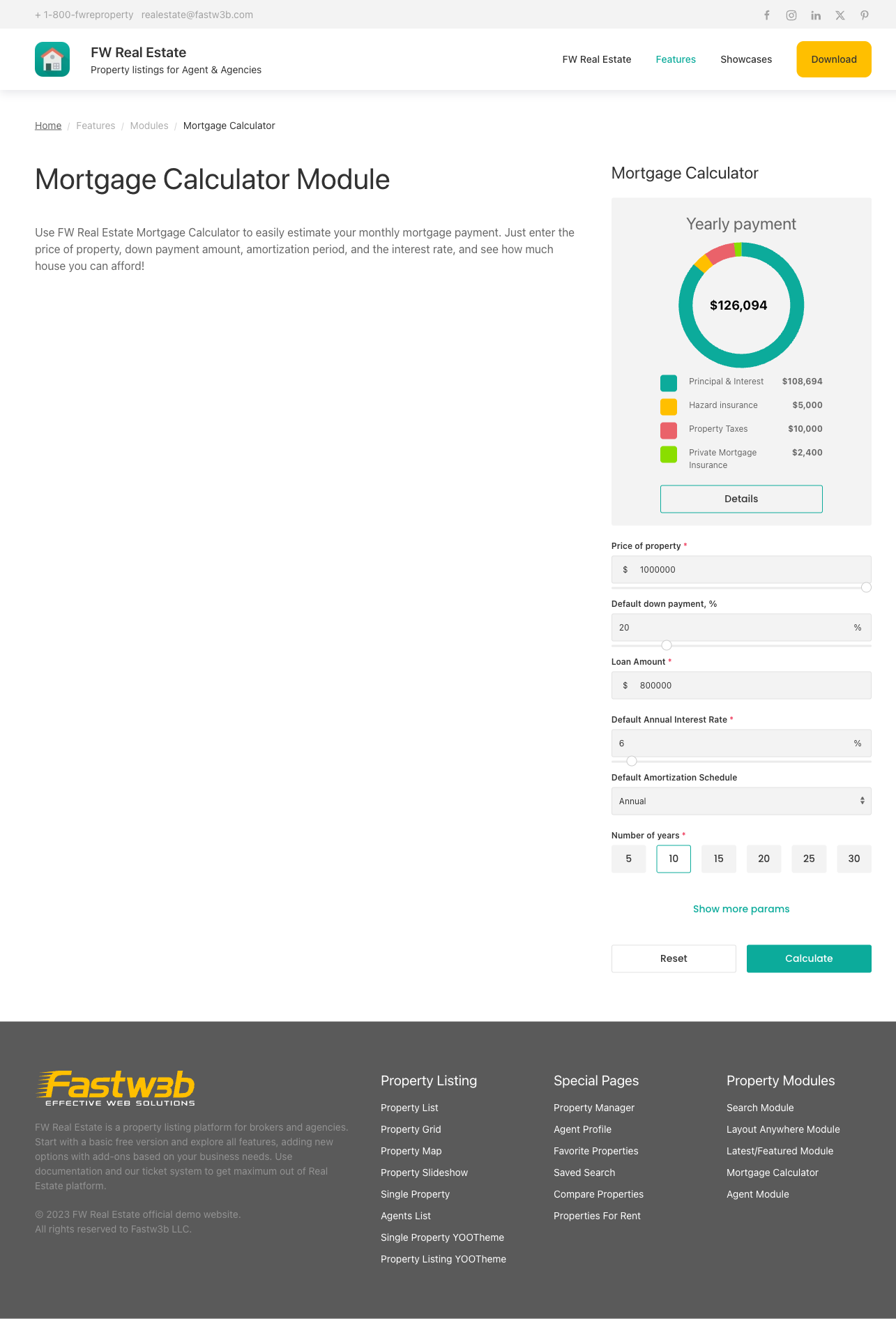
- Design (theme) — which installed design renders the calculator.
- Default property cost — opening price (on a property page the property's own price is used instead).
- Default down payment, % — opening deposit percentage.
- Default years number — opening term: 5, 10, 15, 20, 25, or 30 years.
- Default annual interest rate — opening rate.
- Hide annual property taxes / Annual property taxes, % — remove the tax row from the calculator and the monthly total.
- Hide annual hazard insurance / Annual hazard insurance, % — remove the buildings-insurance row.
- Hide monthly private mortgage insurance / Monthly private mortgage insurance, % — remove the PMI row.
- Default amortization schedule — show the breakdown table Monthly or Yearly.
- Enable email lead capture — on/off; see below.
Email Lead Capture
When Enable email lead capture is turned on, an Email me this scenario button appears on the calculator. The visitor enters only a name and an email address. The figures they have built are emailed to them, and the submission is recorded as a lead in FW Real Estate → Messages alongside your property enquiries. There are no configurable subject or body fields — lead capture is a single on/off toggle.
A visitor who has calculated a monthly payment on a specific property and requested it in writing is a warm contact. Keeping the form to name and email only avoids friction at precisely the moment they are most engaged.
To install this addon, open the Add-ons panel inside FW Real Estate. See Getting Started → Add-ons for details on free addons, paid addons, and site verification.