 FW Real Estate – Documentation
Agents
The Agents add-on turns your site from a catalogue into an agency. It adds agent profiles with photo, company and contact details, a public directory, agent assignment on property listings, a bookable viewing calendar, visitor reviews, and an account area where each agent manages their own presence.
Property is bought from people. A listing with a named agent, a face, and a phone number converts better than the same listing with a contact form alone — and once an agent owns their listings, enquiries reach the person who can answer them instead of a shared inbox.
Use Cases
- The people behind the agency. A public directory that tells first-time visitors who you are — which is what they check before calling anyone.
- The right person on the right property. Assign agents to properties so each listing shows the agent responsible for it.
- Bookable viewings. Visitors pick from the agent's own availability rather than e-mailing to ask when is convenient.
- Reviews. Visitors leave feedback on an agent — social proof attached to a person, not just to the site.
- Agents who maintain themselves. Each agent edits their own profile and monitors their own activity, so keeping the directory current is not an administrator's job.
The Agent Record
An agent is a site user with an extended profile: photo, first and last name, company and company logo, phone, e-mail, biography, and a title (such as "Senior Agent" or "Branch Manager") drawn from a dictionary this add-on provides — so titles stay consistent and translatable across your directory.
Photos display at approximately 150×150 px; company logos at approximately 200×50 px. Uploading images at roughly those proportions avoids unexpected cropping.
Two additional fields describe what an agent can help with, entered as comma-separated values:
- Languages — standard two-letter codes separated by commas (for example
en, fr, de). The site converts these into full language names, so the profile reads "English, French, German" in whichever language the visitor is browsing. - Specializations — free text separated by commas (for example
Residential sales, Lettings), shown on the profile exactly as written.
Both fields are optional and both appear on the agent's public profile page.
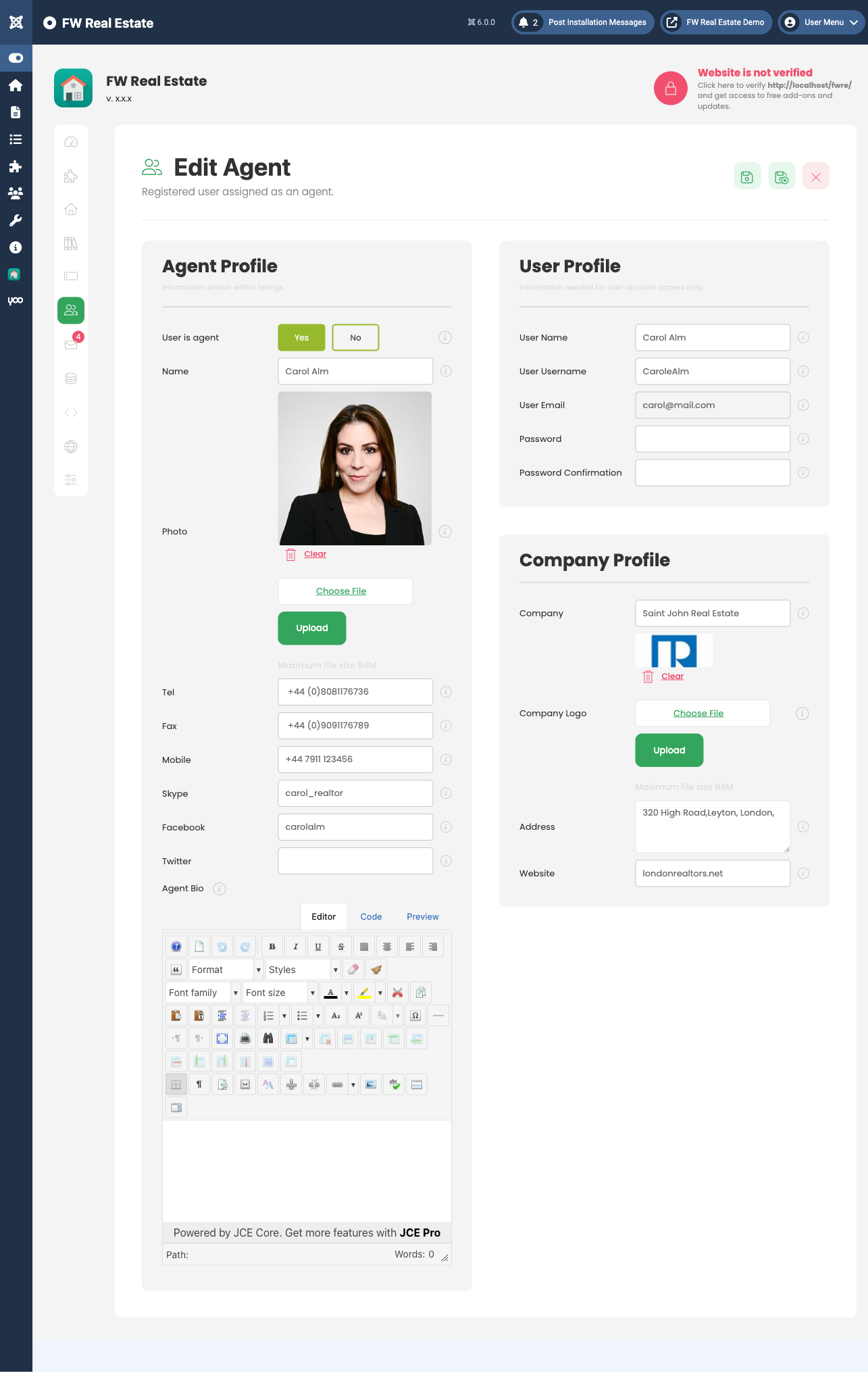
Agents also carry availability — the days and hours they accept viewing bookings, with each day set to its own time window. Visitors can only book slots that fall within the agent's defined availability.
Settings
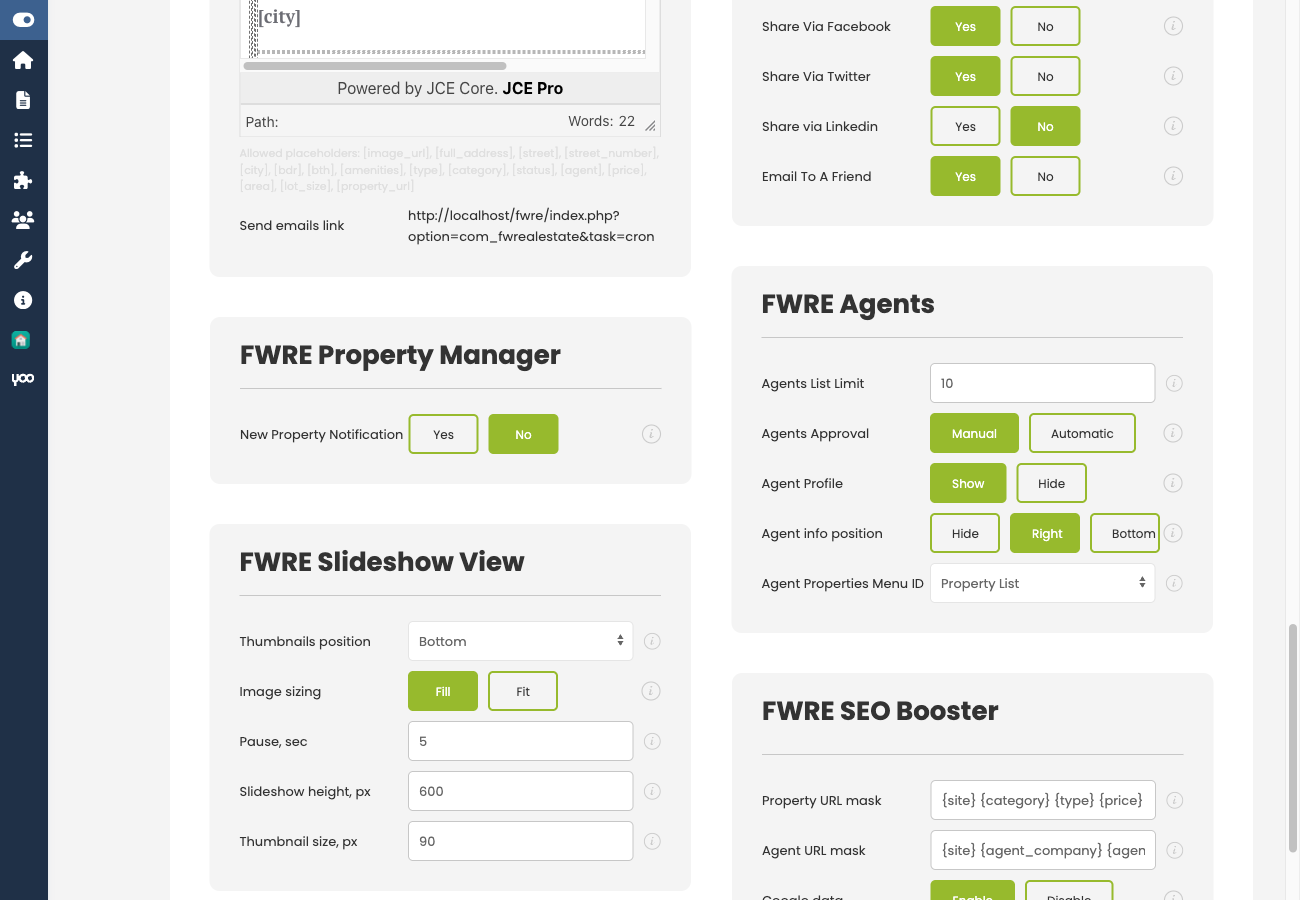
Find these options under Configuration → Add-ons → Agents.
| Setting | Description |
|---|---|
| Approve new agents automatically | When off, a new agent registration waits for an administrator before it goes live. Leave it off on a public site — this is what stops anyone putting themselves on your agency page. |
| Agent profile on the site | Controls whether the agent block appears on property pages at all. |
| Agent block on a listing | Sets the position: Hidden, Right column, or Below content. |
| Copy property enquiries to the assigned agents | Every enquiry submitted on a property is also sent to its assigned agent. |
The agent directory lists every published agent. To control who appears, unpublish any agent who should not be shown publicly.
Notification E-mails
Each of the following notifications has its own subject line and body, so your agency can write in its own voice:
- Registration / approval — sent when a new agent registers.
- Account approved — sent when an administrator approves the registration.
- New booking — sent when a visitor books a viewing.
- Listing favourited — sent when a visitor shortlists one of the agent's properties.
- Listing compared — sent when a visitor adds one of the agent's properties to a comparison.
The last two are particularly useful: an agent is notified the moment someone shortlists or compares one of their properties — an early signal of interest that arrives before any formal enquiry.
The Agent's Account Area
When signed in, an agent accesses their own account sections — reached through a User Section menu item — to edit their profile and review their activity. This is what allows agents to keep their own presence current without administrator involvement.
Front-End Surfaces

- Agent directory — a dedicated page listing all published agents, reached via an Agents menu item.
- Agent profile page — shows that agent's details and their associated properties.
- Agent block on property pages — displayed in the position configured above.
- Booking calendar — available on the agent's profile when the agent has set availability.
- Reviews — visitor feedback displayed on the agent's profile.
- Agent filter in the search module — lets visitors browse one agent's entire stock.
Notes
- Agents are site users, so Joomla's own account system handles sign-in and passwords; this add-on adds the profile layer and the permissions around it.
- Agent assignment is included as a CSV column, so agent data round-trips through a spreadsheet alongside properties.
- Without this add-on, the entire concept of an agent is absent — no directory, no assignment, no agent filter, and no agent column in CSV exports. Enquiries then require a property-level e-mail address to have anywhere to go.
- Disabling the add-on hides agents from the front end; all records are preserved and return when it is re-enabled.
To install this addon, open the Add-ons panel inside FW Real Estate. See Getting Started → Add-ons for details on free addons, paid addons, and site verification.