 FW Real Estate – Documentation
PDF Brochure
The PDF Brochure add-on turns any property listing into a downloadable PDF — and uses that download as a lead-capture moment. Somebody who wants a property in PDF format is preparing to show it to a partner, a parent, or a business contact. That is a much later stage of the search than a page view, and worth capturing.
Use Cases
- Something to take to a viewing. Buyers still print, and a branded property sheet beats a phone screenshot.
- Turning interest into a contact. The download asks for a name and an email address, and the request is recorded as a lead in FW Real Estate → Messages with the property attached.
- Following up automatically. Three timed emails go out to anyone who took a brochure and has not been in touch since — no manual chasing required.
- Attaching the brochure to enquiries. Every enquiry reply can carry the property's own PDF alongside the agent's response.
Settings
Open Configuration → Add-ons → Brochure PDF to configure the add-on.
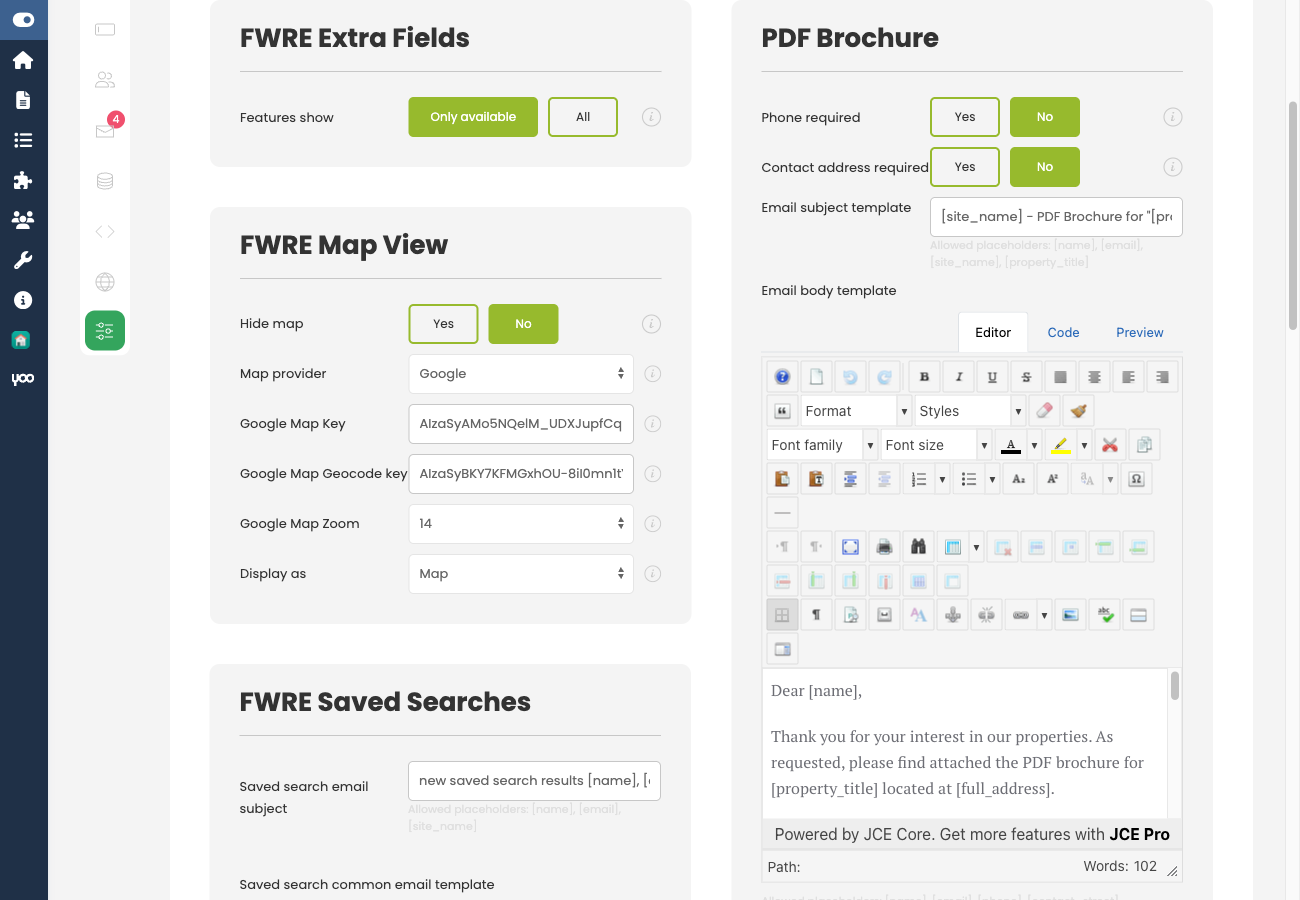
- PDF template — choose Default, Compact, or Luxury. Each is a distinct layout for the generated document.
- Accent colour — the colour applied throughout the PDF. Set it to match your brand.
- Phone required / Address required — controls which contact fields the request form insists on before sending the brochure.
- Attach to contact form — when enabled, the property's PDF is also attached to standard enquiry emails.
- Share email subject and body — the email the visitor receives containing their brochure.
Ask for as little as you can. Phone and address are both optional for a reason: every extra required field costs you requests. A name and an email address are already a lead — turn additional fields on only if your team genuinely acts on them.
Brochure Drip Follow-Ups
This is the feature that separates a brochure download from a one-way file transfer. Three automatic follow-up emails are sent to anyone who requested a brochure and has not made contact since. Each email has its own subject and body, and each is sent once per request. A request that has already produced a conversation stops receiving them.
- Follow-up 1 — sent 24 hours after the brochure is requested.
- Follow-up 2 — sent 7 days after the request.
- Follow-up 3 — sent 14 days after the request.
Write these as a sequence, not three versions of the same message. The first confirms the brochure was sent and invites questions. The second offers help or highlights something about the property. The third is a brief final touch. Three identical nudges will be marked as spam.
The drip requires a scheduled job (cron). Brochures are still delivered on request without cron, but no follow-up email will ever go out.
How It Works on the Front End
A Brochure button appears on the property page. Clicking it opens a short form asking for contact details. Once submitted, the PDF is emailed to the visitor, and the request is recorded as a lead in FW Real Estate → Messages with the property linked.
The brochure reflects the fields you publish. Any field unpublished on the Fields screen is excluded from the PDF automatically.
To install this addon, open the Add-ons panel inside FW Real Estate. See Getting Started → Add-ons for details on free addons, paid addons, and site verification.