 FW Real Estate – Documentation
Image Upload Problems
Image Upload Problems
Most image upload failures in FW Real Estate trace back to PHP configuration limits or a missing server dependency. Work through the checks below in order.
PHP Upload and Post Size Limits
PHP enforces two separate size limits that both affect uploads. If either is too small, the upload fails silently or returns a generic error.
- upload_max_filesize — the maximum size of a single uploaded file. Recommended: 32M or higher.
- post_max_size — the total size of all data in a single HTTP request, including every file in a multi-file upload. This must be larger than
upload_max_filesize. Recommended: 64M or higher.
Set these in your server's php.ini (or a .htaccess / php.ini override if your host allows it), then restart the web server for changes to take effect.
Memory Limit for Image Processing
When FW Real Estate resizes an image on upload, PHP loads the full original into memory. Large photos — particularly high-resolution JPEG files — can exhaust the default memory allocation before resizing is complete, causing the upload to fail with a white screen or a 500 error.
- memory_limit — Recommended: 256M minimum; 512M for sites accepting very large originals.
GD Library Not Installed
FW Real Estate uses PHP's GD extension to resize and thumbnail images. If GD is missing, no image processing can take place. Symptoms include uploads that appear to succeed but produce no thumbnails, or an error reported on the Dashboard system checks.
Ask your host to enable the gd PHP extension, or install it yourself if you manage the server (php-gd on most Linux distributions). After enabling GD, verify it appears in your server's phpinfo() output.
File Permissions on the Upload Directory
Property photos are stored under images/fwre/ in your Joomla root. PHP must be able to write to this directory and its subdirectories. If permissions are too restrictive, uploads fail immediately.
- The recommended permission for the
images/fwre/directory is 755 (owner can write; group and others can read and execute). - If your server runs PHP as the same user that owns the files, 755 is sufficient. Some shared hosting environments require 775.
- Never set directories to 777 on a production server.
You can check and correct permissions via FTP, your hosting control panel's file manager, or SSH (chmod -R 755 images/fwre/).
Maximum Image Dimensions
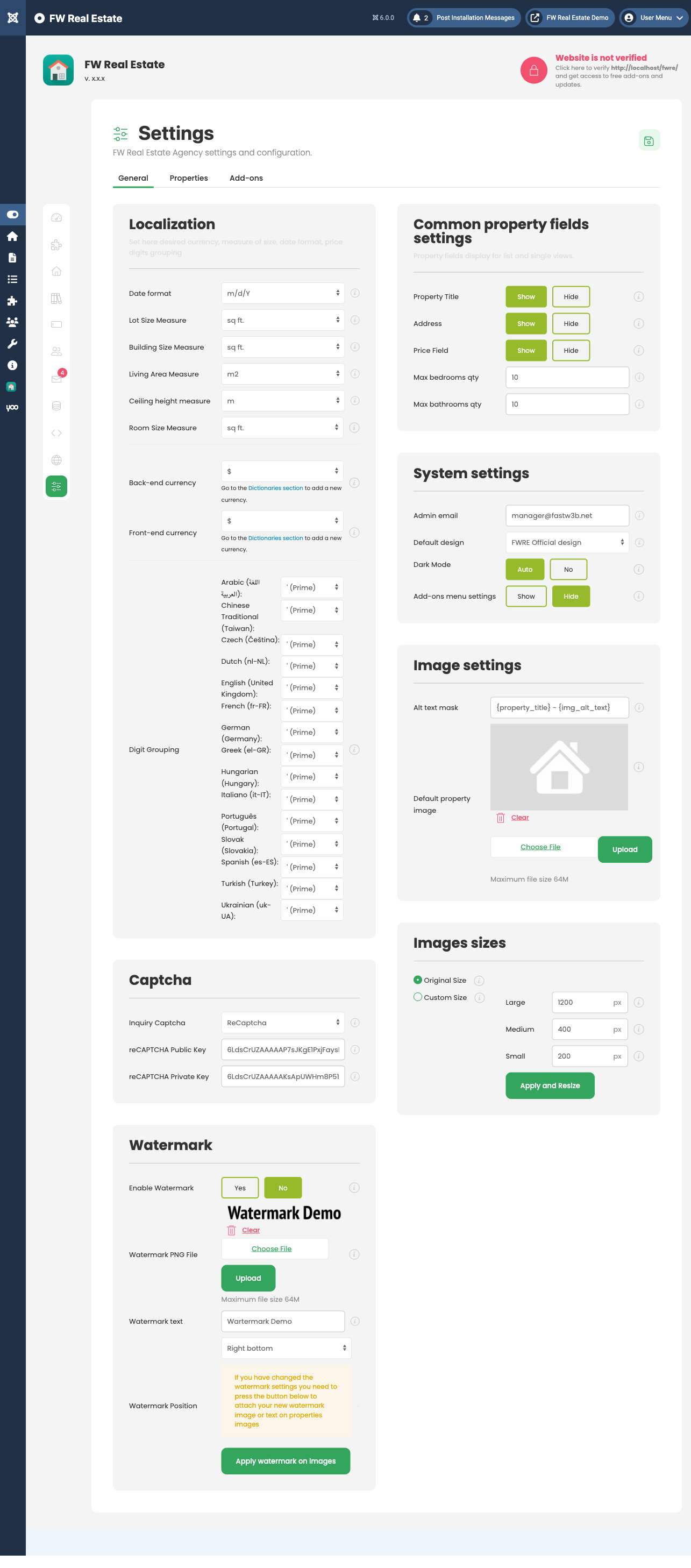
FW Real Estate can be configured to resize images to defined pixel dimensions on upload. Review your image size settings at FW Real Estate → Configuration → General → Images sizes.
- If Image sizing is set to Custom, uploaded photos are scaled to the Large, Medium, and Small pixel values you have entered.
- Extremely large source images combined with a low
memory_limitwill fail during this step — increasememory_limitas described above. - After changing dimension settings, use the Resize Images action to apply the new sizes to photos already on the site. Changing the settings alone does not reprocess existing images.
Recommended PHP Configuration Summary
- upload_max_filesize — 32M or higher
- post_max_size — 64M or higher (must exceed
upload_max_filesize) - memory_limit — 256M minimum, 512M recommended
- GD extension — must be enabled
- images/fwre/ permissions — 755 (or 775 where required by the server)