 FW Real Estate – Documentation
Add-ons Overview
Add-ons Overview
FW Real Estate is built around a lean core that handles properties, fields, dictionaries, messages and front-end rendering. Every feature beyond that — maps, search, favourites, agents, rentals, floor plans and more — is delivered by add-ons that you control from inside the component. An add-on you disable is genuinely absent: its fields disappear from the property form, its output from the front end, its columns from CSV export. You are never carrying features you do not use.
The Bundled Design Add-on
The main FW Real Estate package ships with one design add-on — the Official design — already registered and active the moment installation completes. It provides the default front-end appearance with no separate steps required on your part.
The Add-ons Panel
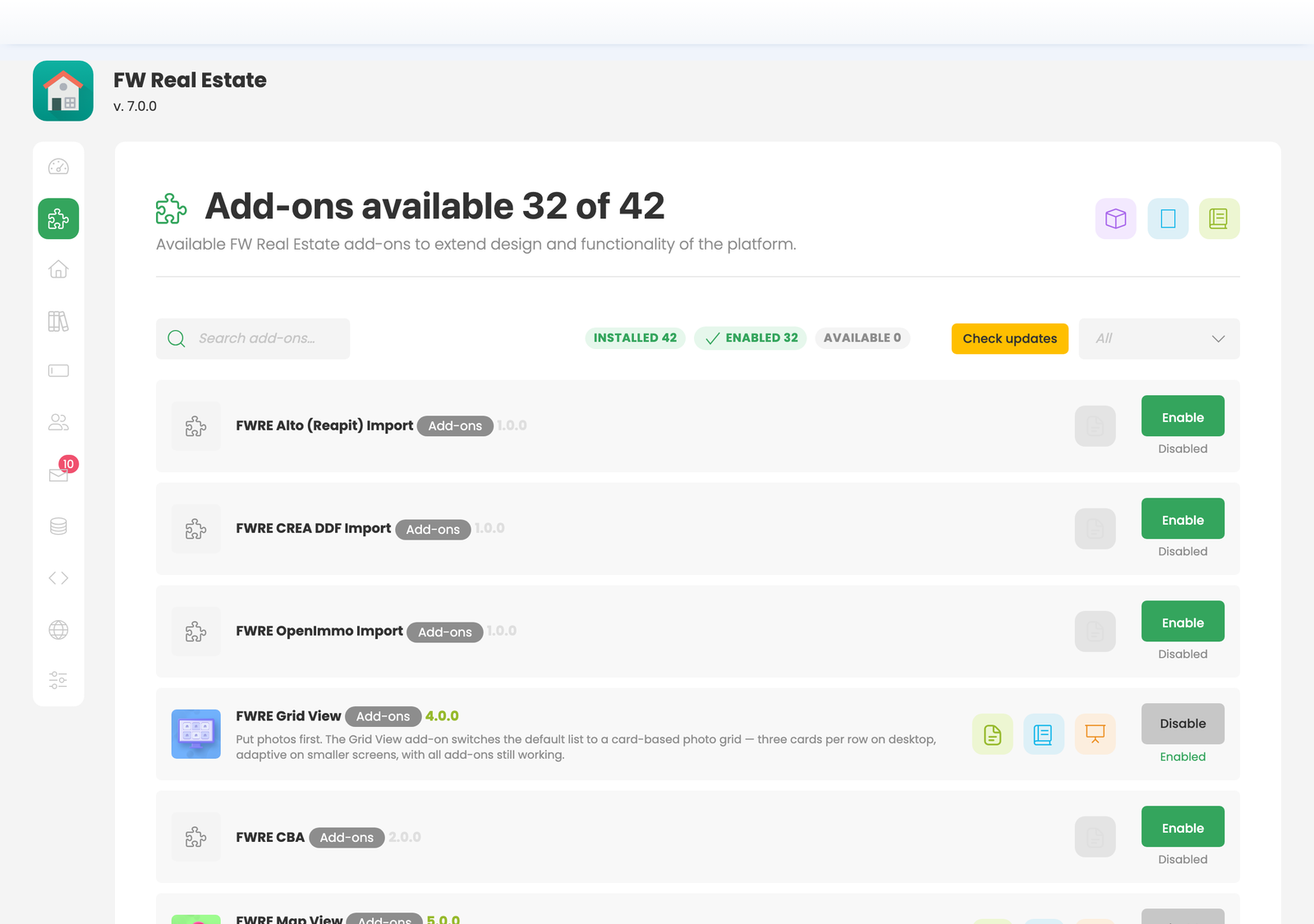
Every other add-on is managed from a single place: open FW Real Estate in the Joomla admin and click the Add-ons icon in the sidebar. The panel lists each add-on with its current status and the actions available for it. There is nothing to configure in Joomla's own extension management screens — FW Real Estate add-ons do not appear there.
The actions available on each add-on card are:
- Enable — activates the add-on and makes its features available across the site.
- Disable — deactivates the add-on, hiding its fields and output without removing it or touching its data. Re-enabling it restores everything exactly as it was.
- Update — appears when a newer build is available; clicking it installs the update without affecting property data.
How Add-ons Arrive — Verifying Your Website
Add-ons are not downloaded one by one. They all arrive together the moment your site is verified against your fastw3b.com account. Look for the Connect button — it appears in the FW Real Estate admin header, in the verification banner, and on the Add-ons screen itself as Connect to install. The lock icon and the red This website is not verified text do the same thing.
One click opens your fastw3b.com client section. The store registers your website and sends the verification key straight back — nothing to copy, nothing to paste. Your site returns already verified, with no further action required.
The moment verification succeeds, the site automatically downloads and switches on every add-on your subscription entitles it to: free add-ons are included for any verified site, and paid add-ons are activated for each active subscription that covers them. A freshly verified site arrives with its add-ons already installed and enabled, so your job is to turn off what you do not want rather than hunt for what you do.
One exception: if a released add-on build requires a newer version of the component than your site currently runs, that add-on is reported as skipped rather than installed half-way. It arrives automatically once you update the component.
Verification is not a one-time event. If you purchase or extend a subscription later, the add-ons it covers are added automatically on your next visit to the FW Real Estate admin — nothing to download or install by hand.
Disabling and Re-enabling Add-ons
Disabling an add-on leaves it on the site in a dormant state. Its data is untouched and its configuration is preserved. Enabling it again restores full functionality immediately, with no data loss.
Keeping Add-ons Up to Date
When a newer build of an installed add-on is available, the action button on its card changes to Update. Clicking it installs the update without affecting your property listings, dictionaries or any other content. Always update the main component before updating add-ons — an add-on build may require a newer component, and if the component is older that add-on is skipped rather than partially installed.