 FW Real Estate – Documentation
Slideshow View
The FWRE Slideshow View add-on replaces the standard list or grid layout with a full-width slideshow: one property at a time, a thumbnail strip for navigation, and optional autoplay. It suits a small, curated set rather than an entire catalogue. Twenty properties in a slideshow is a chore; six hand-picked ones is a showreel — which is why it works best on a landing page or a featured section.
Use Cases
- A featured showcase. A landing page carrying a handful of flagship properties, each given the full width in turn.
- Cinematic browsing. Visitors move through properties one by one rather than scanning a list.
- A single-development page. One project's units, shown large.
Where the Layout Becomes Available
Once the add-on is enabled, Slideshow appears as an available layout everywhere a property listing is rendered:
- The listing page, as one of the options in the visitor's layout switcher.
- A Joomla menu item, as the Layout setting of a Properties Listing item.
- The Layout Anywhere module, as its Layout option.
With the add-on disabled the layout is not offered anywhere, and any page previously set to it falls back to the list.
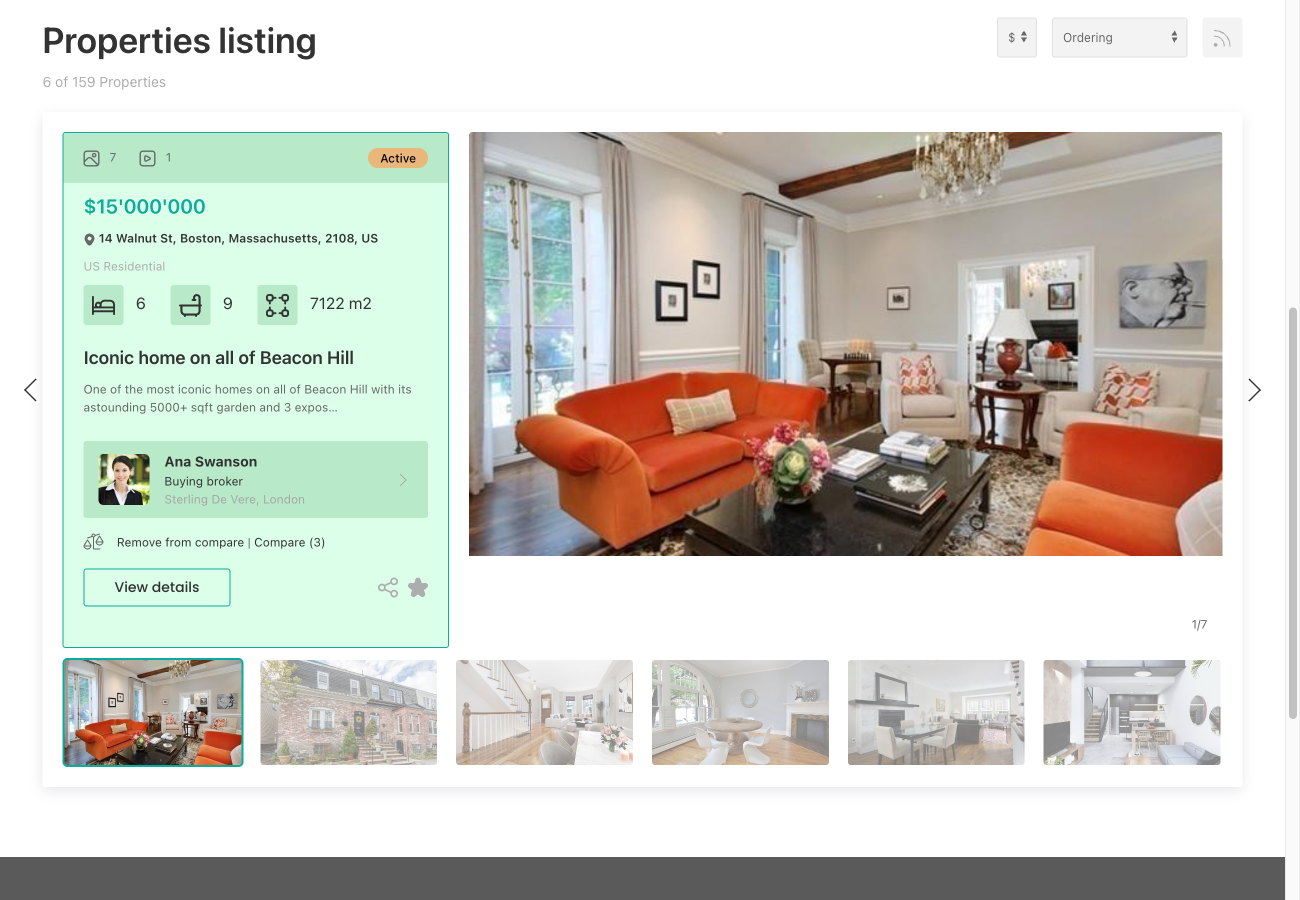
Settings
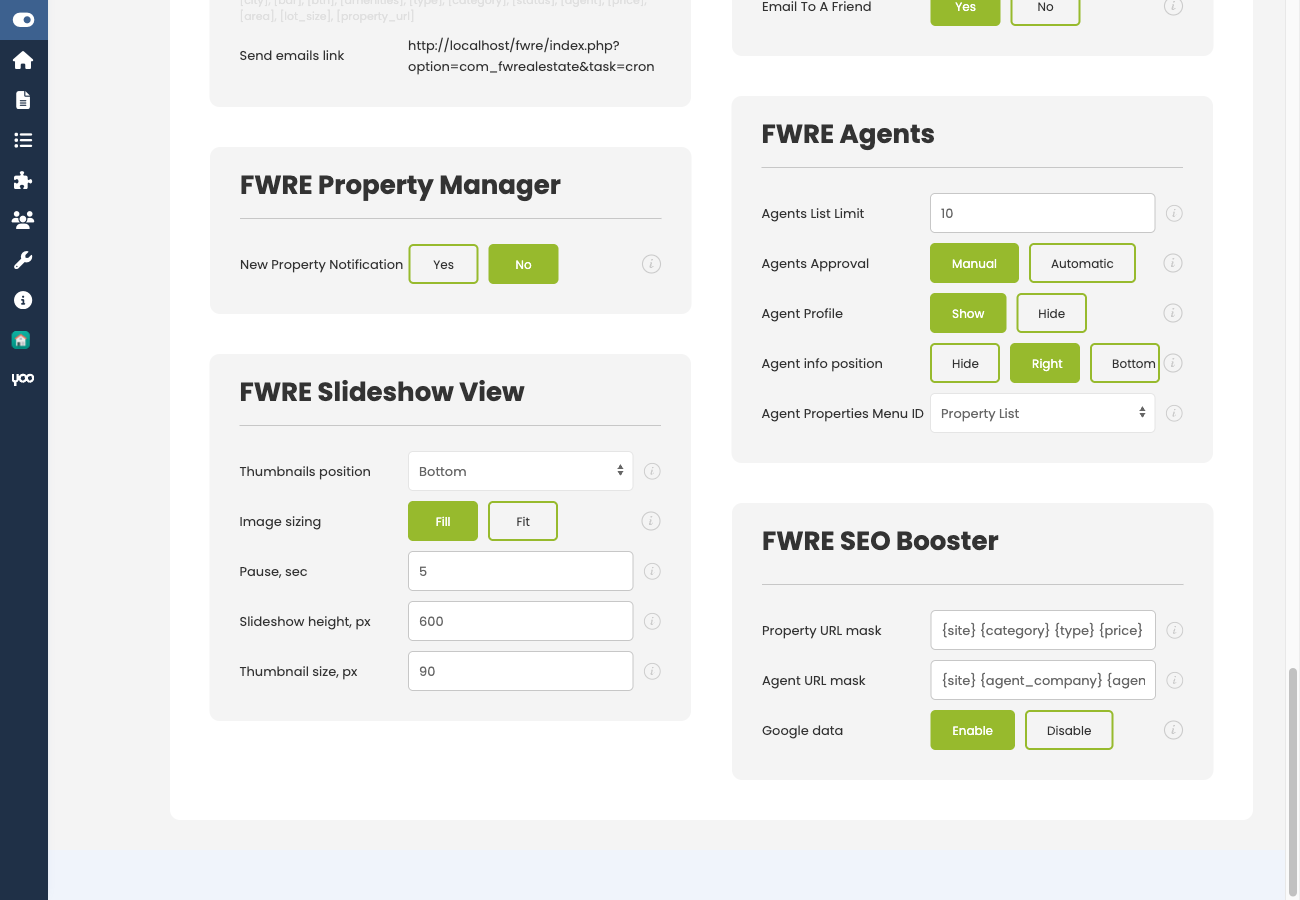
Configure the slideshow in Configuration → Add-ons → Slideshow View.
| Setting | Default | Description |
|---|---|---|
| Thumbnail position | Bottom | Where the thumbnail strip sits: Bottom, Left, Right, or None to hide it. |
| Image sizing | Fill | Fill crops the photo to cover the whole stage; Fit shows the whole photo, letterboxed. |
| Autoplay pause (s) | 5 | Seconds between slides. 0 turns autoplay off and leaves the visitor in control. |
| Stage height (px) | 800 | Height of the main slideshow area in pixels. |
| Thumbnail size (px) | 80 | Size of each thumbnail in the strip in pixels. |
Notes
- Fill or Fit is a decision about your photography. Fill looks cleaner but crops — a photo whose subject is off-centre can lose it. Fit never crops but leaves bands beside portrait shots. If your photos are consistently landscape, use Fill.
- Autoplay competes with reading. A visitor looking at a property does not want it to move on automatically. A longer pause, or setting the value to 0, is usually the better choice on a page that displays detail alongside the slideshow.
- This is a listing layout only. It does not affect the property detail page or its own gallery.
- Pair it with a scoped page — a Joomla menu item filtered to featured properties — so the slideshow shows a chosen few rather than the entire catalogue.
To install this addon, open the Add-ons panel inside FW Real Estate. See Getting Started → Add-ons for details on free addons, paid addons, and site verification.