 FW Real Estate – Documentation
Status Labels
The Status Labels add-on owns the entire concept of a property status in FW Real Estate. Without it, there is no status dictionary, no badge on listing cards, no status filter in search, and no status column in CSV exports. A site that never needs to mark properties sold or flagged can skip it; any site that does, needs it.
What You Can Do With Status Labels
- Mark a property Sold without deleting it. Keep the listing live as proof you sell, and preserve the URL for anyone who bookmarked it.
- Draw attention to new listings. A "New" badge on a card earns clicks that an unmarked card does not.
- Signal a price drop. "Price Reduced" tells a returning visitor something has changed — exactly the moment they are most likely to act.
- Bring saved-property watchers back. Alert everyone who favourited a property the moment its status changes to something they care about.
- Build a "just sold" strip. The Latest module's Recently sold ordering turns statuses into social proof on your home page.
Defining Your Statuses
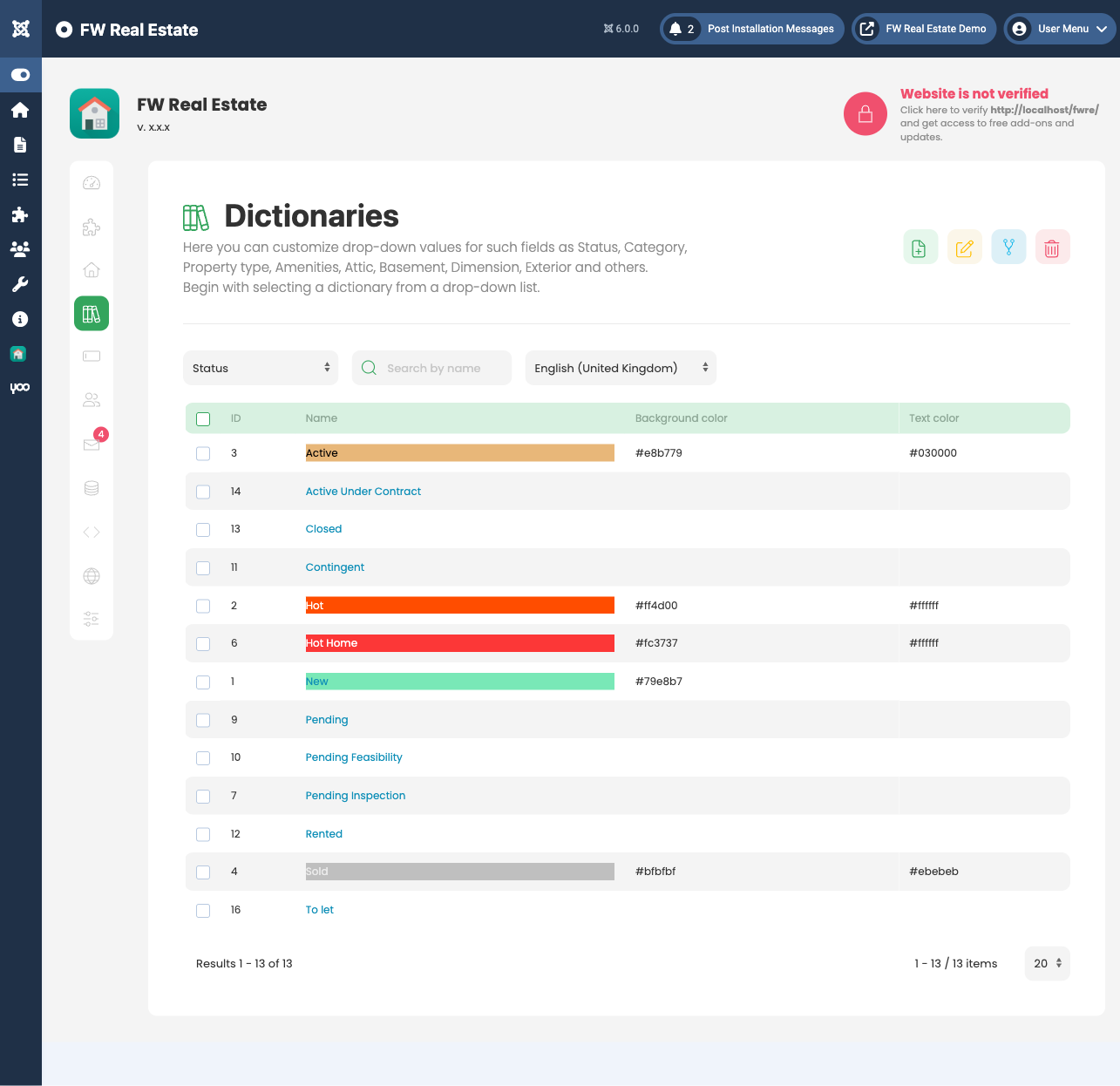
Statuses are a dictionary: go to FW Real Estate → Dictionaries → Status. Each entry has a name and a colour. Names are translatable per language, like every other dictionary in FW Real Estate. Define only the statuses your market actually uses — a short, meaningful set reads better than a long one when a visitor is scanning cards by colour rather than vocabulary.
Assigning Statuses to a Property
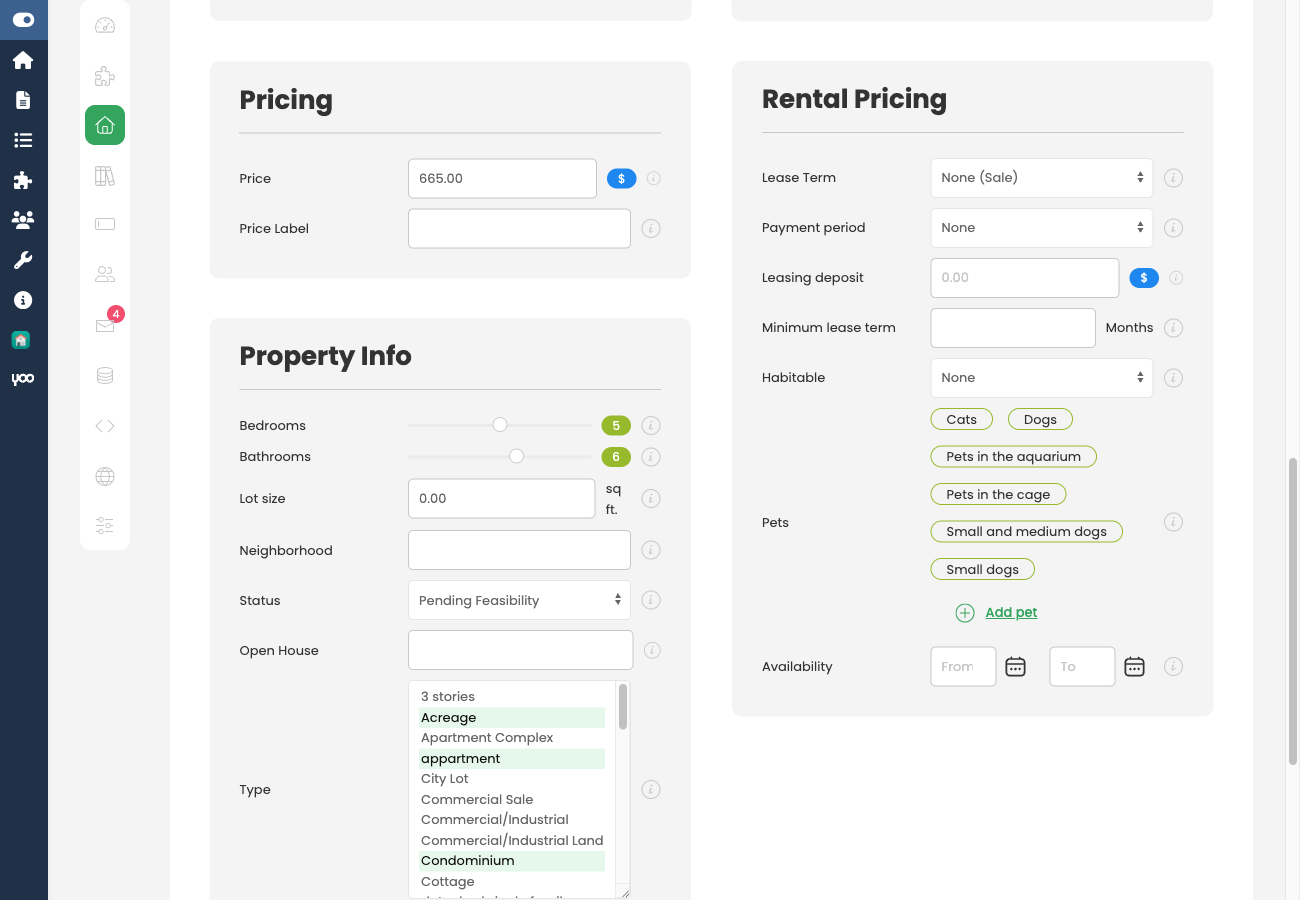
Open any property and go to the General tab. A property can carry several statuses at once — "New" and "Price Reduced" together is a normal combination, not an edge case.
Settings
The names and colours live in the dictionary, so the settings card under Configuration → Add-ons → Status Labels is entirely about alerts:
- Notify favouriters on status change — when enabled, FW Real Estate e-mails everyone who saved a property to their favourites whenever its status changes.
- Statuses worth an email — restricts the alert to fire only when a property moves into one of the ticked statuses. Tick none and every status change triggers a notification.
Tick only the statuses that are genuinely worth interrupting someone for. "Sold" and "Under Offer" tell a watcher something they need to know; a minor label correction does not. Leaving the list empty means every change sends mail — the fastest way to teach people to ignore your notifications.
On the Front End
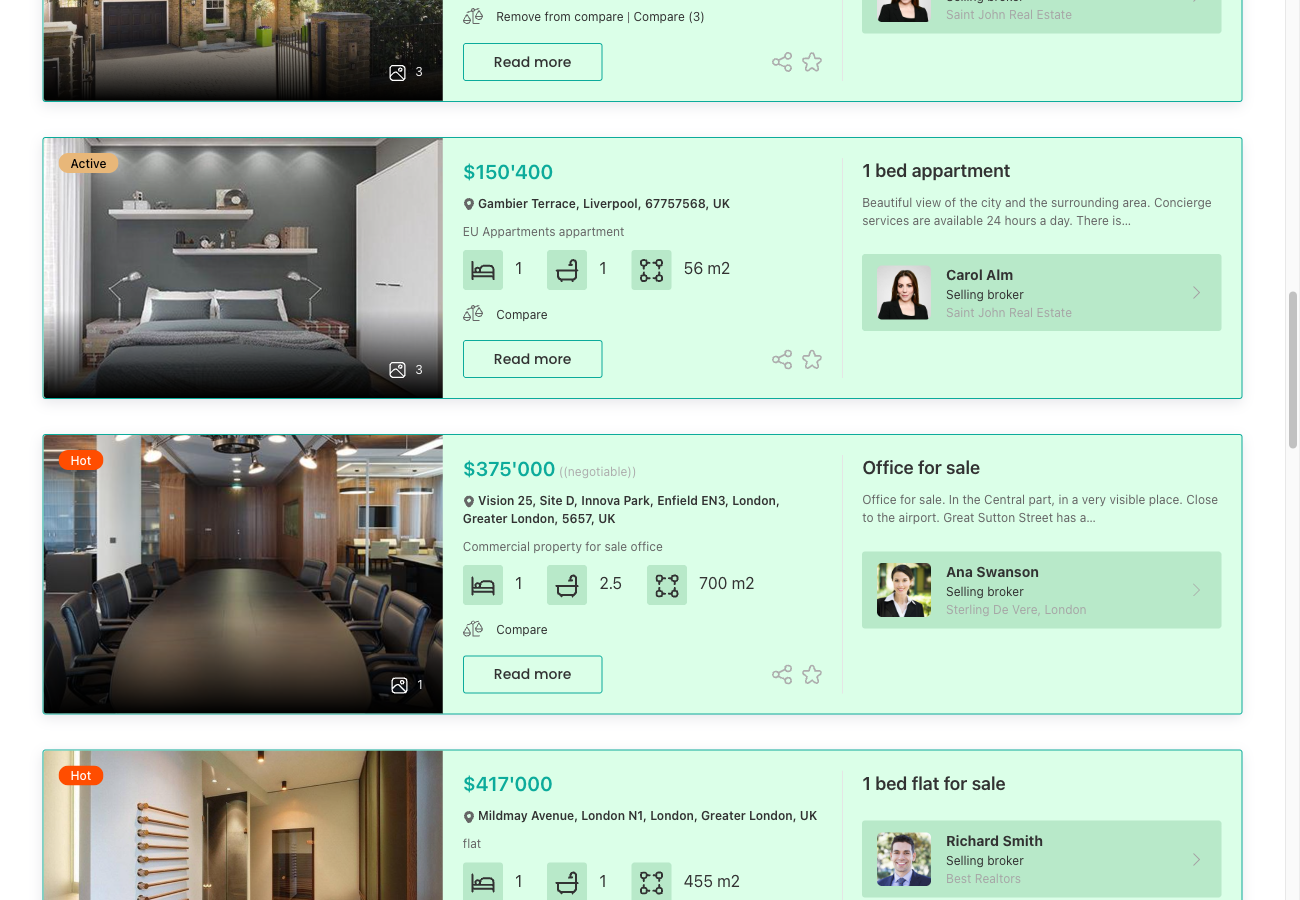
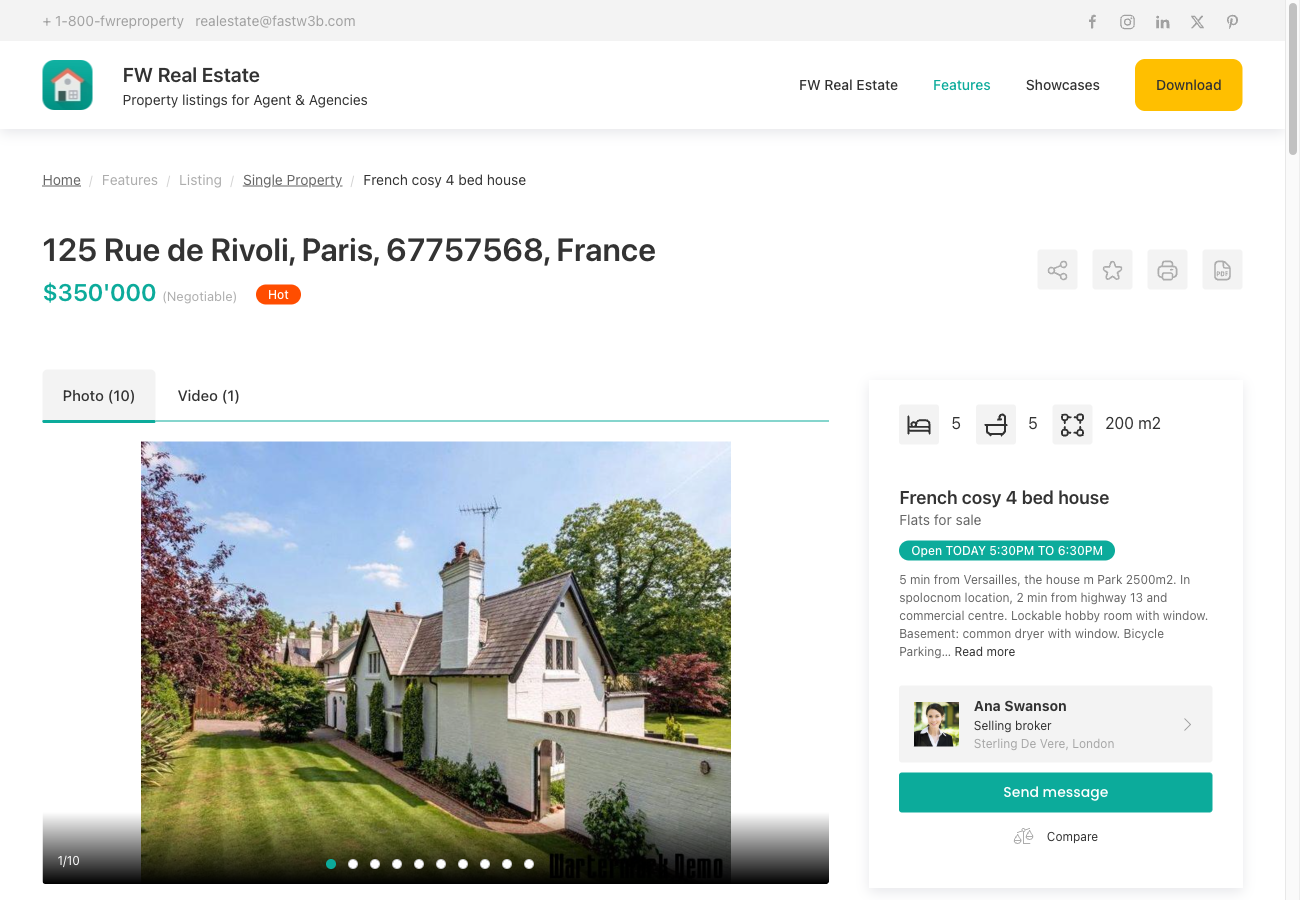
- A coloured badge appears on every listing card and on the property detail page.
- A Status filter in the search module lets visitors exclude sold stock — or search only within it.
- Recently sold / Recently leased ordering in the Latest module sorts by when the status last changed, making a "just sold" showcase straightforward to build.
Notes
- A status is not a publish state. Marking a property Sold changes what it says, not whether it appears on the site. Unpublish it separately if you want it removed from view.
- Statuses are a CSV column, so they can be set in bulk from a spreadsheet — useful after a run of completions.
- Choose high-contrast colours. The badge sits over a photo, so mid-tone colours with low-contrast text can disappear against the wrong image. High contrast survives more backgrounds.
- Disabling the add-on removes statuses from the property form, listing cards, search filter, and CSV. The values remain in the database and return when the add-on is re-enabled.
To install this addon, open the Add-ons panel inside FW Real Estate. See Getting Started → Add-ons for details on free addons, paid addons, and site verification.