 FW Real Estate – Documentation
FWRE Official Design (Agency)
The FWRE Official Design (Agency) addon provides a complete set of professionally styled frontend templates for every FW Real Estate view. It covers property listings, property detail pages, agent pages, user section forms, and all supported plugin outputs — delivering a cohesive, ready-to-use real estate portal design that works inside any Joomla template.
Installing the Agency Design
After installing FW Real Estate and authorising your website key in FW Real Estate → Settings → Subscription, open the FW Real Estate → Addons panel and install the Agency Design addon from there. Updates are also applied through the same Addons panel while your subscription is active.
Activating the Agency Design
Once installed, open the Joomla menu item that points to your FW Real Estate property listing and set the Design field to Agency. If the plugin is not activated, FW Real Estate falls back to its built-in unstyled templates. The agency design loads its own stylesheet and scripts alongside your active Joomla template — it is not a standalone Joomla template and is compatible with any site design.
Property Listing Views
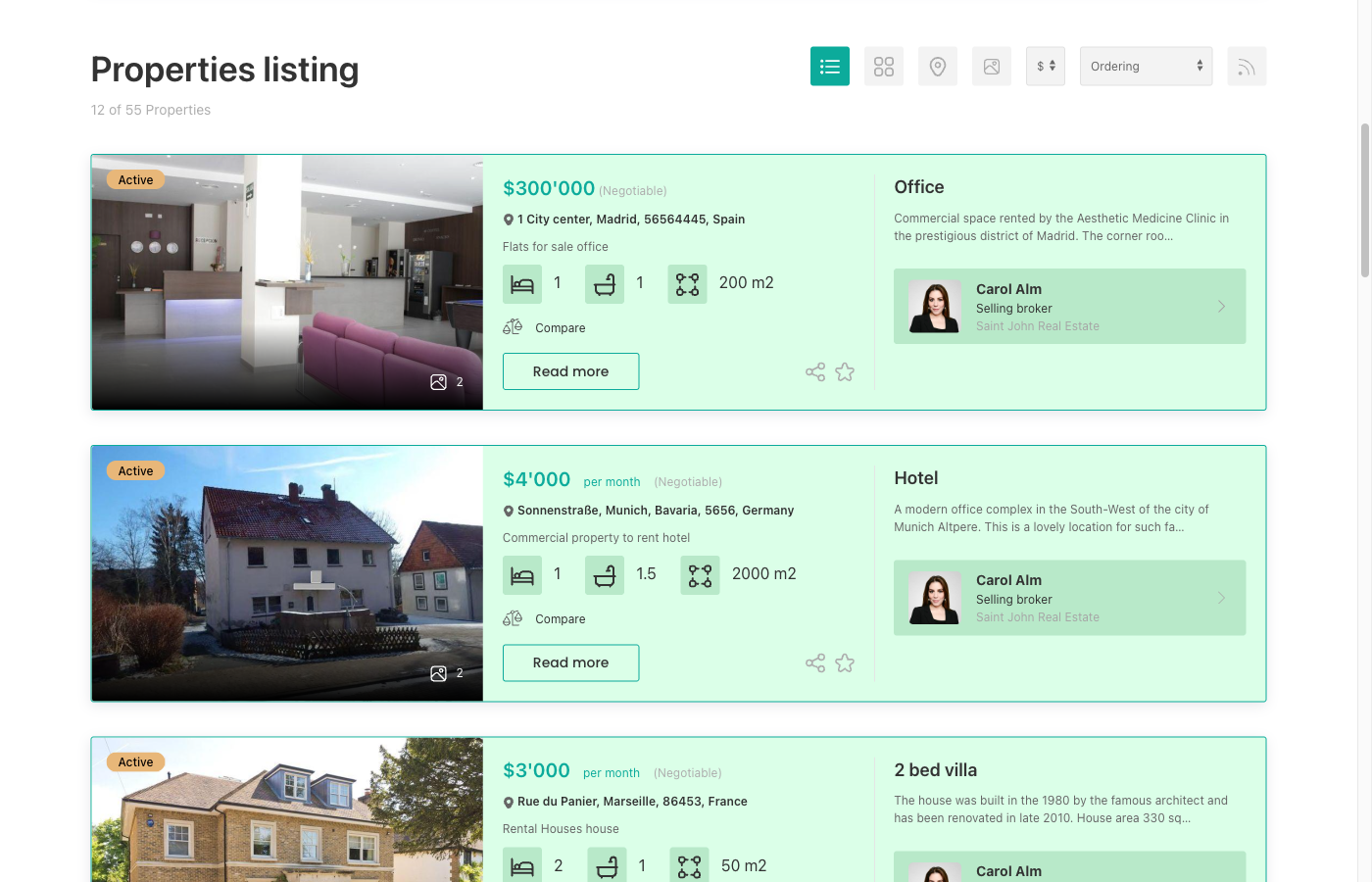
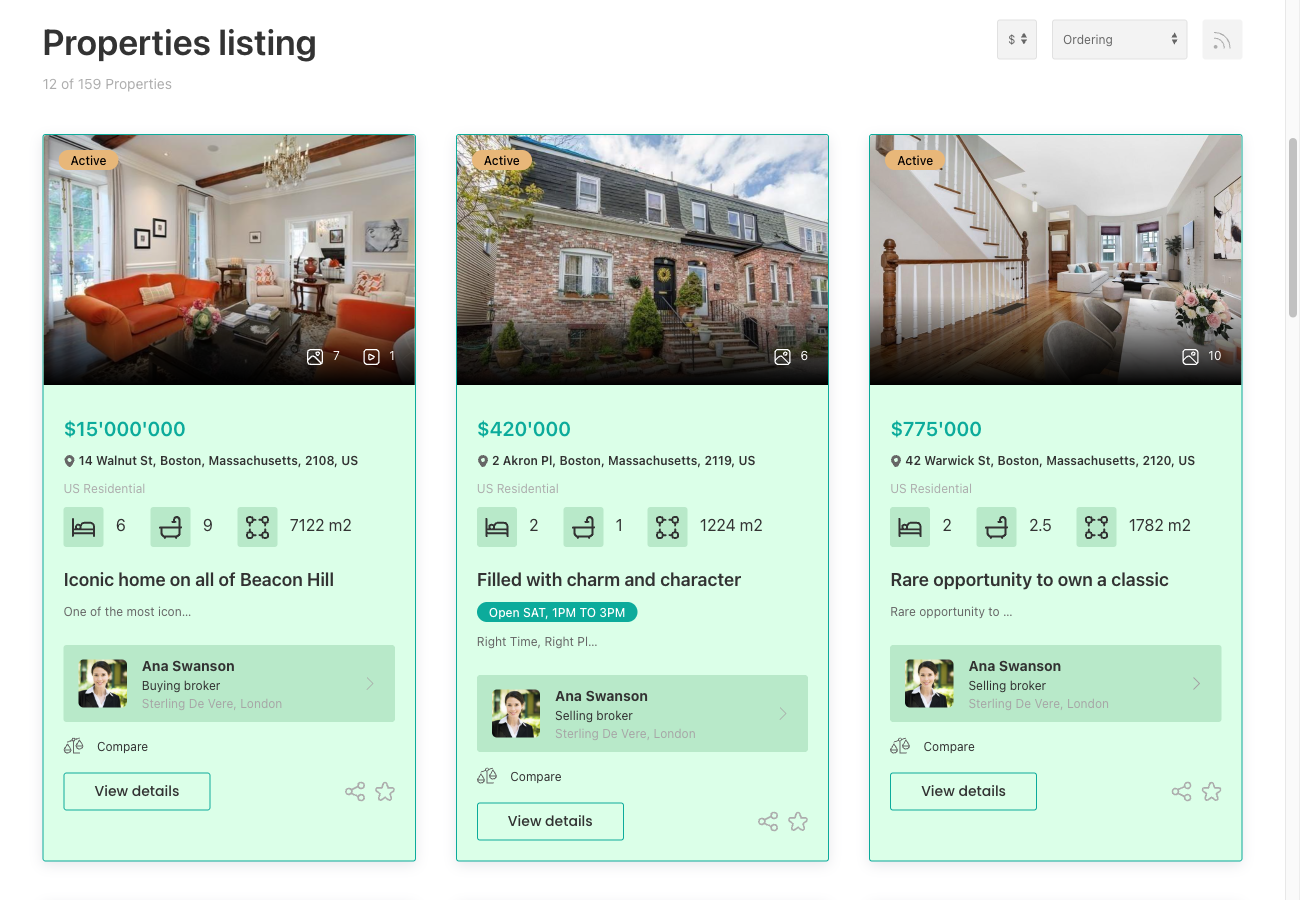
The agency template provides styled layouts for all listing modes:
- List — vertical cards showing photo, title, price, and key specs
- Grid — four-column card grid with two-column span for featured properties (requires Grid View plugin)
- Map — full-width map with property markers (requires Map View plugin)
- Slideshow — full-screen slideshow layout (requires Slideshow View plugin)
- Table — compact tabular listing
Grid View Enhancements
When the Grid View plugin is active, the agency template adds two extra interactions to listing cards:
- Video hover preview — hovering over a card that has a video attached plays a silent inline preview clip
- Quick View overlay — a Quick View button opens a property summary modal without leaving the listing page

Property Detail Page
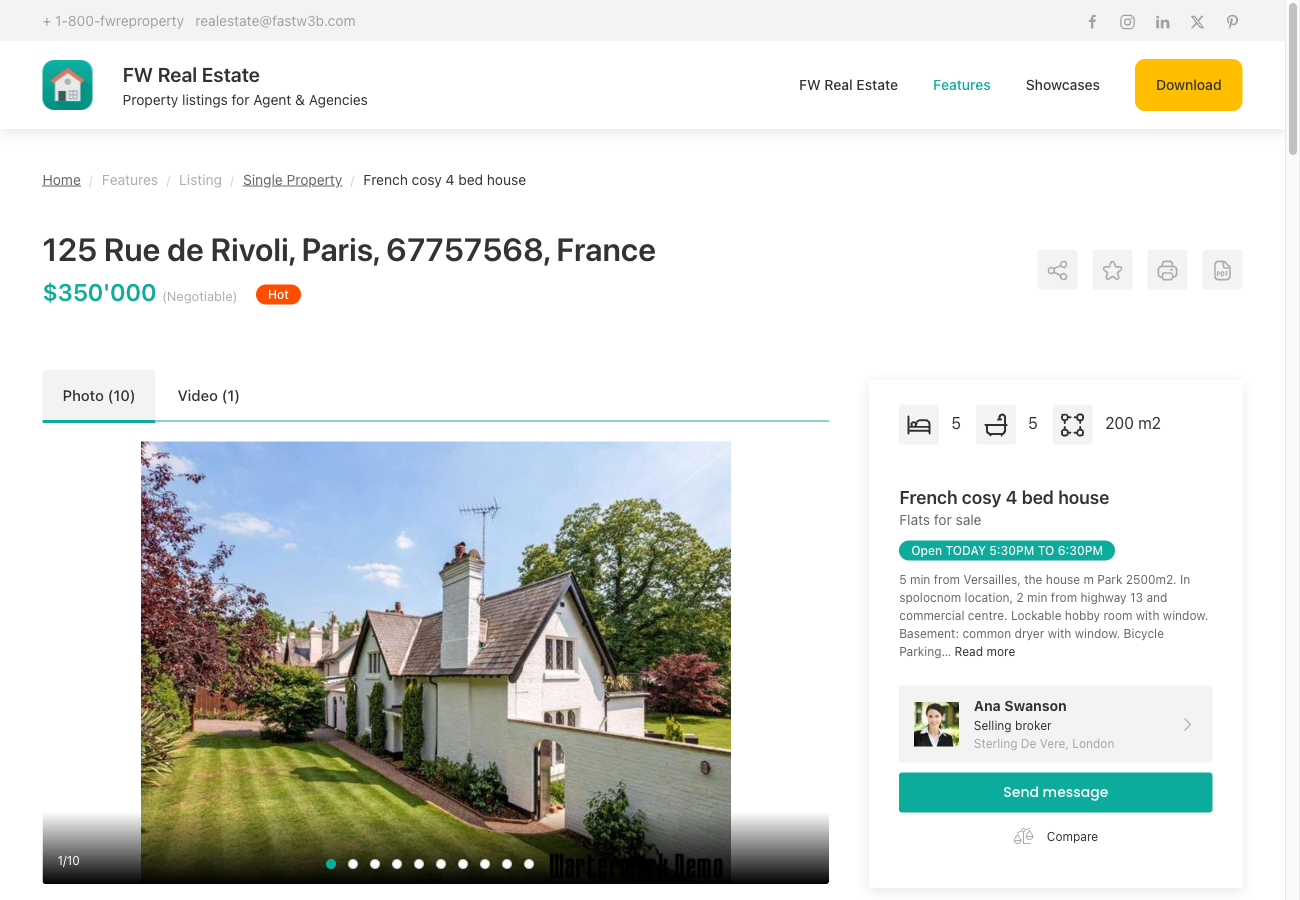
The detail view includes a full-width image gallery, a title/price/specs header, tabbed content sections (Description, Details, Specification, Map, Floor Plans, and more), and a right sidebar containing the contact form, agent information, and mortgage calculator.
Agent Views
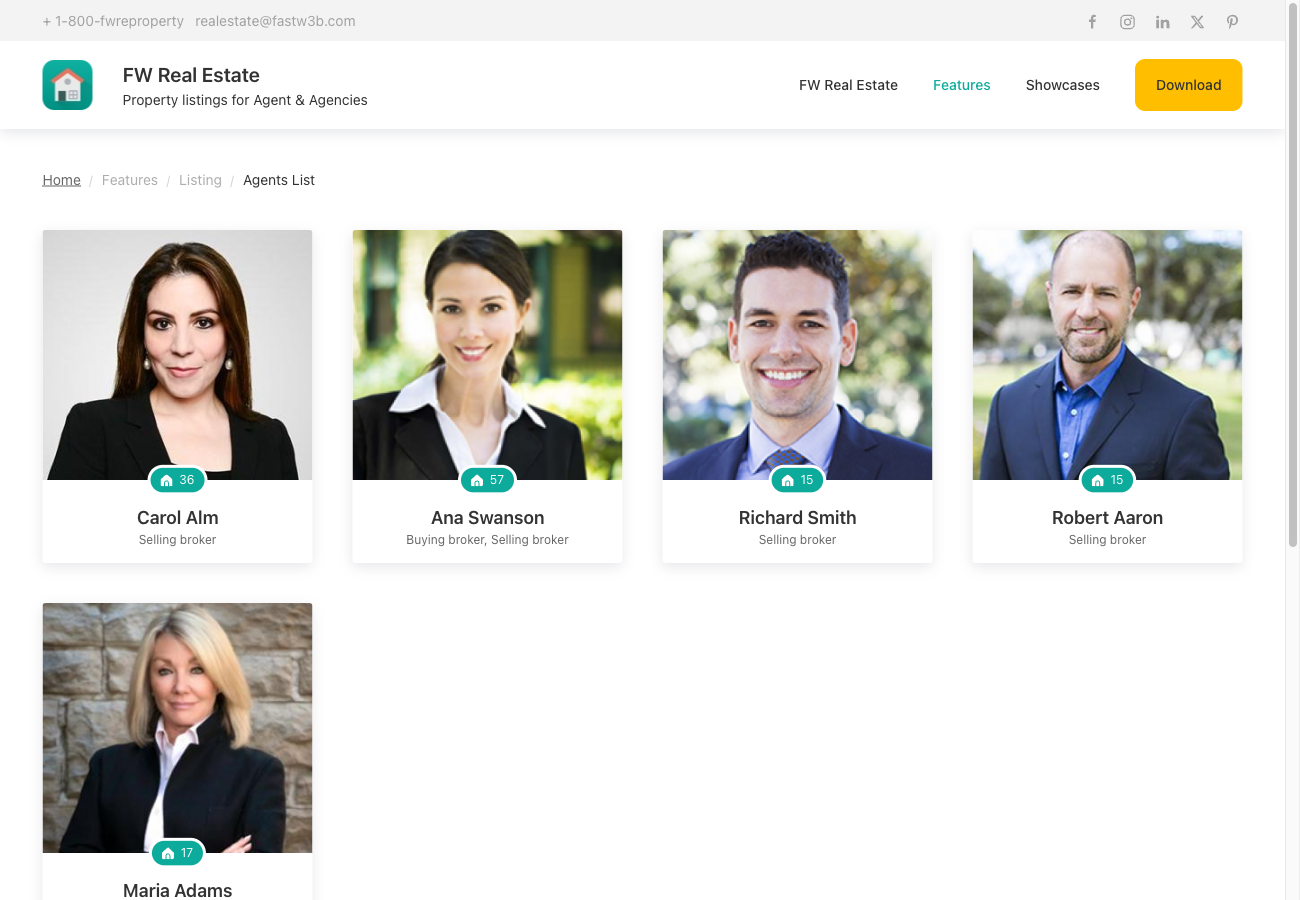
The agency template styles the agent list page, each agent's public profile page, and the agent profile edit form in the frontend user section.
Module and Plugin Templates
Styled layouts are included for all FW Real Estate modules — latest properties (horizontal, vertical, and slideshow variants), agent, mortgage calculator, and search (default and minimal) — as well as every supported plugin output, including map, compare, favorites, floor plans, slideshow, brochure, social share, 3D tour, video, and more.
Customisation
The agency design has no configurable settings in the admin panel. To adjust the appearance, add CSS rules that override fwre-design-styles.css in your Joomla template's custom CSS file. For deeper layout changes, copy the relevant template file from the plugin into a Joomla template override path and edit it there — this keeps your changes intact when the addon updates.

