 FW Real Estate – Documentation
Grid View
The Grid View add-on adds a Grid layout to the property listing: equal-size cards with the photo on top, displayed several to a row instead of a vertical list. On a residential site the photo is what earns the click, and a grid puts more photos on screen at once than a list does. Grid View also brings two browse-stage features — cycling photos and a quick-view overlay — that keep visitors on the results page longer.
Use Cases
- Photo-led browsing. Residential stock, where visitors decide from the picture before they read anything.
- Letting the visitor choose. With the add-on enabled, the listing's layout switcher offers Grid alongside the list, so visitors who prefer detail can switch back.
- Faster triage. Cycling photos and quick view let a visitor rule properties in or out without ever leaving the results page.
Where the Grid Layout Appears
Once the add-on is enabled, Grid becomes an available layout everywhere a property listing is rendered:
- The listing page, as one of the options in the visitor's layout switcher.
- A Joomla Properties Listing menu item, as its Layout setting.
- The Layout Anywhere module, as its Layout option.
With the add-on disabled, the Grid layout is not offered anywhere. Any page already set to Grid falls back to the list automatically.
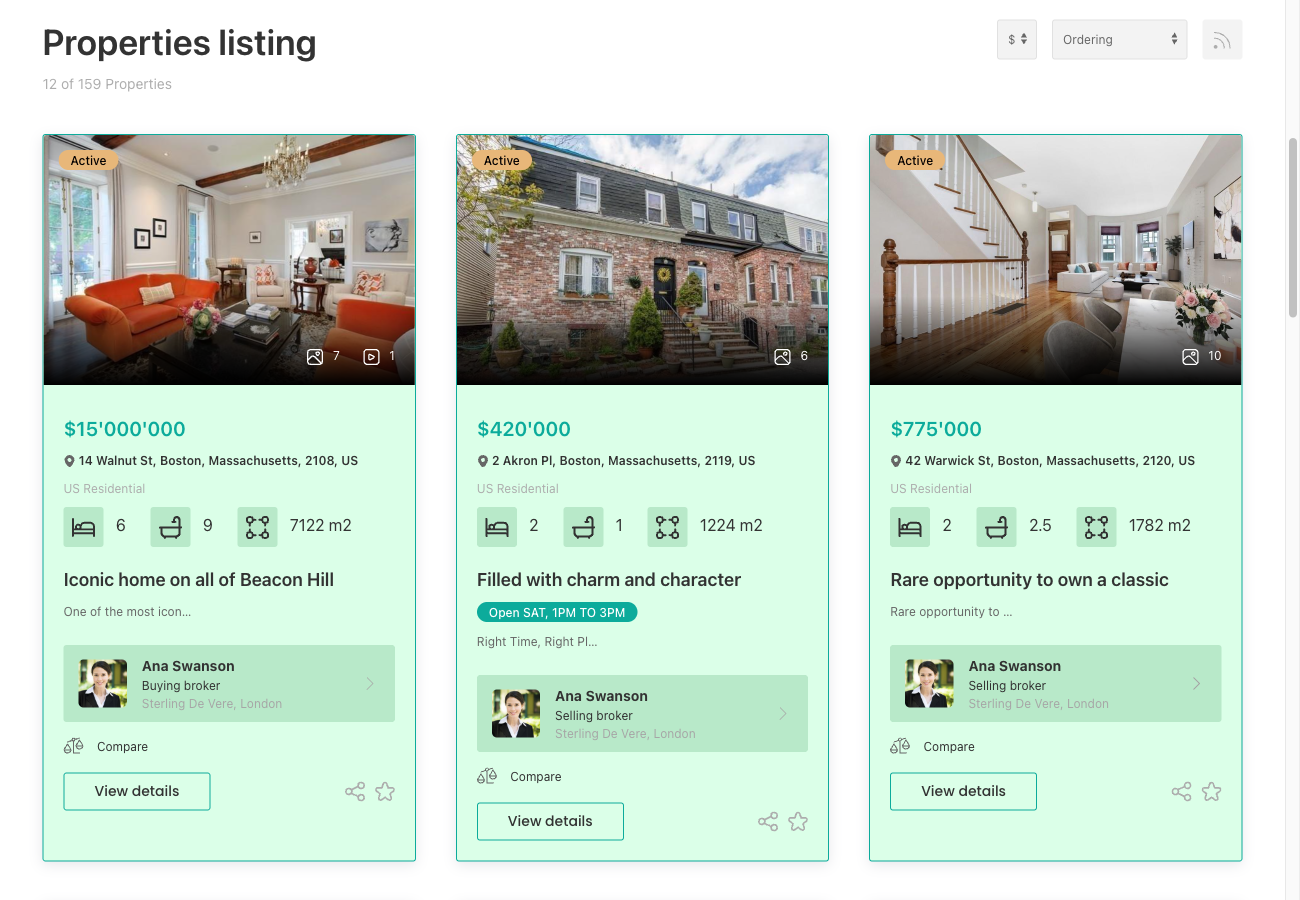
Settings
Both settings are found at Configuration → Add-ons → Grid view.
| Setting | Default | Description |
|---|---|---|
| Photos cycle on hover | Yes | Pointing at a tile plays through that property's photos, about 1.2 seconds each. Moving away rewinds to the first photo. The navigation arrows continue to work either way. |
| "Quick view" pill | Yes | A pill button appears on hover and opens the property in a modal overlay, without navigating away from the results page. |
Notes
- Column count follows the screen, not a setting. Typically three columns on a desktop, two on a tablet, and one on a phone. This is controlled by the design; a custom design can adjust it.
- Quick view does not change the page address. The browser's Back button still behaves as the visitor expects after closing the overlay.
- Properties with no photo fall back to the default property image set in Configuration → General → Image settings, so the grid never displays a blank tile.
- Grid works alongside all other listing features: search, pagination, featured-on-top, the compare checkbox, and the favourite button.
To install this addon, open the Add-ons panel inside FW Real Estate. See Getting Started → Add-ons for details on free addons, paid addons, and site verification.