 FW Real Estate – Documentation
FWRE Search Module
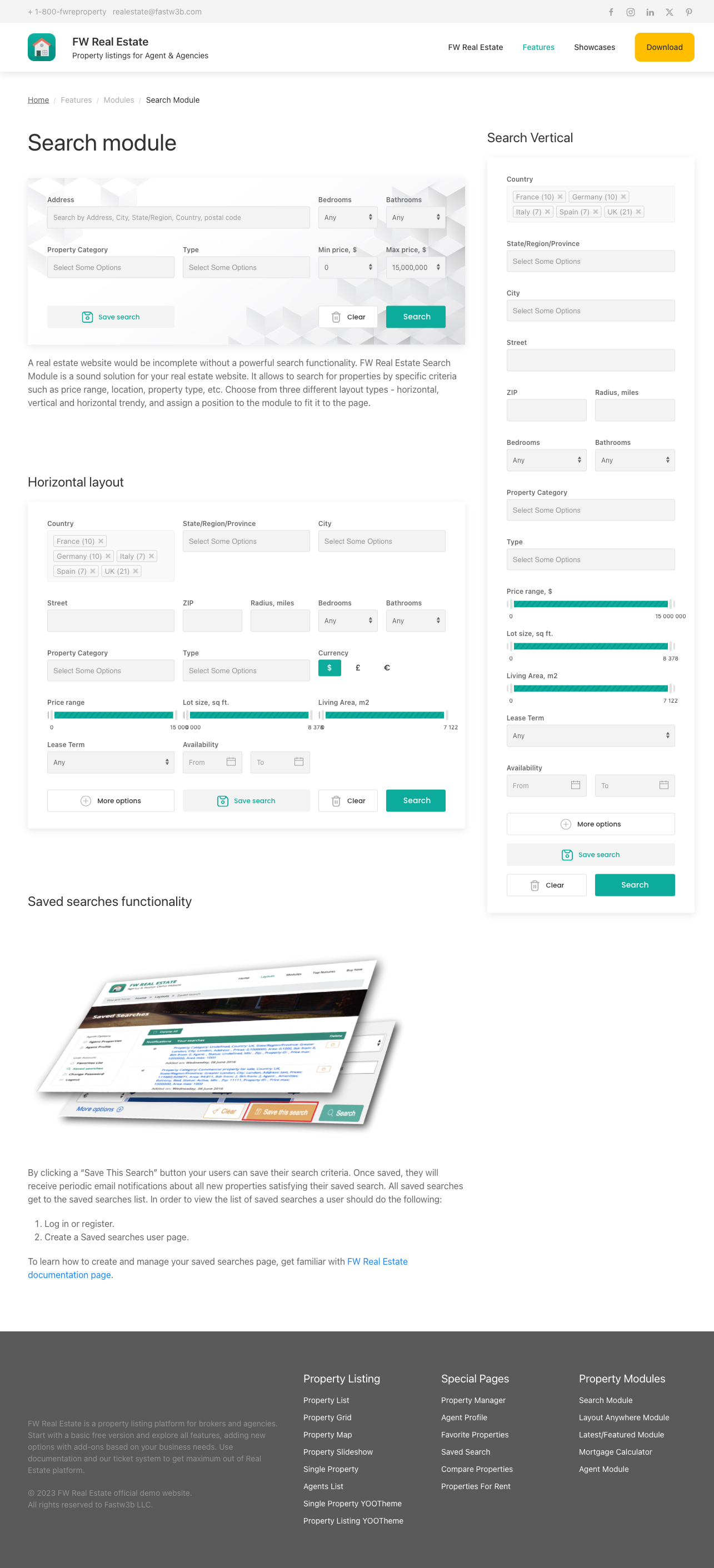
The FWRE Search add-on places a property search form anywhere on your site — a band across the home page, a sidebar, or a dedicated landing page — rather than restricting search to the listing page itself. It searches the same properties with the same filters as the listing page and sends results there, so visitors can start searching without having to find the listing page first.
Use Cases
- Home page search band. Put location, type, and price above the fold so the first thing a visitor can do is search.
- Persistent sidebar search. Keep the form on every page so visitors can adjust their criteria at any time.
- Scoped landing page. Point the form at a listing page already filtered to a city or property type; the visitor's search narrows within that scope.
Placement
Enabling the add-on installs a FWRE Search site module. Place and configure it under Content → Site Modules, like any other Joomla module.
Settings
| Setting | Default | Description |
|---|---|---|
| Design (theme) | Site default | Which installed design renders the form. |
| Layout | Default | Default, Minimal, or Banner, plus any layout added by an installed design. See Layouts below. |
| Location Display | Separate Fields | Separate Fields — country, region, city, and street as individual selects; Smart String — one combined location box; Hide — no location fields. |
| Search Fields Display | All on | Which filters the form offers. Turning one off removes it from this form only — the listing page is unaffected. |
| Range Fields Display | Dropdowns | Whether price, bedrooms, bathrooms, and area use Sliders or Dropdowns. |
| Default Search Results Menu Item | — | Which menu item displays results. When unset, results go to the site's default listing page. |
| Background Image | — | A background image for the form; used by the Banner layout. |
Search Fields Display
All filters are on by default. Available fields: Price, Bedrooms, Bathrooms, Property type, Category, Status, Living area, Lot size, Amenities, Agent, MLS number, Property ID, Radius, Currency, Lease terms, Availability, Save Search button.
Several fields depend on another add-on and are absent without it: Amenities requires Property Fields; Agent requires Agents; Currency requires Multi Currency; Radius requires Map View; Lease terms and Availability require Rentals; Status requires Status Labels; the Save Search button requires Saved Searches. The toggle for each of these appears in the settings only while the relevant add-on is enabled.
Layouts
| Layout | Description |
|---|---|
| Default | The full form — the only layout driven by the settings above. |
| Minimal | A short, fixed set of fields for tight spaces. |
| Banner | A wide band designed to sit across the top of a page, with the background image behind it. |
Only the Default layout responds to the settings. Minimal and Banner render a fixed set of fields using plain dropdowns. They deliberately ignore the field checkboxes, the slider/dropdown choice, and the Location Display option. If those settings need to take effect, use the Default layout.
An installed design may add its own layout to this list. Such a layout renders only while the design that provides it is selected — either in this module's own Design (theme) setting or as the site-wide design.
Live Results
Results refresh in place as a visitor changes any filter — no page reload needed. Each option in a list shows how many properties it would match (for example, Berlin (5), Villa (12)), and those counts recalculate after every change. Options that would return no results are removed. Select a city and the country, region, type, and status lists narrow to what that city contains; select a property type and locations with none of it disappear. A list never narrows by its own selection, so a visitor can pick multiple cities.
A running total of matching properties updates as criteria change — useful when the module sits away from the listing, since a home page search band can tell visitors how many properties are waiting before they navigate away.
Applied filters appear as removable chips beneath the form. Clicking the × on a chip removes that filter and refreshes results immediately.
Additional Notes
- Radius search requires a starting point. The Radius field stays disabled until a street, ZIP code, city, or region has been entered.
- Filtered results are shareable. Search criteria travel in the URL, so a result can be bookmarked or sent to a client.
To install this addon, open the Add-ons panel inside FW Real Estate. See Getting Started → Add-ons for details on free addons, paid addons, and site verification.