 FW Real Estate – Documentation
FWRE Official Design
Previously named Agency, this design was renamed to FWRE Official Design in the current release. If you are following older documentation that refers to "Agency" or "FW Real Estate - Agency Design", you are in the right place.
What It Is
FWRE Official Design is the front-end design layer that FW Real Estate ships with. It controls how every page the extension renders looks to a visitor — the property listing, detail page, agent directory, account area, and embeddable modules. It is not a Joomla template and does not replace yours. It renders FW Real Estate's own output inside whatever site template you already run, and works with any template.
Installation and Updates
Nothing needs to be installed separately. Official is bundled with FW Real Estate and installs with it. After installation it appears already enabled under FW Real Estate → Add-ons → Designs. Because it ships inside the product package, it updates automatically whenever you update FW Real Estate — there is no separate download.
Activating the Design
To make Official the active design, go to FW Real Estate → Configuration → General → System settings and set Default design to Official. You can also override the design on a per-page basis using the Design option on individual Joomla menu items, so a single page can use a different design without changing the site-wide default.
What It Covers
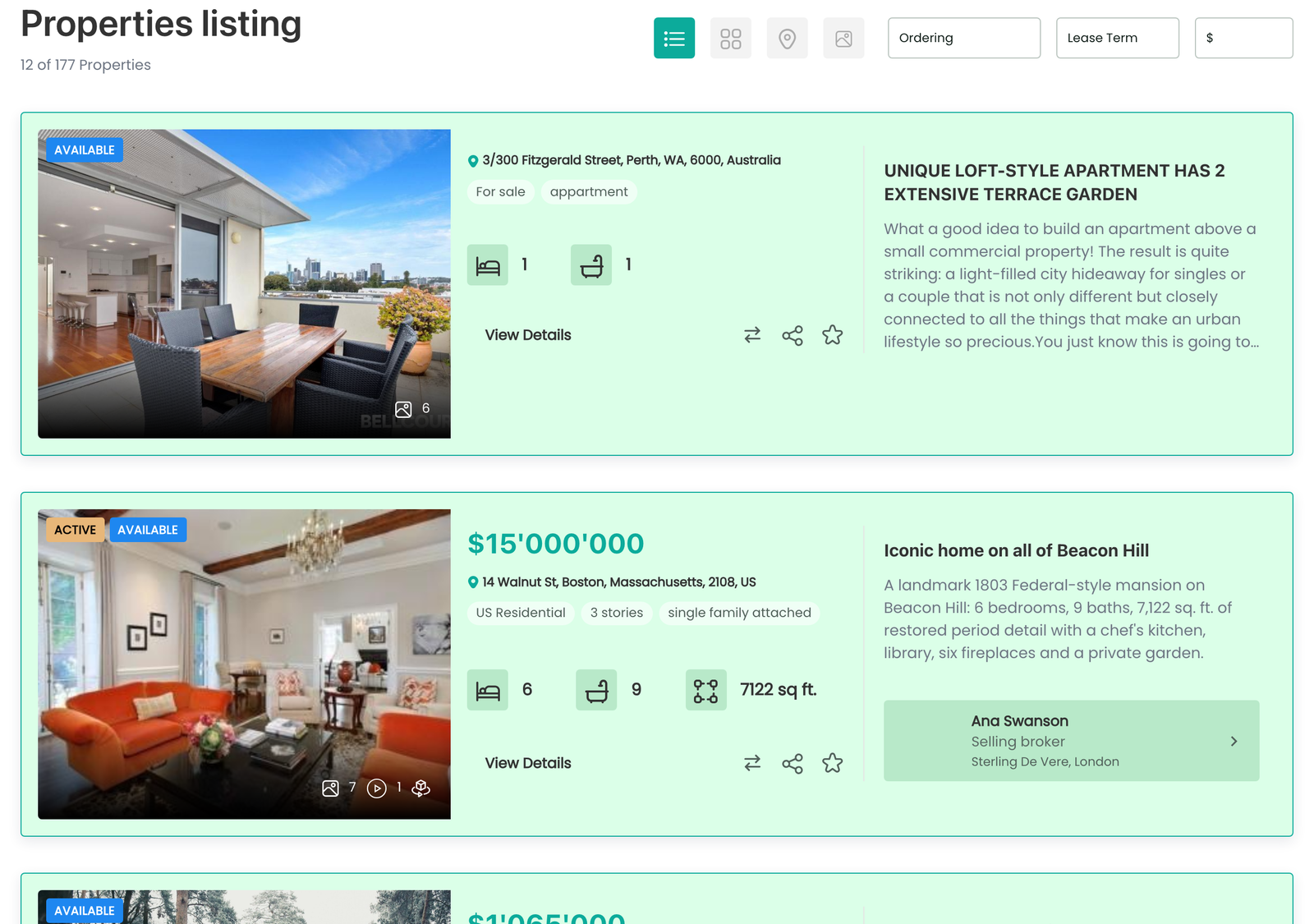
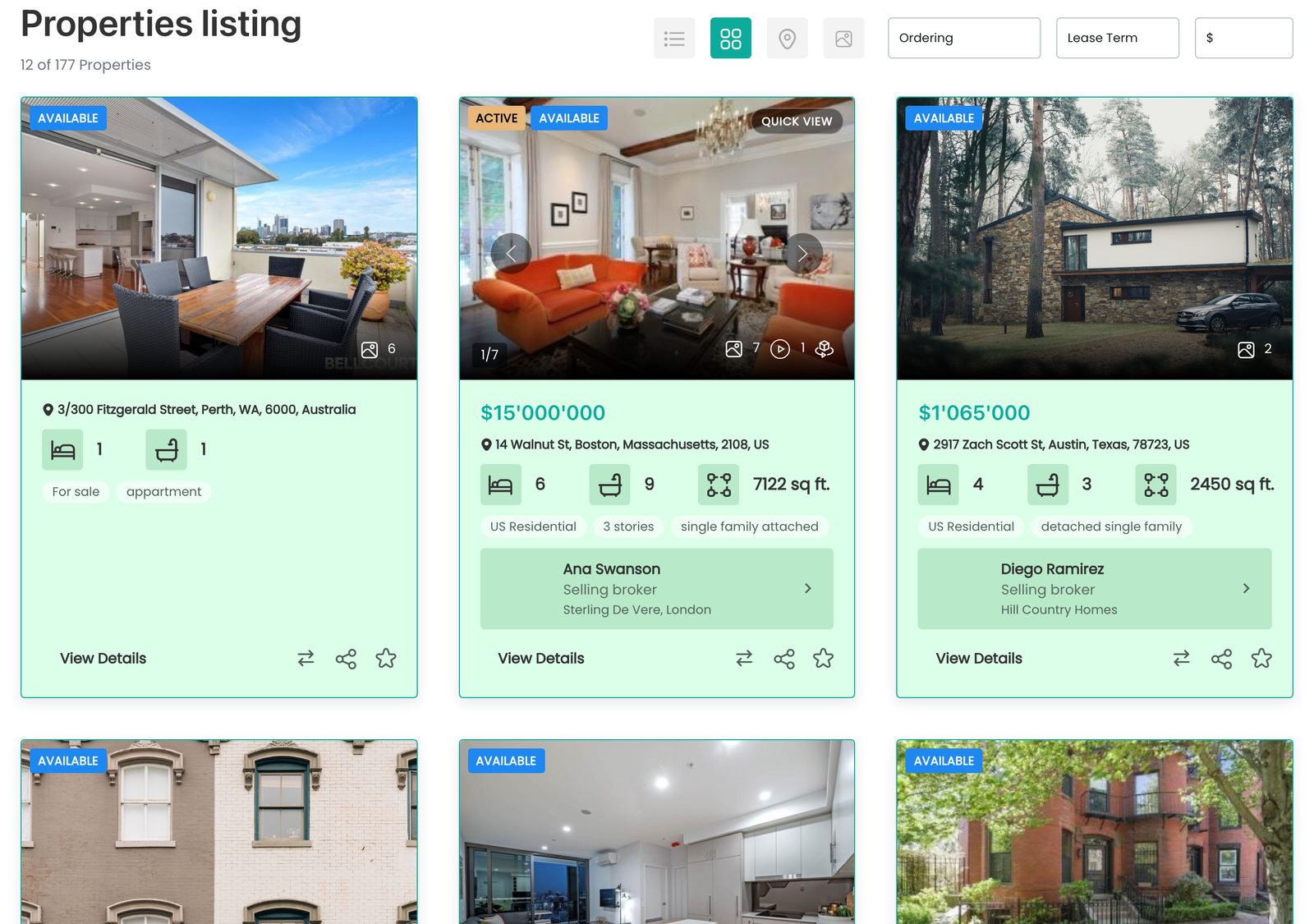
Property listing — five layouts are provided:
- List — the default vertical list of property cards showing photo, title, price, and key specs
- Grid — a card grid with featured properties given a wider tile; available when the Grid View add-on is enabled
- Table — a compact tabular listing
- Map — properties plotted on a map with markers; available when the Map View add-on is enabled
- Slideshow — a full-bleed slideshow of results; available when the Slideshow View add-on is enabled
A layout only appears in the visitor's layout switcher when its corresponding add-on is enabled.
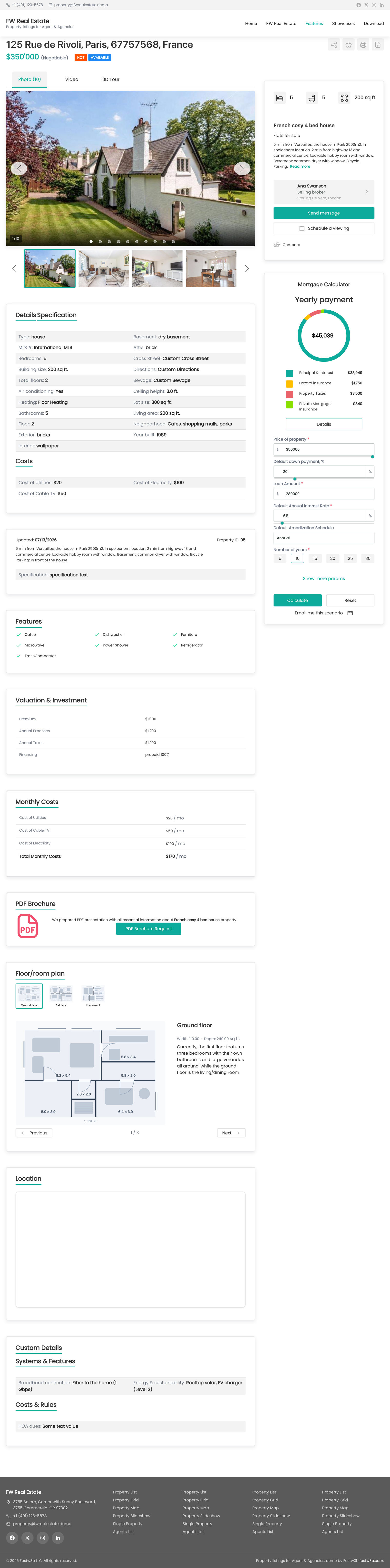
Property detail page — includes the image gallery (hero image loads eagerly; remaining images are lazy-loaded), title and price header, property information displayed as accordion panels, tabs, or a plain list (configured under Configuration → Properties → Single property display), a sidebar for the inquiry form, agent card, and mortgage calculator, plus a print view, quick view overlay, and PDF brochure layout when the PDF add-on is enabled.
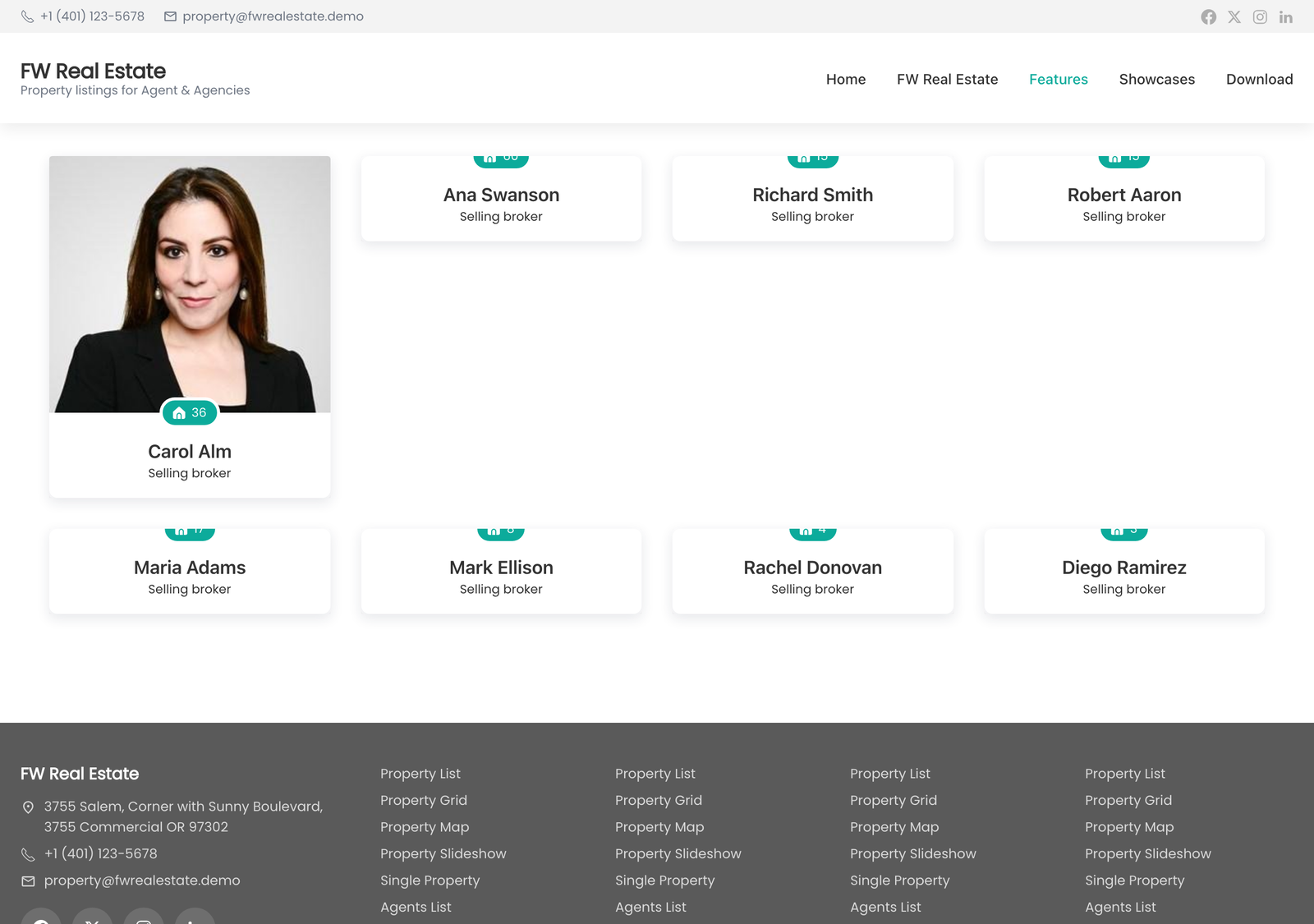
Agents — the agent directory, public agent profiles, agent listings, and the front-end profile editor, all styled consistently.
Account area — the visitor dashboard, saved properties, saved searches, comparison table, and contributor screens when the Property Manager add-on is enabled.
Modules — styled layouts for all four embeddable modules: Search, Latest / Featured, Agent, and Mortgage Calculator.
Add-on fragments — approximately 30 small styled fragments, one per add-on surface, including the favourite button, compare button, map panel, status badges, share buttons, open-house schedule, rental price badge, currency selector, and more. These ensure each add-on looks consistent with the rest of the site.
Settings
Official has no settings screen of its own. Its appearance is controlled by FW Real Estate → Configuration. For CSS adjustments, use FW Real Estate → Styles — changes made there survive product updates.
Localisation
Official ships its interface strings — headings, button labels, empty states, and accessibility labels — in all 15 supported languages. All strings are editable in FW Real Estate → Translation.
Performance
Images are lazy-loaded throughout — listing cards, gallery images, agent photos, and module images — except the hero image on the property detail page, which loads eagerly so the page's largest element paints as early as possible. Non-critical scripts are deferred to avoid blocking rendering.
Customisation
- Small CSS changes — use FW Real Estate → Styles. Nothing entered there is lost when the product is updated.
- Full redesign — build a separate design add-on by copying Official's view files and stylesheets under a new key, then select it as the Default design.
- Editing Official's files directly is not recommended — a product update will overwrite them.