Multi Currency
The Multi Currency add-on lets you enter each property price once, in a single backend currency, and show it to every visitor in their own currency. Exchange rates refresh automatically every day. Tax display is also handled here — which is the part that most commonly catches site administrators out.
Use Cases
- Cross-border listings. Property priced in euros, browsed by buyers thinking in pounds or dollars.
- Mixed tax markets. Consumer markets expect tax-inclusive prices; commercial markets expect the opposite. This add-on can do either, or let the visitor choose.
- Portfolios in mixed currencies, rebased onto one backend currency so prices stay comparable across the whole catalogue.
Currency Dictionary
Enabling the add-on adds a Currency entry under FW Real Estate → Dictionaries → Currency. Each currency carries a short name, a rate, and its own tax rate.
Rates refresh automatically from the European Central Bank's daily reference rates — no account and no API key are needed. The refresh is throttled to once a day and driven by WordPress's scheduled job. You can still type a rate by hand wherever you want a fixed value.
If you change the backend currency, every stored rate is rebased onto the new one using the rates already known, so prices stay consistent rather than jumping to unexpected values.
Settings
All settings are at FW Real Estate → Configuration → Add-ons → Multi-currency.
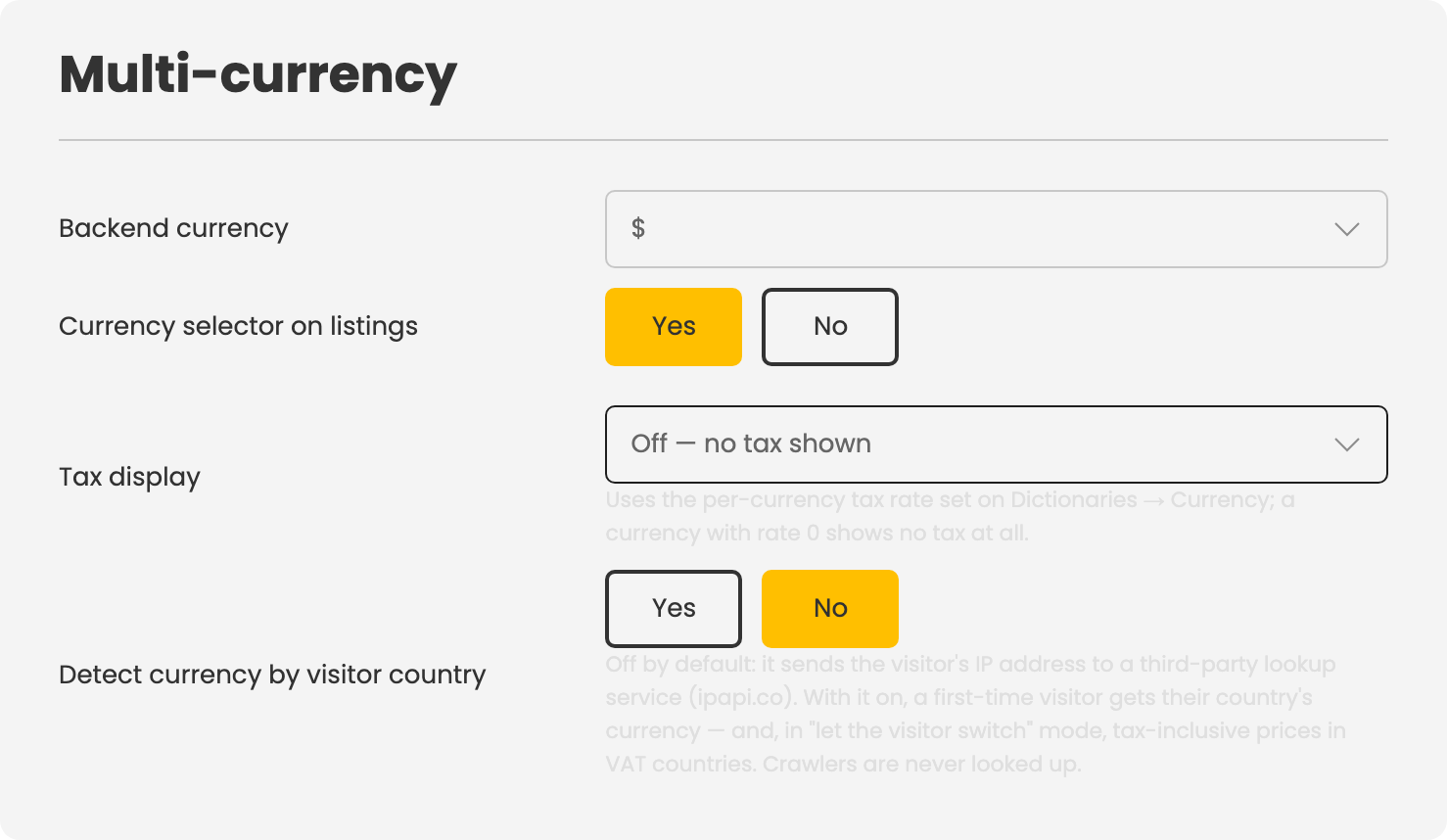
- Backend currency — the currency your prices are entered in.
- Second price shown in — shows every price a second time in brackets in a chosen currency (for example, $300,000 (~264,000 €)). Set to No second price to turn it off.
- Currency selector on listings — whether visitors see a currency switcher.
- Tax display — see below.
- Detect currency by visitor country — off by default; see the note below.
Tax Display
The Tax display setting has four modes:
- Off — no tax shown at all.
- Prices include tax — the price is shown with tax included.
- Prices exclude tax (labelled) — the price is shown without tax, and labelled to say so.
- Let the visitor switch — both options are available, with a toggle.
Tax is calculated using the per-currency tax rate set in the Currency dictionary. A currency with a tax rate of 0 shows no tax at all. This is how a single catalogue can serve a VAT market and a non-VAT market simultaneously — assign a tax rate to the currencies where it applies and leave it at zero for those where it does not.
GeoIP Currency Detection
This setting is off by default, deliberately. When enabled, a first-time visitor's IP address is sent to a third-party lookup service (ipapi.co) to determine their country and assign the matching currency. In Let the visitor switch mode, visitors in VAT countries also receive tax-inclusive prices automatically. Crawlers are never looked up.
Whether this trade-off is acceptable depends on your privacy policy, not on a technical requirement. The setting exists as an explicit switch so that decision remains yours.
Notes
- With this add-on active, the core currency sign and position settings disappear from Configuration → General. This is intentional — the Currency dictionary becomes the single source, removing the risk of conflicting values in two places.
- Rates are a convenience, not a financial quotation. They move daily; any contract price should be stated in the currency it will actually be paid in.
To install this addon, open the Add-ons panel inside FW Real Estate. See Getting Started → Add-ons for details on free addons, paid addons, and site verification.