Open House
An open house is the cheapest viewing an agency ever runs: one trip, one hour, several buyers. The hard part is filling it. The Open House add-on handles that by sending an automatic alert to exactly the people who already told you they want this kind of property — users whose saved search matches a property about to hold a viewing.
Use Cases
- Filling a Saturday viewing without ringing round.
- A launch weekend for a new development, with slots spread across two days.
- Knowing who is coming. The RSVP list tells you whether to expect two people or twenty before you set off.
- Browsing by open house. Visitors can filter search results to properties that have a viewing coming up.
Scheduling Open House Slots
The property form gains an Open House card. Each row is a slot with a start date/time and an end date/time. A property can hold as many slots as needed — a Saturday morning and a Sunday afternoon, or four consecutive weekends.
Slots are structured data, not a free-text line. That is what makes everything else possible: the listing can order and filter by them, the property page knows which slot is next, and the alert knows what is coming up within the next seven days. Slots are also stored as a CSV column, so a full season of viewings can be prepared in a spreadsheet and imported in one go.
Past slots stop appearing on their own — there is nothing to tidy up after an event.
RSVP
Visitors can register for a slot directly from the property page. The admin sees the attendee list per slot, giving a clear picture of expected turnout before attending.
Front-End Display
- The next open house date appears as a badge on the listing card (subject to the Fields screen).
- The full schedule with the RSVP control appears on the property page.
- An open-house filter in search lets visitors narrow results to properties holding a viewing.
Alert Settings
Go to Configuration → Add-ons → Open House alerts to configure the alert email.
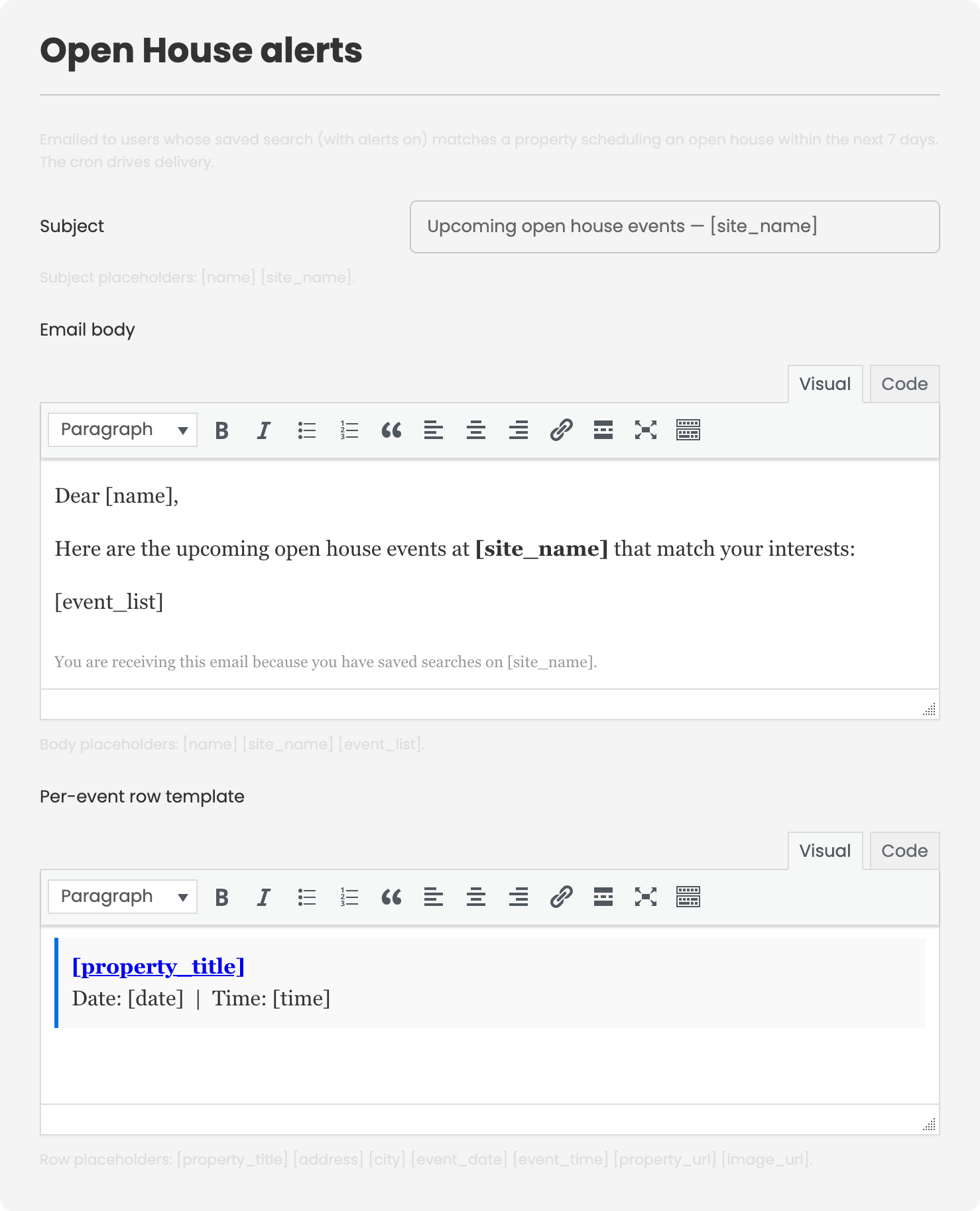
| Setting | Description |
|---|---|
| Subject and body | The text of the alert email sent to matched users. |
| Per-event row template | Controls how each individual open-house slot is rendered inside that email. |
The alert is sent to users whose saved search matches a property scheduling an open house within the next seven days, and only to those who have alerts switched on. It is dispatched by the site's scheduled job.
Requirements and Notes
- The alert requires the site's scheduled job to be running. Without it, no alerts are sent.
- The alert also requires the Saved Searches add-on. The alert targets people who saved a search — without that add-on there is no audience to send to.
- Open-house data is subject to the Fields screen, so the entire card can be unpublished or restricted to an access level.
To install this addon, open the Add-ons panel inside FW Real Estate. See Getting Started → Add-ons for details on free addons, paid addons, and site verification.