Status Labels
Status Labels is the add-on that owns the entire concept of a property status in FW Real Estate. Without it there is no status dictionary, no coloured badge on listing cards, no Status filter in search, and no status column in CSV exports. A site that never needs to mark anything sold or under offer can skip it; any site that does needs it.
Why Use Status Labels
- Mark properties sold without deleting them. Keeping a sold listing live is proof you transact, and it preserves the URL for anyone who bookmarked it.
- Draw the eye to new listings. A "New" badge on a card earns clicks that a plain card does not.
- Signal a price drop. "Price Reduced" tells a returning visitor something has changed — exactly when they are most likely to act.
- Bring favouriters back. Alert everyone who saved a property when its status changes, at the moment they most want to hear from you.
- Build social proof on the home page. Order the Latest module by Recently sold and status changes become a live "just sold" strip.
Defining Your Statuses
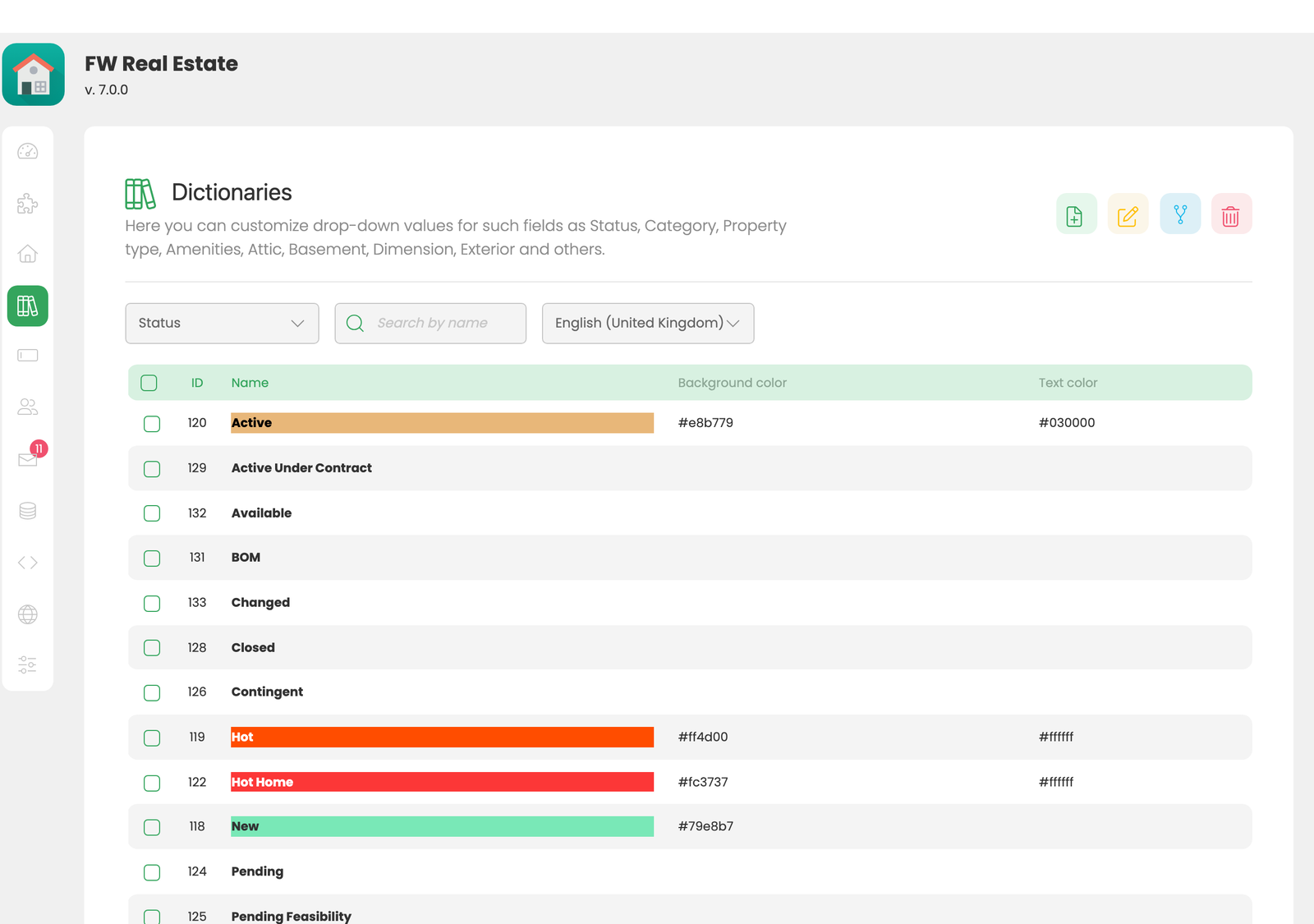
Statuses are a dictionary: go to FW Real Estate → Dictionaries → Status. Each entry has a name and a colour. Names are translatable per language, just like every other dictionary in FW Real Estate. Define only the statuses your market actually uses — a short, meaningful set reads better than a long one. Visitors scanning cards read colours first, vocabulary second.
Assigning Statuses to a Property
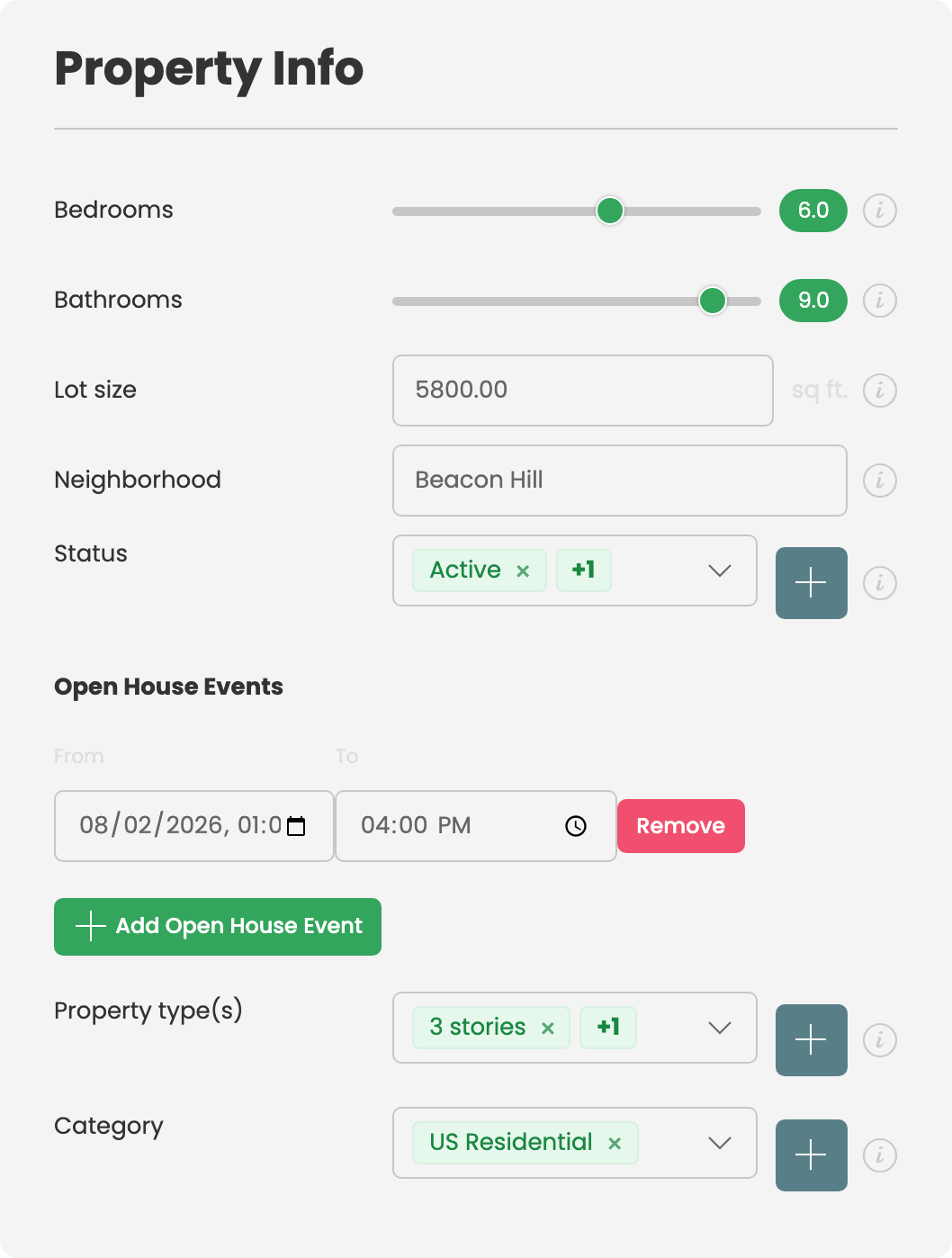
Status assignment appears on the property form's General tab. A property can carry several statuses at once — "New" and "Price Reduced" together is a perfectly normal combination, not an edge case.
Settings
The names and colours live in the dictionary. The settings card under Configuration → Add-ons → Status Labels is focused entirely on alerts:
| Setting | Default | Description |
|---|---|---|
| Notify favouriters on status change | Off | E-mails everyone who saved a property to their favourites when its status changes. |
| Statuses worth an email | None ticked | Sends the alert only when a property moves into one of the ticked statuses. Tick none and every status change triggers a notification. |
Tick only the statuses that are genuinely worth interrupting someone for. "Sold" or "Under Offer" tells a watcher something they need to know; a minor label correction does not. Leaving the list empty means every change sends mail — the fastest way to teach people to ignore you. Alert emails are dispatched by the site's scheduled job, not while a user is waiting on a save.
Front-End Surfaces
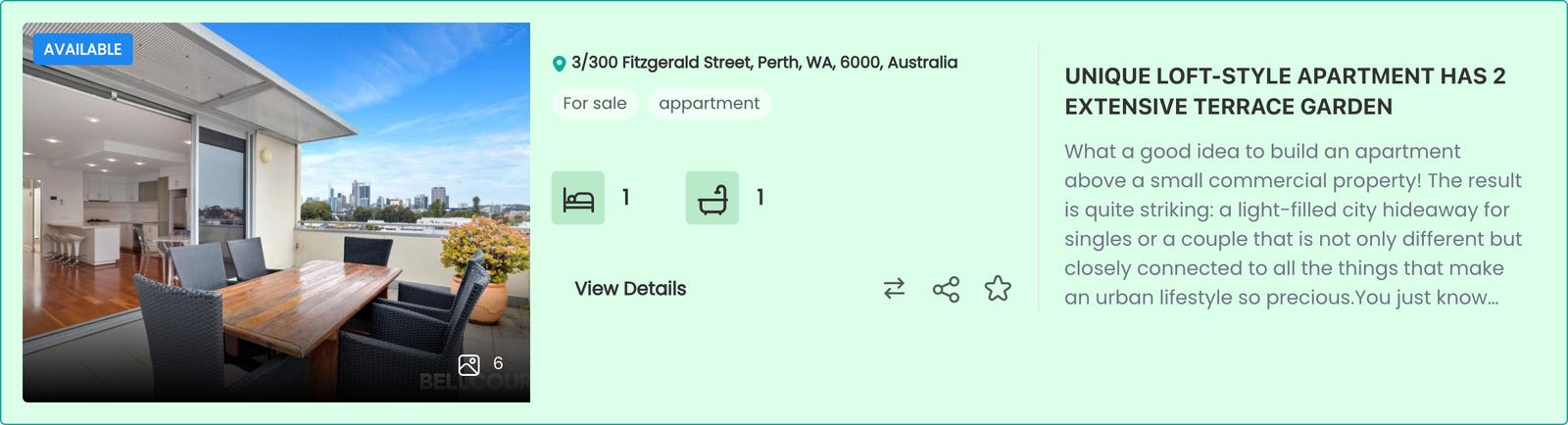
- A coloured badge on each listing card and on the property detail page.
- A Status filter in the search module, letting visitors exclude sold stock or search only for it.
- Recently sold / Recently leased ordering in the Latest module, ordered by when the status last changed.

Notes
- A status is not a publish state. Marking a property Sold changes what it says, not whether it is visible. Unpublish it separately if you want it removed from the site.
- Statuses appear as a CSV column, so they can be assigned in bulk from a spreadsheet — useful after a run of completions.
- Choose high-contrast colours. The badge sits over a photograph. A mid-tone colour with light text can disappear against the wrong image; high contrast survives more backgrounds.
- Disabling the add-on removes statuses from the property form, listing cards, search filter, and CSV. The values remain in the database and return when the add-on is re-enabled.
To install this addon, open the Add-ons panel inside FW Real Estate. See Getting Started → Add-ons for details on free addons, paid addons, and site verification.