Property Fields
Property Fields is the add-on that extends a basic listing with the full depth of a real estate specification — location detail, structure characteristics, amenities, investment metrics, and nearby schools. It was formerly called Extra Fields; the name changed in version 7 and its scope expanded significantly. This page uses the current name throughout.
Every field this add-on introduces is registered with the core Fields screen. Each one can be unpublished or restricted to an access level exactly like a built-in field. When the add-on is disabled, none of these fields appear anywhere — not on the property form, not on the property page, not in a CSV export.
Six New Dictionaries
Installing Property Fields adds six dictionary types to FW Real Estate → Dictionaries, each managed and translated the same way as the built-in ones:
- Amenities
- Attic
- Basement
- Financing
- Investment Category
- Scope of Work
Values can be added on the fly directly from the property form, so there is no requirement to pre-populate dictionaries before you start entering listings.
Settings
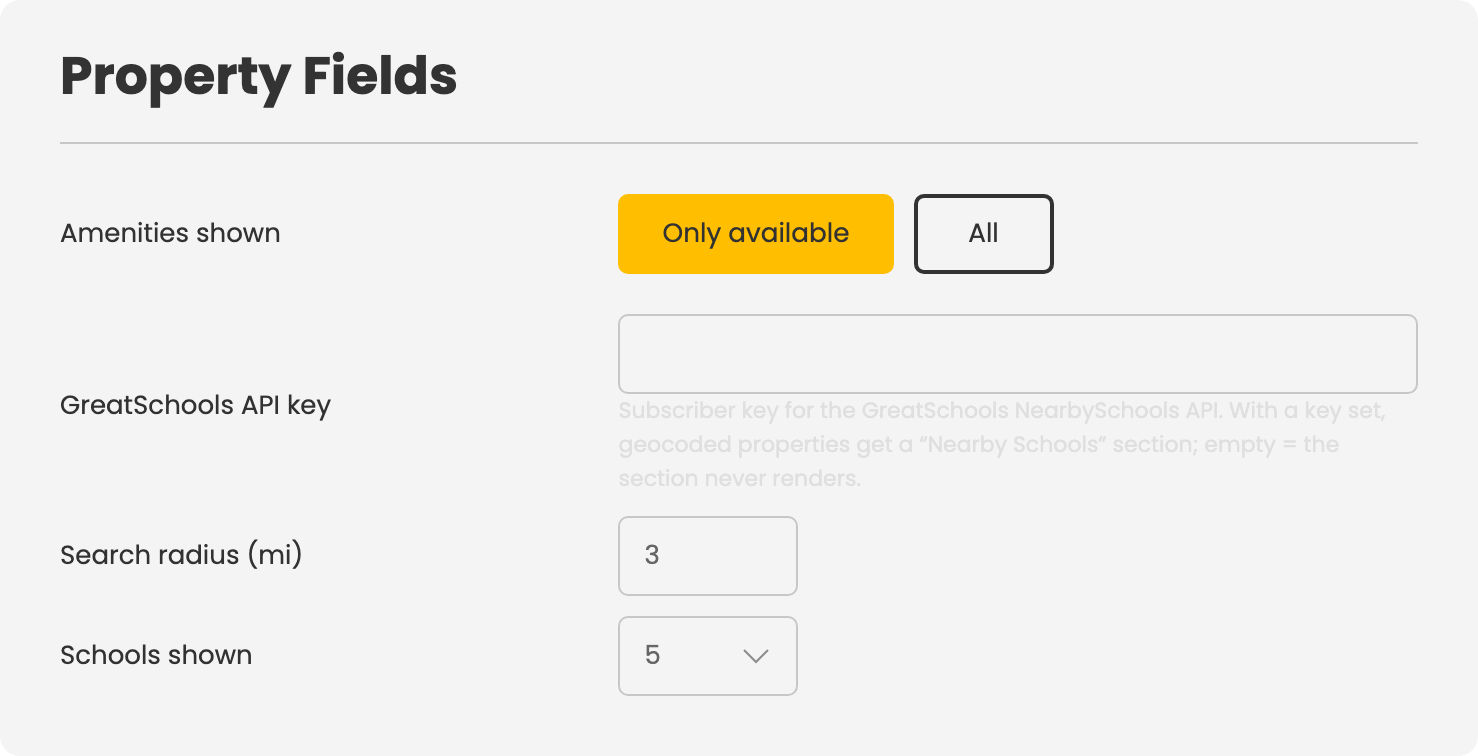
Open Configuration → Add-ons → Property Fields to adjust the following:
- Amenities shown — Only available lists only the amenities the property has; All lists every amenity in the dictionary and marks the ones the property lacks.
- GreatSchools API key — Your GreatSchools NearbySchools subscriber key. If this is empty, the Nearby Schools section never renders on any property page.
- Search radius — How far around the property to search for schools (1–50 miles; default 3).
- Schools shown — How many schools to list (3–10; default 5).
Fields Added to the Property Form
- Property Info card: Neighborhood
- Details card: Basement, Attic, Builder, Subdivision, School District
- Costs card: Cost of utilities, Cost of cable/TV, Cost of electricity
- Amenities card: The amenities checklist
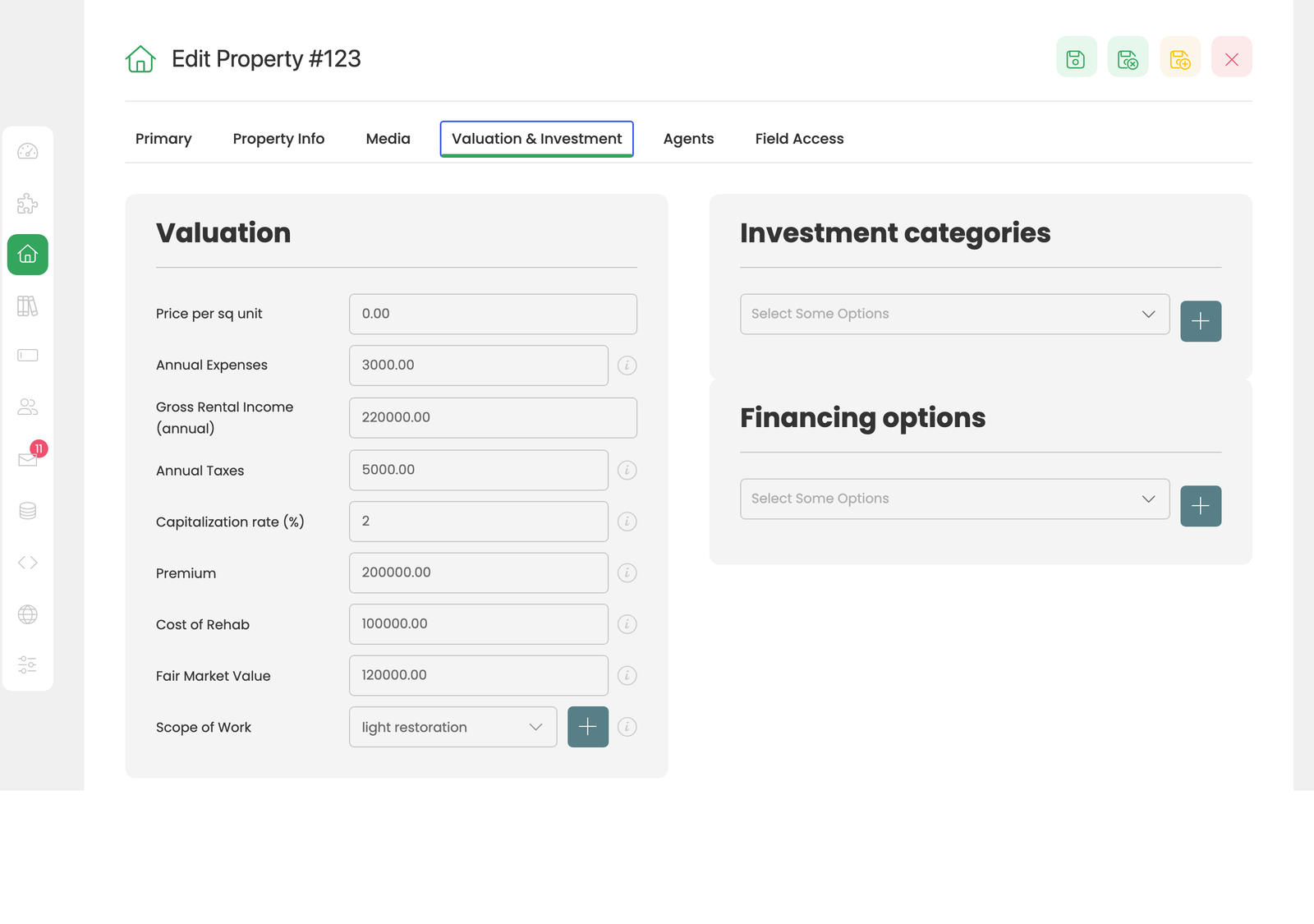
- Valuation & Investment tab: Scope of Work, Gross Rental Income (annual), Annual Expenses, Annual Taxes, Capitalization Rate (%), Premium, Cost of Rehab, Fair Market Value, Price per sq unit, Investment Categories, Financing Options
Investment Metrics on the Property Page
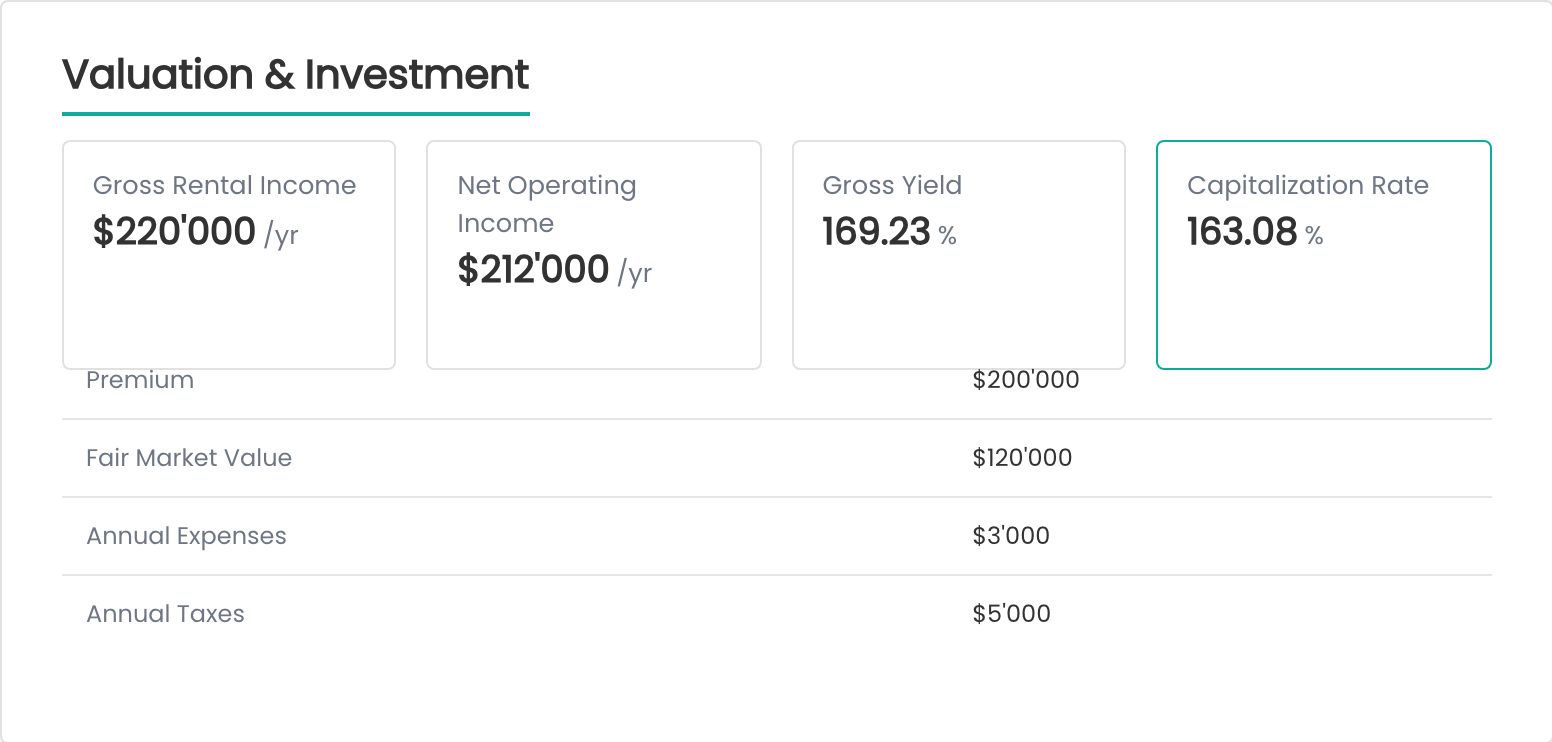
Three of the four headline investment figures are calculated automatically — you do not type them:
- Gross Rental Income — displayed as entered.
- Net Operating Income (NOI) — gross rental income minus annual expenses minus annual taxes.
- Gross Yield — gross rental income divided by price.
- Capitalization Rate — NOI divided by price. If price or NOI is missing, the value you typed in the Capitalization Rate field is used as a fallback.
Below the headline cards, Premium, Fair Market Value, Annual Expenses, Annual Taxes, Investment Categories, and Financing Options are listed as rows. Any field left empty is simply absent — no blank rows, no zeros.
Nearby Schools
When a valid GreatSchools API key is configured and the property is geocoded, the property page gains a Nearby Schools section listing schools within the configured radius, each with its distance and rating band. Schools are fetched by the visitor's browser after the page loads — the property page never waits on the external API — and results are cached for seven days.
This feature requires the site owner's own paid GreatSchools NearbySchools subscription (available at greatschools.org/solutions). There is no shared or demo key. Without a key the section does not render at all, so a site without the subscription shows nothing rather than an empty placeholder.
Amenities Search Facet
The amenities checklist becomes an Amenities facet in the Search module. It matches on any of the selected amenities — picking three amenities widens the result set to properties that have at least one of them, rather than narrowing it to properties that have all three.
CSV Import and Export
Property Fields contributes 20 columns to the core CSV import/export: Neighborhood, Amenities, Attic, Basement, Scope of Work, Investment Category, Financing, Builder, Subdivision, School District, Annual Expenses, Gross Rental Income (annual), Annual Taxes, Capitalization Rate, Premium, Cost of Rehab, Fair Market Value, Cost of Utilities, Cost of Cable/TV, and Cost of Electricity. A full portfolio can be maintained in a spreadsheet and re-imported without data loss.
To install this addon, open the Add-ons panel inside FW Real Estate. See Getting Started → Add-ons for details on free addons, paid addons, and site verification.