Featured
The FWRE Featured add-on marks a property as featured: a badge on its listing card, an optional pin to the top of every results page, an expiry date that removes the promotion automatically, and a running record of impressions and clicks. That last part is what separates it from a simple badge — if you sell featured placement, or you are deciding which properties deserve it, those figures are the difference between promoting on evidence and promoting on instinct.
Use Cases
- Paid placement. Sell a featured slot with a run-out date; the property drops back to normal on its own when the period ends.
- Editor's picks. New construction, best value, the listing you want walk-ins asking about.
- Home-page highlights. The Latest module, Layout Anywhere, and the WordPress Listing block can all be filtered to featured properties only, so a "highlights" section maintains itself as you change which properties are featured.
- Proving the placement worked. After a client pays for a featured slot, the impressions and clicks columns show exactly what that placement delivered.
Settings
Open Configuration → Add-ons → Featured to reach the single setting.
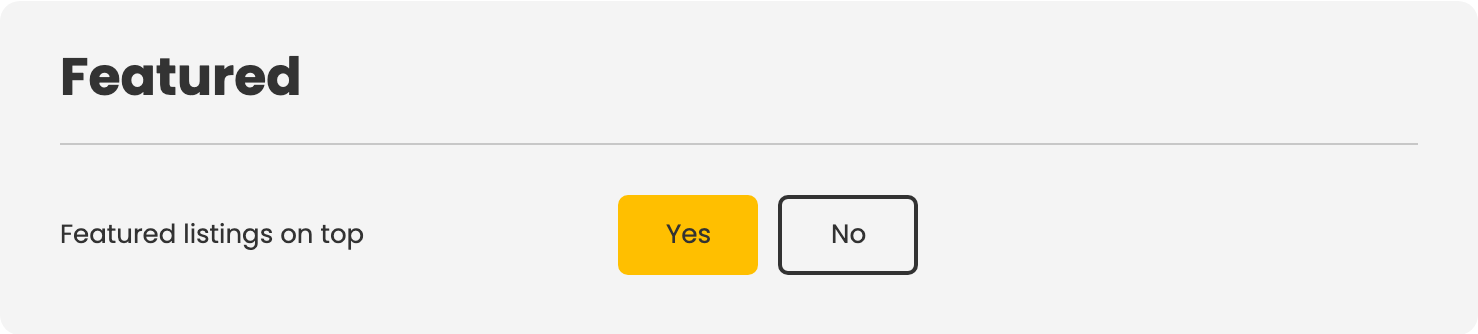
| Setting | Default | Description |
|---|---|---|
| Featured listings on top | No | Featured properties appear before all other results, regardless of the visitor's chosen ordering. |
Important caveat: enabling Featured listings on top overrides the visitor's own sort choice. A visitor who sorts by price ascending still sees featured properties first — the first row is not the cheapest. Consider whether that trade-off suits your market before turning it on.
Featuring a Property
There are three ways to mark a property as featured:
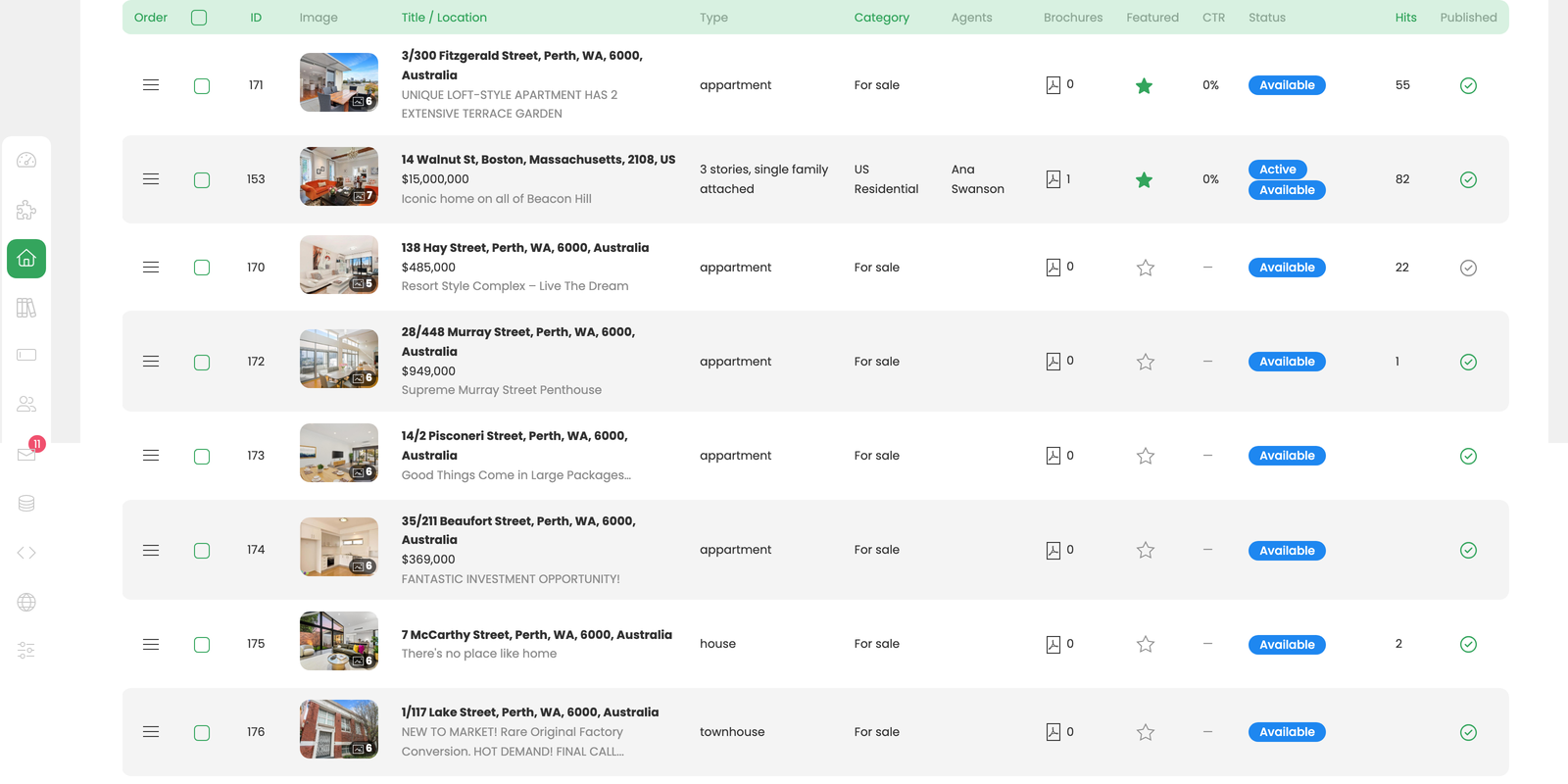
- Star column in the properties list. One click toggles featured status without opening the record.
- The property form. Set featured status and, optionally, a Featured until date in the same place you edit all other property details.
- By rule from an import feed. A feed's own settings can name a field and a value — for example, a listing type of Showcase — so every imported listing carrying that value arrives already featured. The rule is per feed, meaning two feeds can apply different criteria, and it takes effect only while this add-on is enabled.
Featured until is what makes a paid placement self-managing. When the date passes, the site's scheduled task un-features the property automatically. Leave the field empty to keep the property featured until you switch it off by hand. There is no start date — a property becomes featured the moment you feature it.
Impressions and Clicks
The properties list adds two columns for featured properties: how many times the property was shown in a listing, and how many times it was clicked through to the detail page. Many impressions with few clicks usually points to a photo or price problem, not a placement problem — the promotion is working, but something on the card is not converting.
Front-End Surfaces
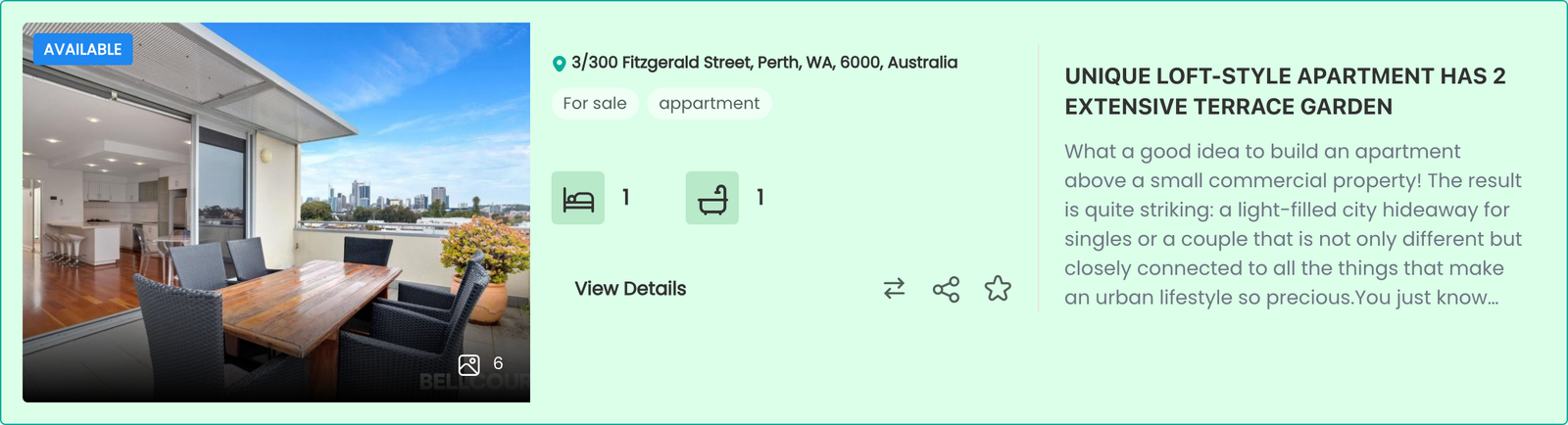
- A Featured badge on the listing card, styled by the active design.
- Featured properties appear first in every listing when Featured listings on top is enabled.
- A Featured only filter in the Latest module, the Layout Anywhere module, and the WordPress Listing block.
Notes
- There is no limit on how many properties can be featured, and no warning when you have featured too many. Featuring everything is the same as featuring nothing — the badge only works while it is scarce.
- Featured status is a CSV column, so it can be set in bulk from a spreadsheet.
- Disabling the add-on removes the badge, the ordering pin, and the featured-only filter. The flags remain in the database and are restored when the add-on is re-enabled.
To install this addon, open the Add-ons panel inside FW Real Estate. See Getting Started → Add-ons for details on free addons, paid addons, and site verification.