Rentals
The FWRE Rentals add-on is what makes "For Rent" a real listing rather than a label. Without it the rental concept does not exist anywhere in FW Real Estate — not on the property form, not on the property page, and not in the listing query. The core search carries no lease condition at all. Install Rentals and the entire letting side of the catalogue becomes available; disable it and rentals disappear cleanly rather than half-working.
Rent is stored as a separate figure from the core's sale price. A property may legitimately carry both, making mixed sale-and-rental portfolios straightforward to manage in a single catalogue.
Dictionaries Added
Once active, four new dictionary types appear in FW Real Estate → Dictionaries, managed and translated like the built-in ones. Values can be added on the fly from the property form, so there is nothing to pre-populate before you start.
- Lease Term — Short-term, Long-term, Holiday let, and so on. The order is yours to set, and this is the dictionary that drives filtering.
- Payment period — per month, per week, per night, and so on.
- Habitable — the condition the property is let in: furnished, unfurnished, part-furnished, and so on.
- Pets — the pet rules a property allows; a property can carry several.
Rental Pricing Card on the Property Form
A Rental Pricing card appears on the property's Primary tab alongside the core sale price fields. It holds all letting-specific data:
- Rent — the letting price, separate from the sale price.
- Payment period — from the Payment period dictionary.
- Lease type — from the Lease Term dictionary; this is what visitors filter on.
- Lease term (text) — a free-text field for terms where a dictionary value would be too rigid.
- Minimal term (months)
- Deposit
- Habitable condition — from the Habitable dictionary.
- Pets allowed — multiple choice from the Pets dictionary.
- Available from / Available to — the letting window.
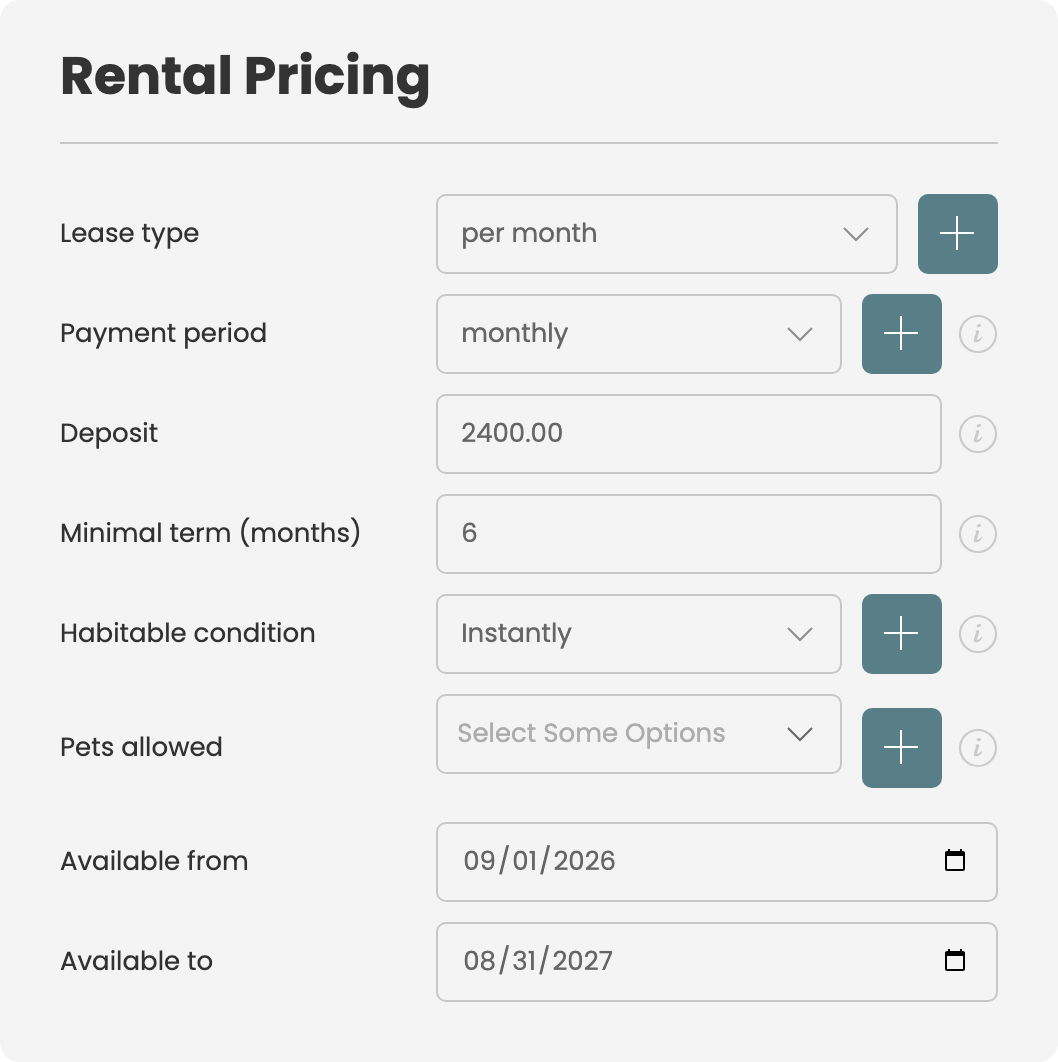
Front-End Display
On every surface that shows a price — listing cards, search results, the property page — the property's lease term appears as a chip beside the price. A rental therefore never reads as a sale price at a glance.
On the property page, a headed Leasing Terms section follows the main specification. It lists what the property actually has: Deposit, Payment period, Minimum lease term, Availability, Habitable condition, and Allowed pets. Empty values are omitted rather than shown blank. The section only appears for a property that has a lease type set — a for-sale listing is completely unaffected.
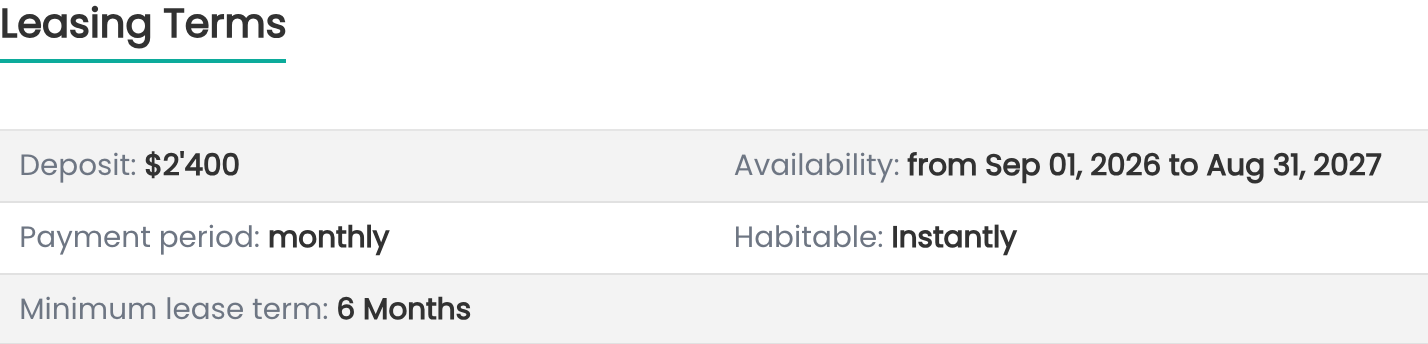
Filtering by Lease Term
Visitors can narrow results by lease term in two places:
- The Search module — a Lease Term field alongside the other filters.
- The listing toolbar — a Lease Term select beside the Ordering control on listing pages.
Both feed the same filter, so switching view or re-sorting does not lose the visitor's choice.
Locking a Page to One Lease Type
A Search menu item can carry a fixed lease type in its add-on parameters. When set, that lock wins over whatever the visitor sends in the query string. A dedicated "Holiday lets" page stays Holiday lets — it cannot be widened to the full catalogue by editing the URL.
Import and Export
Ten CSV columns travel with the core import/export: rent, lease term, minimal term, leasing deposit, lease type, payment period, habitable, pets, available from, and available to. A rental portfolio round-trips through a spreadsheet without a separate step.
Field-Level Control
Pets, Lease Term, Payment period, Leasing deposit, Minimum lease term, Habitable, and Availability all appear in FW Real Estate → Fields. Each can be unpublished or restricted to an access level, and access can also be set per property on that property's Field Access tab. Availability is governed by a single toggle that covers both the from and to dates together.
To install this addon, open the Add-ons panel inside FW Real Estate. See Getting Started → Add-ons for details on free addons, paid addons, and site verification.