FWRE Official Design
Previously named Agency — if you are following older material that refers to "FW Real Estate - Agency Design", you are in the right place. The design is now called FWRE Official Design.
What It Is
FWRE Official Design is the front-end design layer that FW Real Estate ships with. It renders every page the plugin produces — property listings, the property detail page, agents, the account area, and the four embeddable modules — inside your existing WordPress theme. It is not a theme and does not replace yours; it works alongside any theme you already run.
Installation and Updates
Nothing needs to be installed separately. FWRE Official Design is bundled with FW Real Estate and appears already installed under FW Real Estate → Add-ons → Designs from the moment the plugin is active. Because it travels inside the plugin package, it updates automatically whenever you update FW Real Estate — there is no separate download to manage.
Activating the Design
Go to FW Real Estate → Configuration → General → System settings and set Default design to FWRE Official Design. That applies it site-wide. Individual listing blocks or shortcodes also accept a per-page design override, so one page can use a different design without changing your site default.
What It Covers
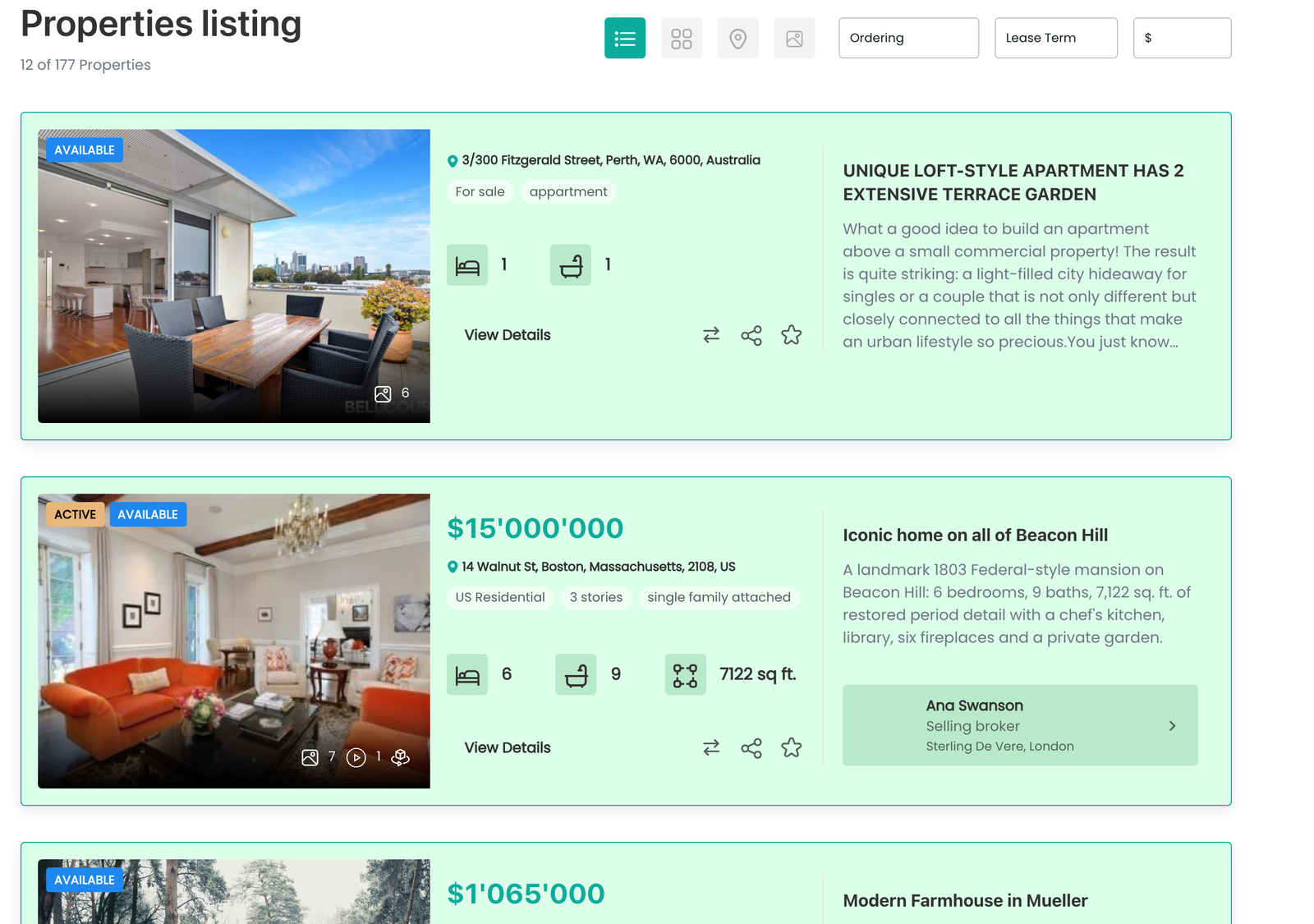
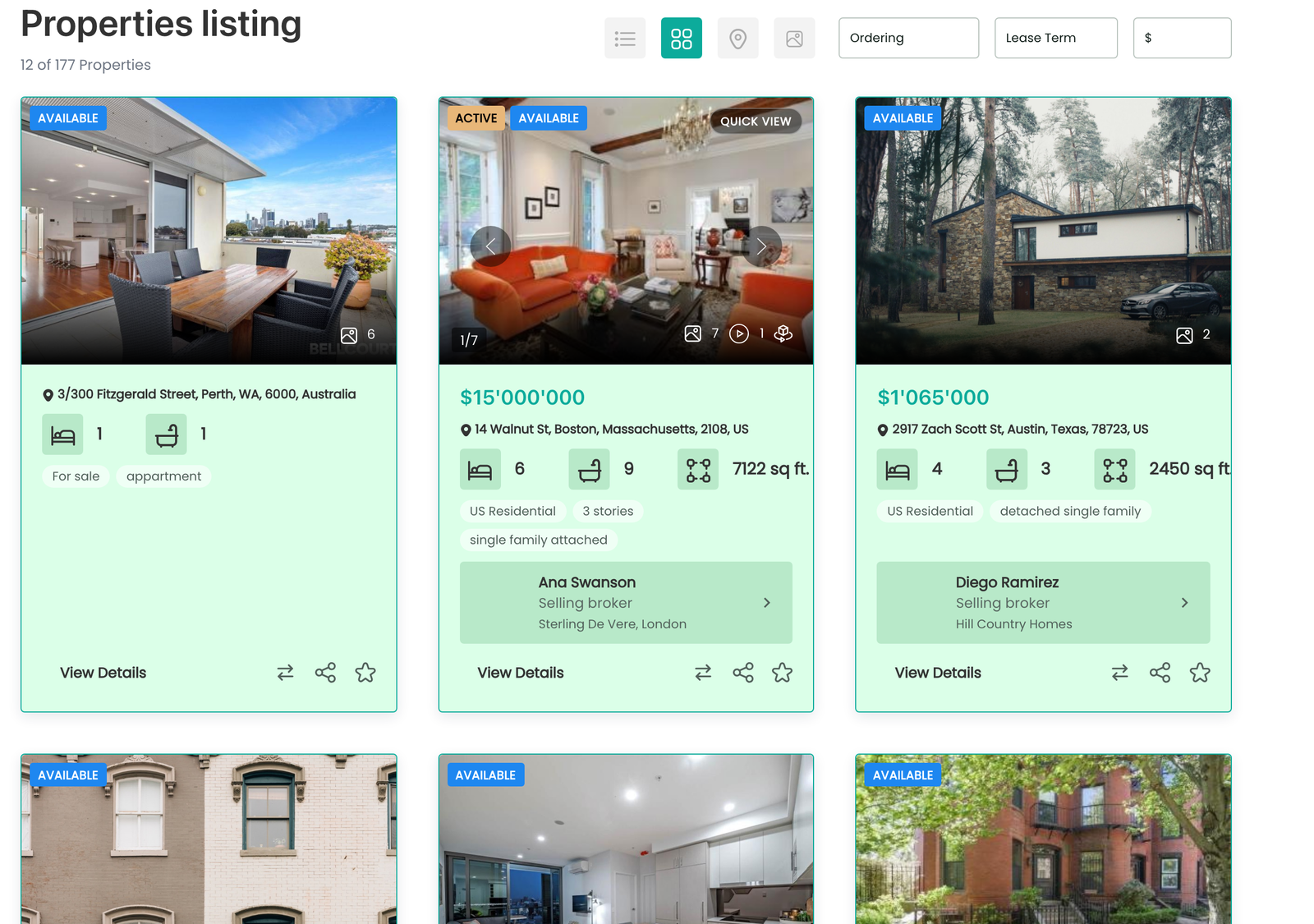
Property listing — five layouts are included. A layout appears in the visitor's switcher only when its corresponding add-on is enabled.
- List — a vertical list of property cards showing photo, title, price and key specs
- Grid — equal-size tiles; featured properties are marked with a tint and border (requires the Grid View add-on)
- Table — a compact tabular listing
- Map — properties plotted on a map with markers (requires the Map View add-on)
- Slideshow — a full-bleed slideshow of the result set (requires the Slideshow View add-on)
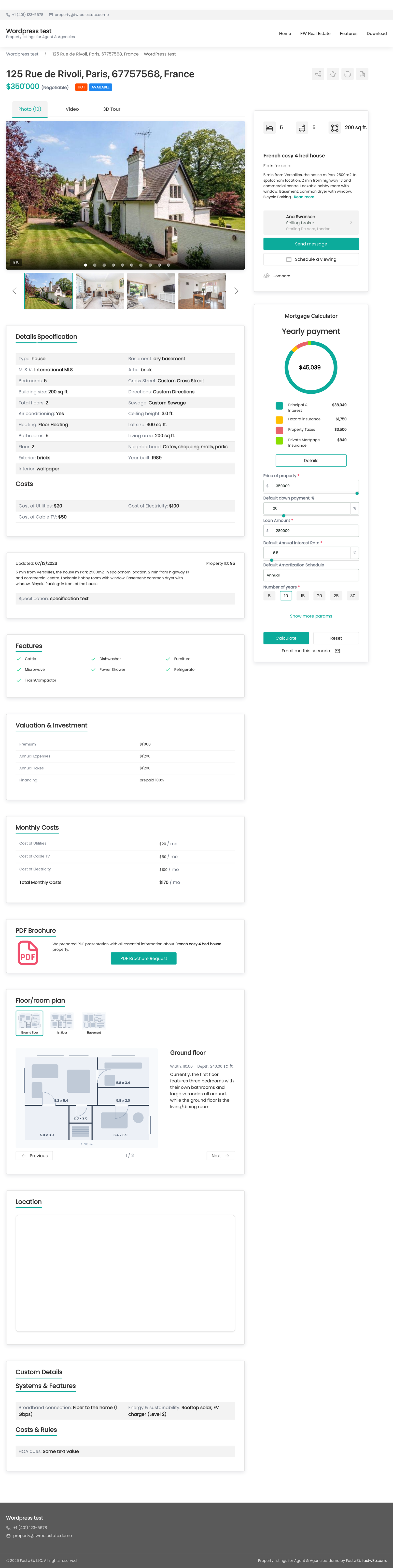
Property detail page — the image gallery (hero image loads eagerly; the rest are deferred), a header with title, price and headline specs, property information in accordion panels or tabs, and a sidebar for the inquiry form, agent card, mortgage calculator and add-on panels. Also includes a print view, a quick view overlay from the grid layout, and a PDF brochure layout when the PDF Brochure add-on is enabled.
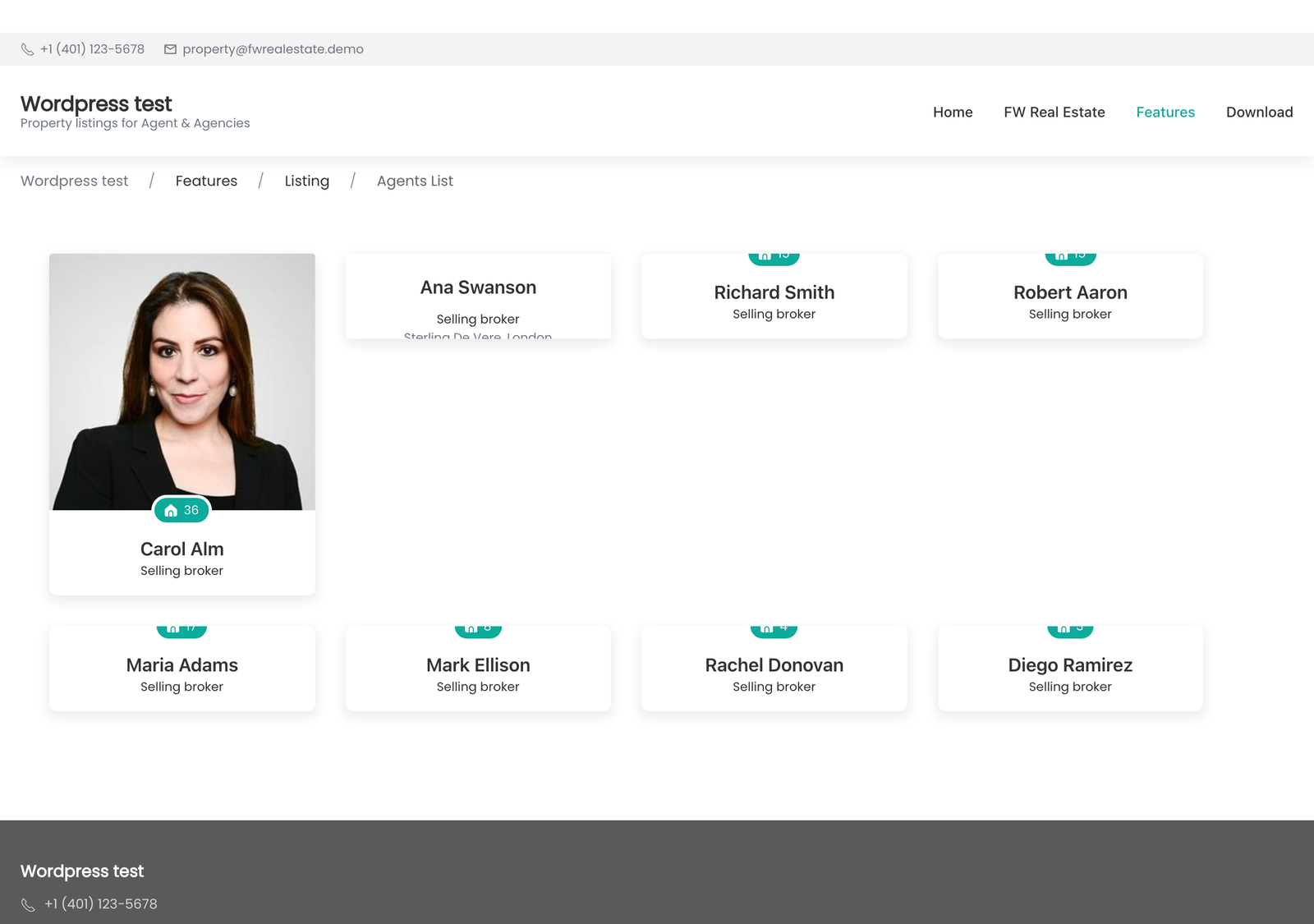
Agents — the agent directory, public agent profiles, each agent's own listings, and the agent's front-end profile editor (all provided by the Agents add-on; the design supplies their appearance).
Account area — the visitor dashboard, saved properties, saved searches, the comparison table, and — with the Property Manager add-on — contributor screens for creating and editing listings.
Modules — styled layouts for the Search, Latest / Featured, Agent, and Mortgage Calculator modules.
Add-on fragments — approximately thirty small styled fragments, one per add-on surface: favourite button, compare button and panel, map panel, status badges, featured badge, share buttons, open-house badge and schedule, rental lease terms and price badge, currency selector, schools panel, 3D-tour tile, tax toggle, and more. These keep each add-on looking like the rest of the site rather than bolted on.
Settings
FWRE Official Design has no settings screen of its own. Its appearance is controlled by the display settings in FW Real Estate → Configuration → General and → Properties.
Interface Strings and Translation
The design's interface strings — headings, button labels, empty states, and accessibility labels — are in English. Any string can be corrected or adapted for your site from FW Real Estate → Translation.
Performance
Images in listing cards, agent photos, module images, and the detail page thumbnail strip are lazy-loaded. The detail gallery's full-size hero image is loaded eagerly so it paints as quickly as possible and gallery navigation is instant. Non-critical scripts are deferred to avoid blocking rendering.
Customisation
For small visual changes, add CSS in Appearance → Customize → Additional CSS. WordPress stores this outside the plugin directory, so it survives plugin updates without any extra steps.
For a full redesign, build a new design add-on: copy FWRE Official Design's view files and stylesheets under your own key, then select it as the Default design. Do not edit FWRE Official Design's own files directly — a plugin update deletes the entire plugin directory and replaces it, so any edits made there will be lost.