Common Issues
Common Issues
The problems below cover the most frequent issues reported after installation or update.
Properties Page Is Blank
The listing page requires a published WordPress page that contains either the [fw_real_estate] shortcode or the FW Real Estate — Listing block. If neither exists, or the page is in draft, WordPress has nothing to render and the page will appear blank or return a 404.
Check that:
- A page exists containing
[fw_real_estate]or the Listing block. - That page is set to Published, not Draft or Private.
Single Property Page Does Not Load
Each property detail page is served through a single host page. That host page must contain the shortcode [fw_real_estate type="item"] — with no id attribute. Adding an id attribute pins the page permanently to one specific property instead of acting as a dynamic host for all of them, which breaks detail pages for every other property.
Check that:
- A published page exists containing exactly
[fw_real_estate type="item"]. - No
idattribute has been added to that shortcode.
Plugin Features Are Missing
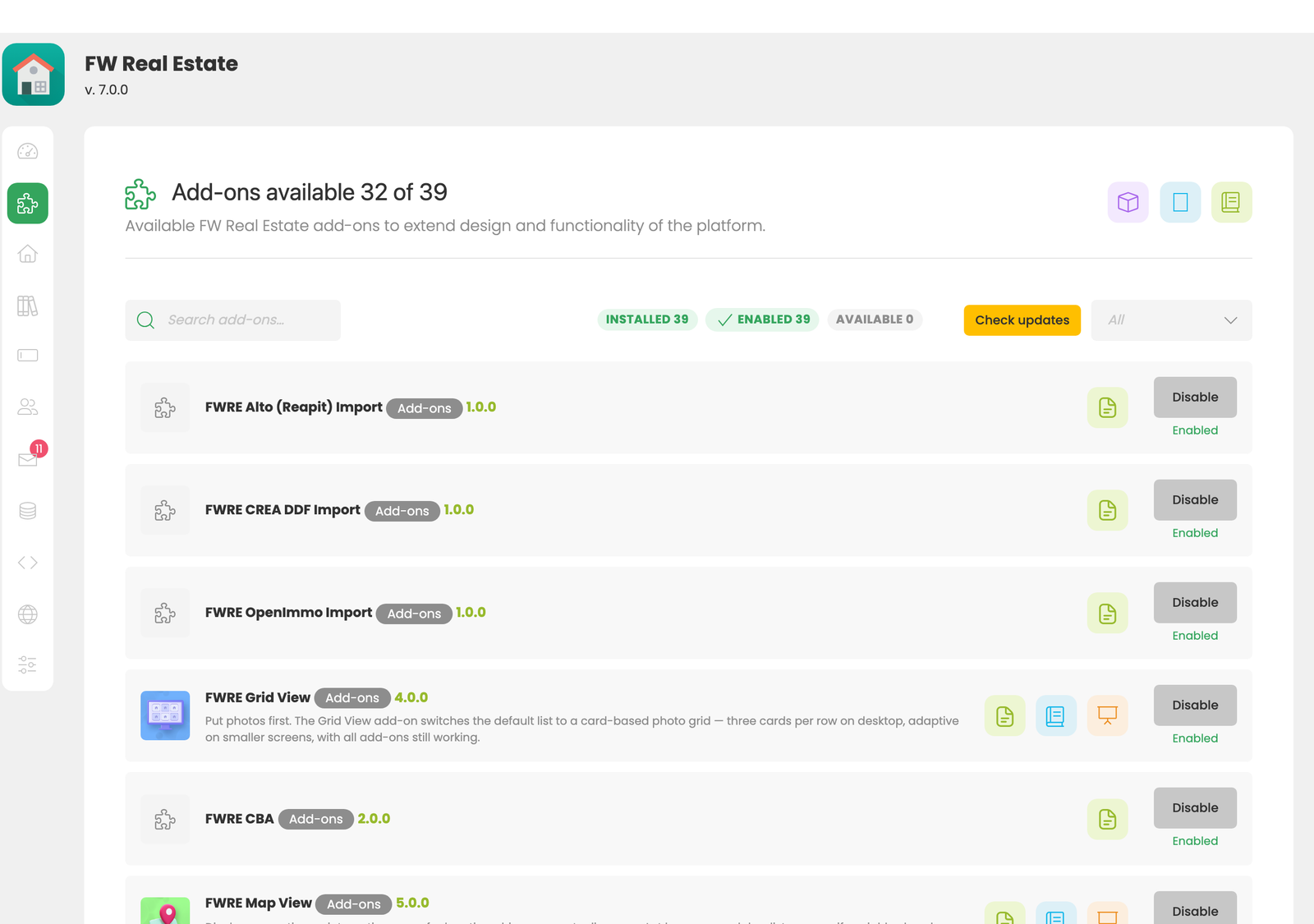
Features in FW Real Estate are delivered by add-ons. Any add-on that is not enabled is completely inactive — its fields, front-end output, and settings disappear. If a feature you expect is not appearing, the relevant add-on may be disabled.
Go to FW Real Estate → Add-ons and confirm the required add-on is enabled.
Email Notifications Are Not Arriving
WordPress does not send email through SMTP by default. Its built-in mail function relies on the server's local mail transfer agent, which is frequently blocked or unconfigured on shared hosting. As a result, inquiry notifications may silently fail to deliver even though inquiries are still stored in FW Real Estate → Messages.
To resolve this, install a dedicated SMTP plugin and configure it with your mail provider's credentials. Once SMTP is working, FW Real Estate notifications will be delivered normally.
Frontend Is Broken After an Update
If a component or add-on update causes the front end to stop working correctly:
- Restore your site from the backup taken before the update.
- Contact Fastw3b support before attempting the update again.
Always take a full backup — files and database — before applying any update.