Add-ons Overview
Add-ons Overview
FW Real Estate is built around a lean core that handles properties, fields, dictionaries and front-end rendering. Everything beyond that comes from add-ons. The plugin never downloads or installs an add-on for you — that work belongs to WordPress. What the plugin does is read add-ons from wherever they are and let you switch them on and off from one screen.
How Add-ons Reach Your Site
There are three routes onto a WordPress site.
- Bundled. The free add-ons — including the Official design — ship inside the FW Real Estate ZIP. They are ready the moment the plugin is activated. There is nothing to install and the front end is already styled.
- A subscription pack. Every paid add-on your subscription tier covers arrives together as a single, separate WordPress plugin. Download it from your fastw3b.com client area and install it the ordinary way: Plugins → Add New → Upload Plugin. One pack per site. After that, the pack updates itself through the standard WordPress Update available notice on its own row in the Plugins screen.
- By hand. A single add-on delivered outside the catalogue — typically a per-client feed or MLS integration — is unzipped into
wp-content/uploads/fwre/addons/. Nothing checks it for updates; you replace its folder yourself when needed.
If the same add-on turns up in more than one place, the copy that is shipped wins: the pack takes priority first, then the bundled set, and a hand-placed copy comes last. A file someone left in the uploads folder years ago can never shadow the one your pack just delivered.
The Subscription Pack Is a WordPress Plugin
The pack appears on the Plugins screen like any other plugin. The add-ons it carries are not plugins and do not appear there. Deactivating the pack removes its add-ons from the site immediately — that is what deactivating a plugin should do. The data those add-ons saved stays in the database untouched, so reinstalling the pack brings every feature back exactly as it was.
A lapsed subscription does not switch anything off. An installed pack keeps working; what lapses is updates and support. Nothing in the plugin checks entitlement while the site runs.
Connecting Your Site
Connecting the site to your fastw3b.com account pairs this domain with your subscription. Click Connect in the FW Real Estate admin header (or in the red This website is not verified banner) and you are sent to your client area, which registers the domain and returns you with the key already applied. There is nothing to copy and no key to paste.
On WordPress, connecting does not fetch or install anything. What it unlocks is:
- Updates for your subscription pack, offered through the ordinary WordPress Plugins screen.
- The add-on catalogue on FW Real Estate → Add-ons, so the screen can show what exists and which subscription carries each add-on.
- Support tickets, once your subscription includes support.
A site that has never been connected makes no outbound request at all. Everything already installed continues to work; the Add-ons screen simply lists what is on the site and invites you to connect.
The Add-ons Screen
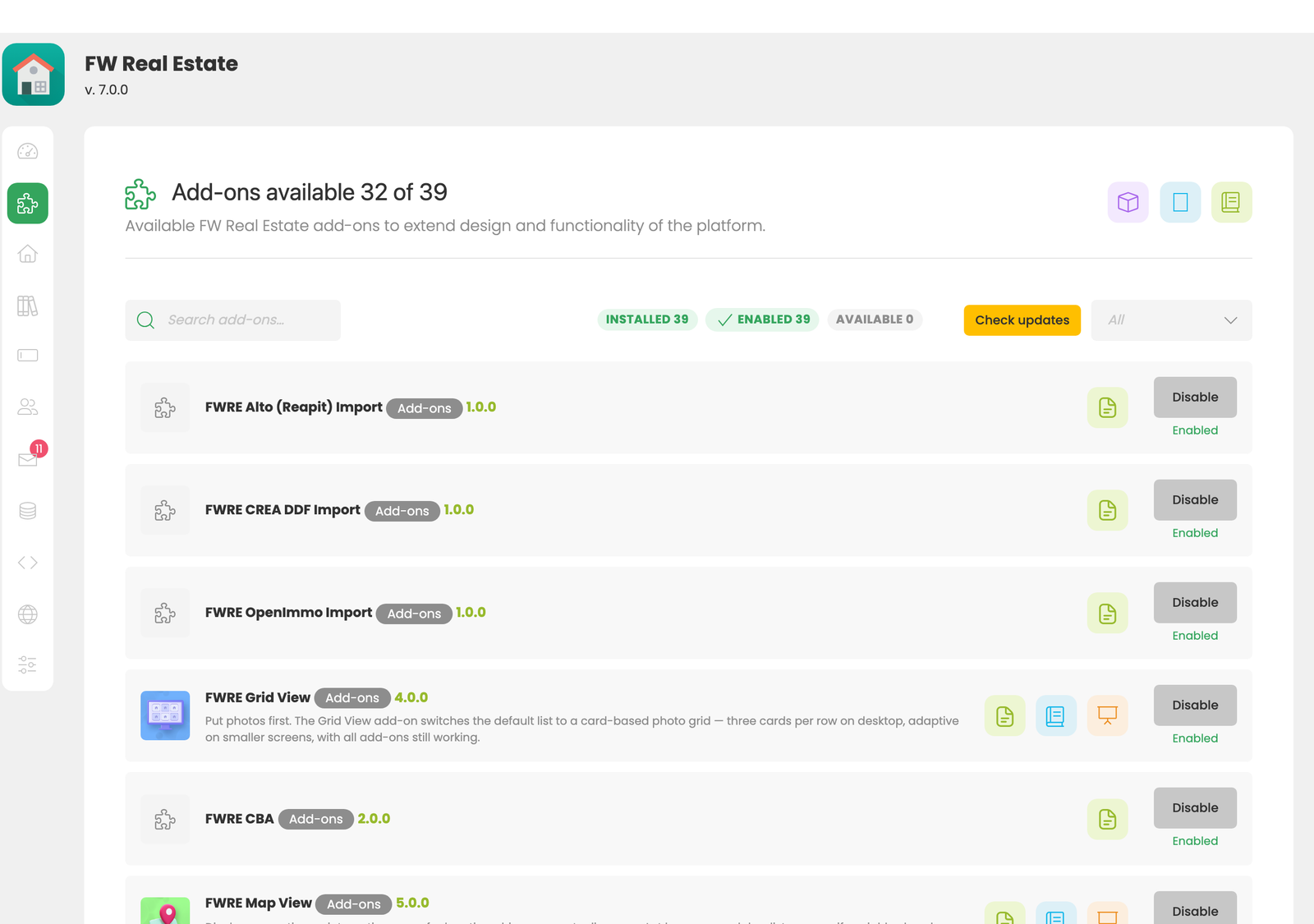
FW Real Estate → Add-ons is where add-ons are switched on and off. That is the only action on a card — there is no install step and no way to remove an add-on from this screen. What the site has, it has by one of the three routes described above.
Add-ons are grouped into three categories:
- Plugins — feature add-ons such as maps, favourites, floor plans, agent management and SEO.
- Designs — the front-end look of your property pages.
- Modules — embeddable blocks such as a search form, a latest-properties strip or a mortgage calculator.
A disabled add-on is genuinely absent. Its fields leave the property form, its output leaves the front end, and its columns leave the CSV export. Its stored data stays in the database, so enabling it again restores everything exactly as it was.
On a connected site the screen also lists add-ons the site does not currently have, alongside the subscriptions that carry them.