FWRE Mortgage Calculator
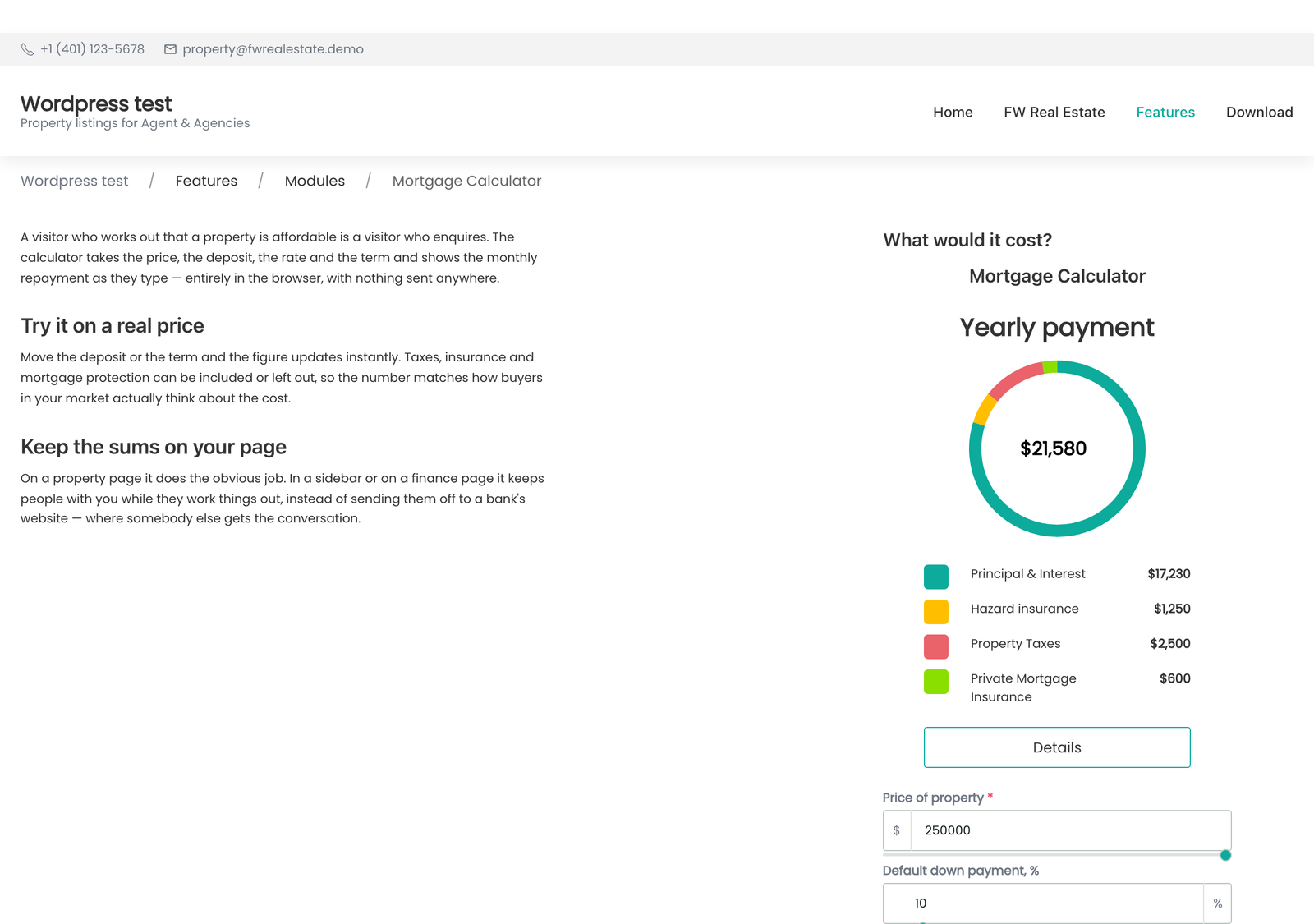
The FWRE Mortgage Calculator addon adds an interactive financing calculator to your site. Visitors enter a property price, deposit, loan term, and interest rate, and the monthly payment and full amortisation schedule recalculate instantly as they type — no page reload required.
Use Cases
- Beside a property listing. On the property detail page the calculator opens with that property's price already filled in, so the figures are immediately relevant to what the visitor is looking at.
- A financing widget on the home page. Aimed at first-time buyers working out their budget before they start browsing listings.
- A dedicated affordability page. Place it in a full-width layout as a standalone tool.
Placing the Calculator
The calculator appears in two different ways, configured in two different places:
- On the property detail page — this is not a module placement. Go to Configuration → Add-ons and find the FWRE Mortgage Calculator card. Set Position on the property page to Hide, Right (side panel), or Bottom. The property page renders the calculator directly — you do not place a module instance for this.
- Anywhere else — use the FW Real Estate — Module block with the key
mortgage, or the shortcode[fwre_module key="mortgage"], in any page or widget area.
Settings
The values below are starting values — the calculator opens with them pre-filled, but the visitor can change every one of them freely. Set defaults that reflect realistic figures for your market so the first number a visitor sees is meaningful.
- Design (theme) — which installed design renders the calculator.
- Default property cost — opening price (default: 1,000,000). On a property detail page the property's own price is used instead.
- Default down payment % — opening deposit (default: 20).
- Default years number — opening loan term: 5, 10, 15, 20, 25, or 30 years (default: 10).
- Default annual interest rate — opening rate (default: 6.5).
- Hide annual property taxes — removes the property-tax row entirely. Hiding a row removes it from the monthly total, not just from the display.
- Annual property taxes % — opening tax rate when the row is shown (default: 1).
- Hide annual hazard insurance — removes the buildings-insurance row.
- Annual hazard insurance % — opening rate when shown (default: 0.5).
- Hide monthly private mortgage insurance — removes the PMI row.
- Monthly private mortgage insurance % — opening PMI rate when shown (default: 0.02).
- Default amortization schedule — whether the breakdown table displays Monthly or Yearly (default: Yearly).
- Enable email lead capture — see below.
Site-wide defaults can be set once on the add-on's Configuration → Add-ons card. Settings on an individual module instance override the site-wide defaults for that instance only.
Email Lead Capture
When Enable email lead capture is turned on, an Email me this scenario button appears on the calculator. The visitor enters their name and email address, and the figures they have built are emailed to them. The submission is also recorded as a lead in FW Real Estate → Messages, alongside your property enquiries.
The form asks for a name and an email address only — nothing more. Someone who has worked out a monthly payment on a specific property and requested it in writing is a warm contact. There are no configurable subject lines or message body templates; lead capture is a single on/off switch.
A Note on Hiding Rows
Hide only the rows your market does not use. When a row is hidden it is removed from the monthly total — the figure displayed reflects only the costs that remain visible. Leaving unused rows at zero produces a misleading total; hiding them makes the number mean what it says.
To install this addon, open the Add-ons panel inside FW Real Estate. See Getting Started → Add-ons for details on free addons, paid addons, and site verification.